> ## Documentation Index
> Fetch the complete documentation index at: https://relevanceai.com/docs/llms.txt
> Use this file to discover all available pages before exploring further.
# Changing your email address
> How to change your Relevance AI account email address
You can now change your Relevance AI account email address directly from your profile settings. This process allows you to update your account email while maintaining access to all your projects and resources.
## How to change your email address
You cannot change your email address to one that is already associated with another Relevance AI account. The email address you choose must be unique and not currently in use.
Follow these steps to change your email address:
1. **Log into Relevance AI** at [https://app.relevanceai.com](https://app.relevanceai.com)
2. **Click on your profile picture** in the top right corner, then select **Profile**
3. **Click on the Security tab**
4. **On the email address panel**, click the **Edit** button
5. **Enter your current password** for security verification
6. **Enter your new email address** and confirm it by entering it again in the confirmation field
7. **Submit the change** - a verification code will be sent to your new email address
8. **Check your new email inbox** for the verification code
9. **Enter the verification code** on the same screen to complete the email change process
You will receive a verification code at your new email address. Make sure you can receive emails at the new email address before proceeding, otherwise you may lose access to your account. You can enter the verification code on the same screen to complete the process.
## Who cannot change their email
Some users are unable to change their email address through this process:
### Google sign-in users
If you signed up for Relevance AI using Google authentication (Sign in with Google), you cannot change your email address through this method at this time. This capability may be added in the future.
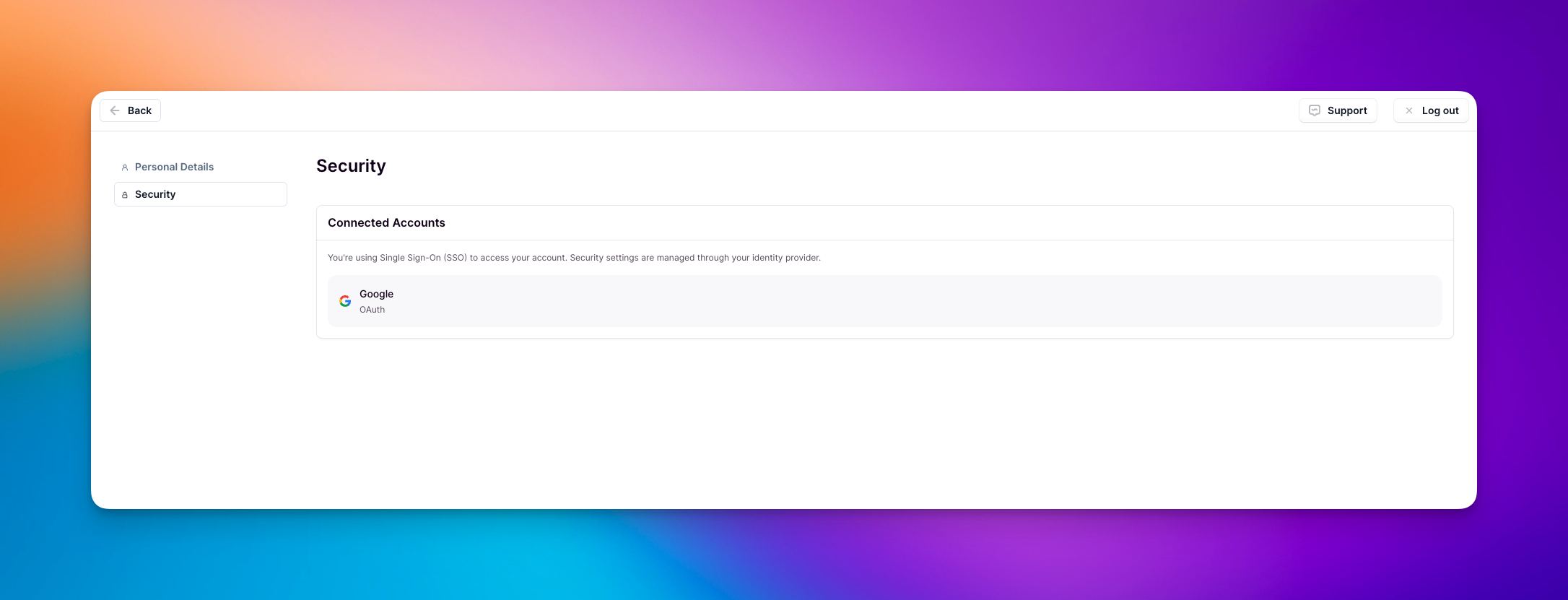 1. Create a new account with your new email address at [https://app.relevanceai.com/auth](https://app.relevanceai.com/auth)
2. After successfully creating a new account with your new email address, log back into your old account and add this account to all of your project(s)
3. Reach out to our support team to delete your old account and change your billing details to reflect your new email if you have a subscription. You can learn how to reach out to our support team [here](https://relevanceai.com/docs/get-started/support)
### Enterprise users with SSO enforced
If you are an Enterprise user and your organization's administrator has enforced Single Sign-On (SSO), you cannot change your email address through this method. Contact your organization's administrator for assistance with email address changes. SSO enforcement is only available to Enterprise customers.
1. Create a new account with your new email address at [https://app.relevanceai.com/auth](https://app.relevanceai.com/auth)
2. After successfully creating a new account with your new email address, log back into your old account and add this account to all of your project(s)
3. Reach out to our support team to delete your old account and change your billing details to reflect your new email if you have a subscription. You can learn how to reach out to our support team [here](https://relevanceai.com/docs/get-started/support)
### Enterprise users with SSO enforced
If you are an Enterprise user and your organization's administrator has enforced Single Sign-On (SSO), you cannot change your email address through this method. Contact your organization's administrator for assistance with email address changes. SSO enforcement is only available to Enterprise customers.
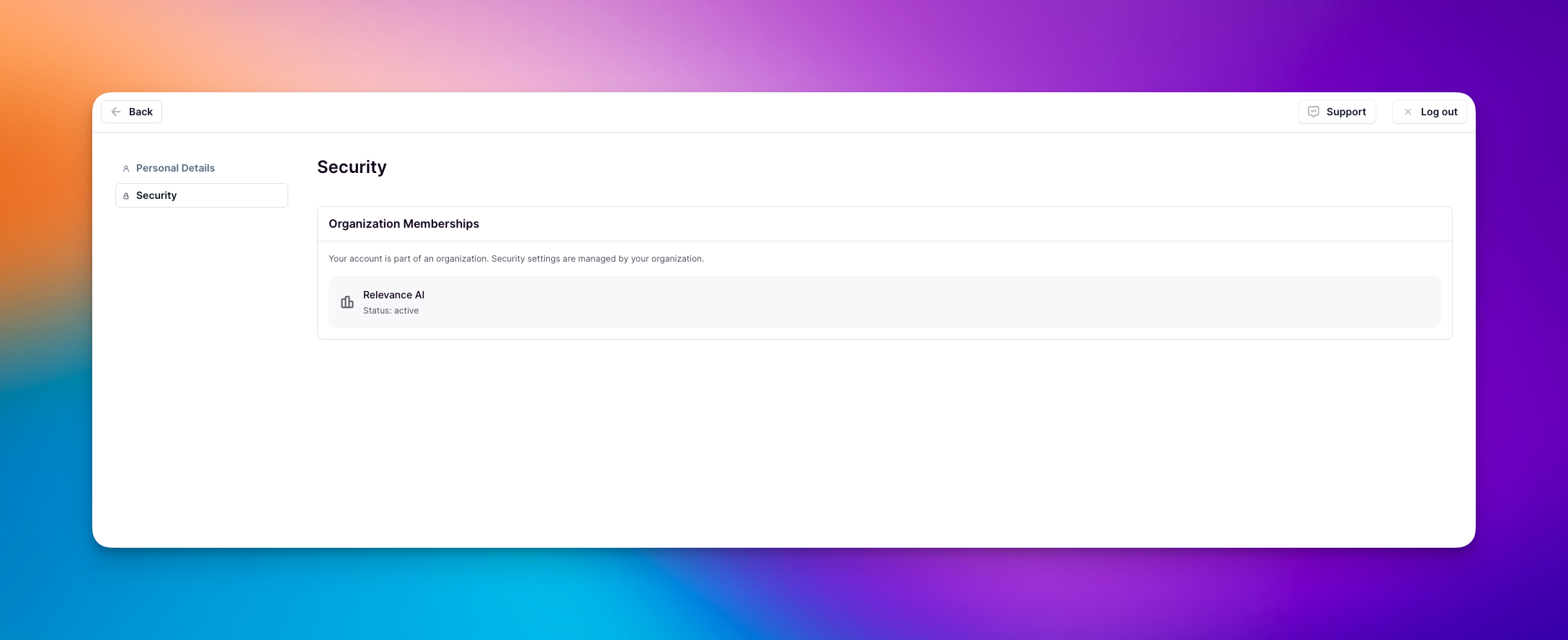 Enterprise users who do not have SSO enforced by their administrators can change their email addresses using the standard process described above.
## Frequently asked questions (FAQs)
No, all your projects, agents, and resources will remain intact. You'll need to verify your new email address before you can log in with it.
If you don't verify your new email address, the change will not be completed and you'll need to continue using your old email address to log in. If you're experiencing issues with verification, please reach out to our support team [here](https://relevanceai.com/docs/get-started/support).
Yes, you can change your email address again using the same process. Just make sure you can receive verification emails at the address you want to use.
Currently, users who signed up with Google authentication need to follow the workaround process described above. We may add this capability in the future.
If your organization has enforced SSO, you cannot change your email address through this method. Contact your organization's administrator for assistance. If SSO is not enforced, you can change your email address using the standard process described above.
You cannot change your email address to one that is already associated with another Relevance AI account. Each email address must be unique. If you need to use an email address that's already in use, you'll need to first delete or change the email on the existing account that's using it.
Enterprise users who do not have SSO enforced by their administrators can change their email addresses using the standard process described above.
## Frequently asked questions (FAQs)
No, all your projects, agents, and resources will remain intact. You'll need to verify your new email address before you can log in with it.
If you don't verify your new email address, the change will not be completed and you'll need to continue using your old email address to log in. If you're experiencing issues with verification, please reach out to our support team [here](https://relevanceai.com/docs/get-started/support).
Yes, you can change your email address again using the same process. Just make sure you can receive verification emails at the address you want to use.
Currently, users who signed up with Google authentication need to follow the workaround process described above. We may add this capability in the future.
If your organization has enforced SSO, you cannot change your email address through this method. Contact your organization's administrator for assistance. If SSO is not enforced, you can change your email address using the standard process described above.
You cannot change your email address to one that is already associated with another Relevance AI account. Each email address must be unique. If you need to use an email address that's already in use, you'll need to first delete or change the email on the existing account that's using it.