> ## Documentation Index
> Fetch the complete documentation index at: https://relevanceai.com/docs/llms.txt
> Use this file to discover all available pages before exploring further.
# Asynchronous Execution
> How to run async calls for long running tools
## API authorization set up
## Tool ID
### Make async call for long running tool
Provide `tool_id` in the code below to trigger a task and check the progress:
```Python theme={null}
import requests
body = {
"params":{
"blog_request":"hello"
},
"project":project_id
}
response = requests.post(
base_url + f"studios/{tool_id}/trigger_async",
headers=headers,
json=body
)
# Extract the tools job id, so we can check its progress
job = response.json()
job_id = job['job_id']
poll_url = base_url + f"/studios/{tool_id}/async_poll/{job_id}?ending_update_only=true"
done = False
# Every 3 seconds, check if the tool had finished by calling the poll endpoint
while not done:
poll_response = requests.get(poll_url, headers=headers).json()
if poll_response['type'] == "complete" or poll_response['type'] == 'failed':
done = True
break
time.sleep(3)
poll_response
```
### Which Relevance AI Endpoints can we use?
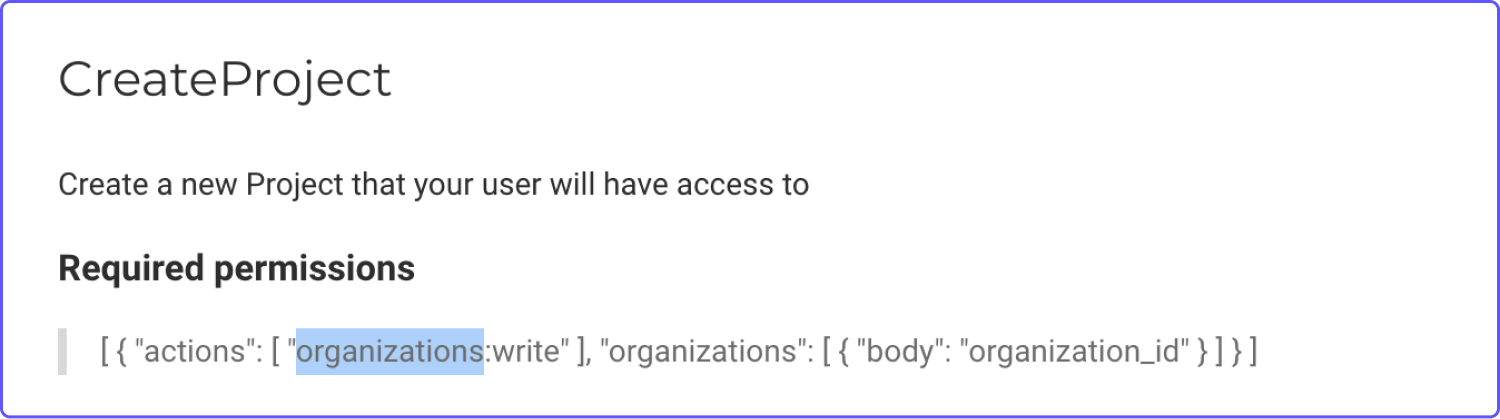
This is our [API documentation](https://api-f1db6c.stack.tryrelevance.com/latest/documentation) which shows all Relevance AI Endpoints. You can make requests to any endpoint that doesn't require organization level permissions. The endpoints that require org level permissions will mention the word "Organization" somewhere in the Required permissions section, as shown in the screenshot below.