> ## Documentation Index
> Fetch the complete documentation index at: https://relevanceai.com/docs/llms.txt
> Use this file to discover all available pages before exploring further.
# Setting up Azure OpenAI
> How to set up Azure OpenAI
## Pre-requiste
You'll need 3 things:
1. The URL of the azure endpoint, for example: [https://my-test-env.openai.azure.com/](https://my-test-env.openai.azure.com/)
2. The API Key
3. The Deployment ID of your model
## Integration Setup
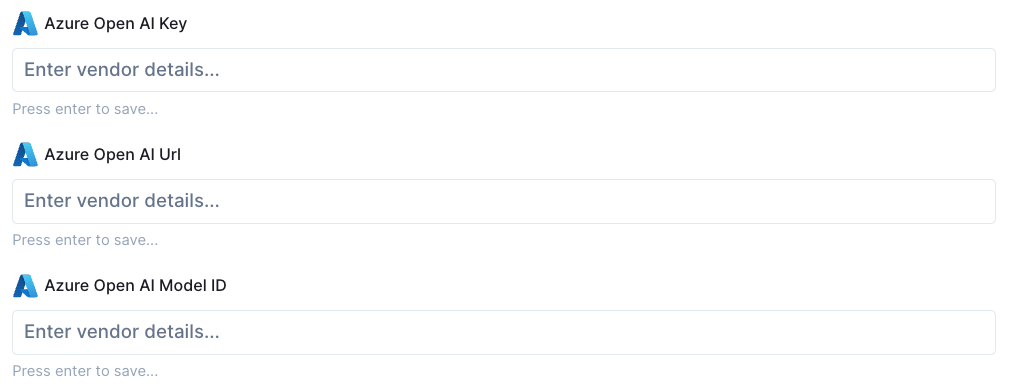
Insert your URL and API key here in the integrations page.
 ## LLM Setup
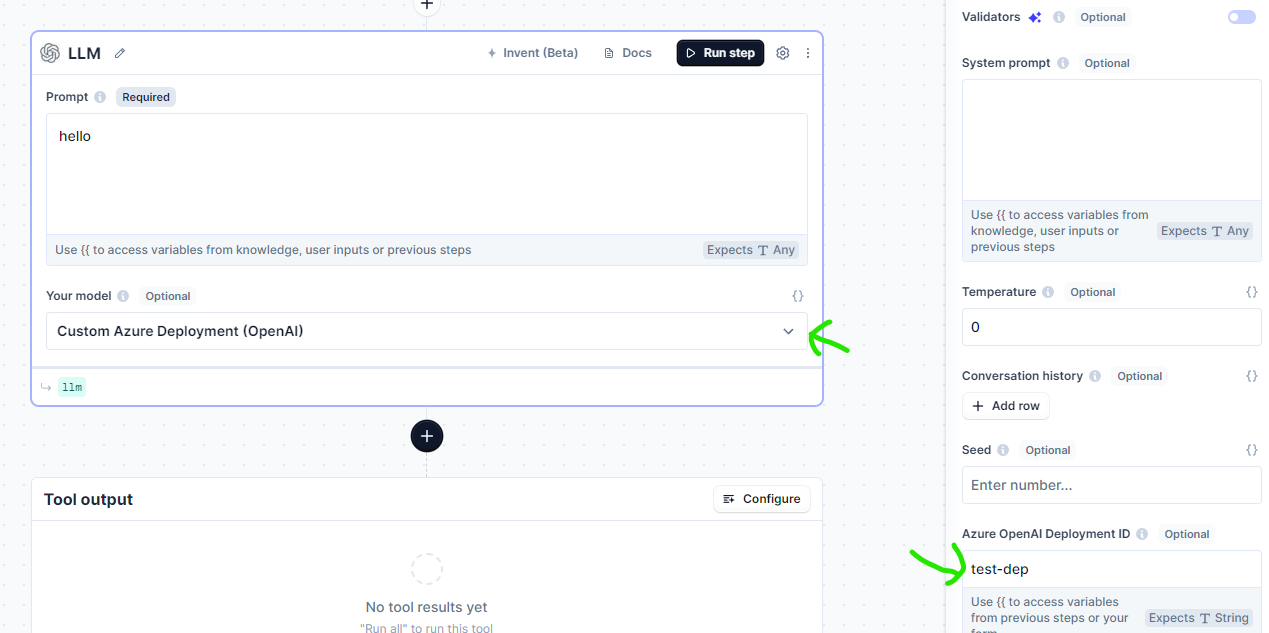
* Select "Custom Azure Deployment (OpenAI)" for "Your model".
* Go to advanced settings and enter in your Deployment ID to "Azure OpenAI Deployment ID".
## LLM Setup
* Select "Custom Azure Deployment (OpenAI)" for "Your model".
* Go to advanced settings and enter in your Deployment ID to "Azure OpenAI Deployment ID".
 ## Agent Setup
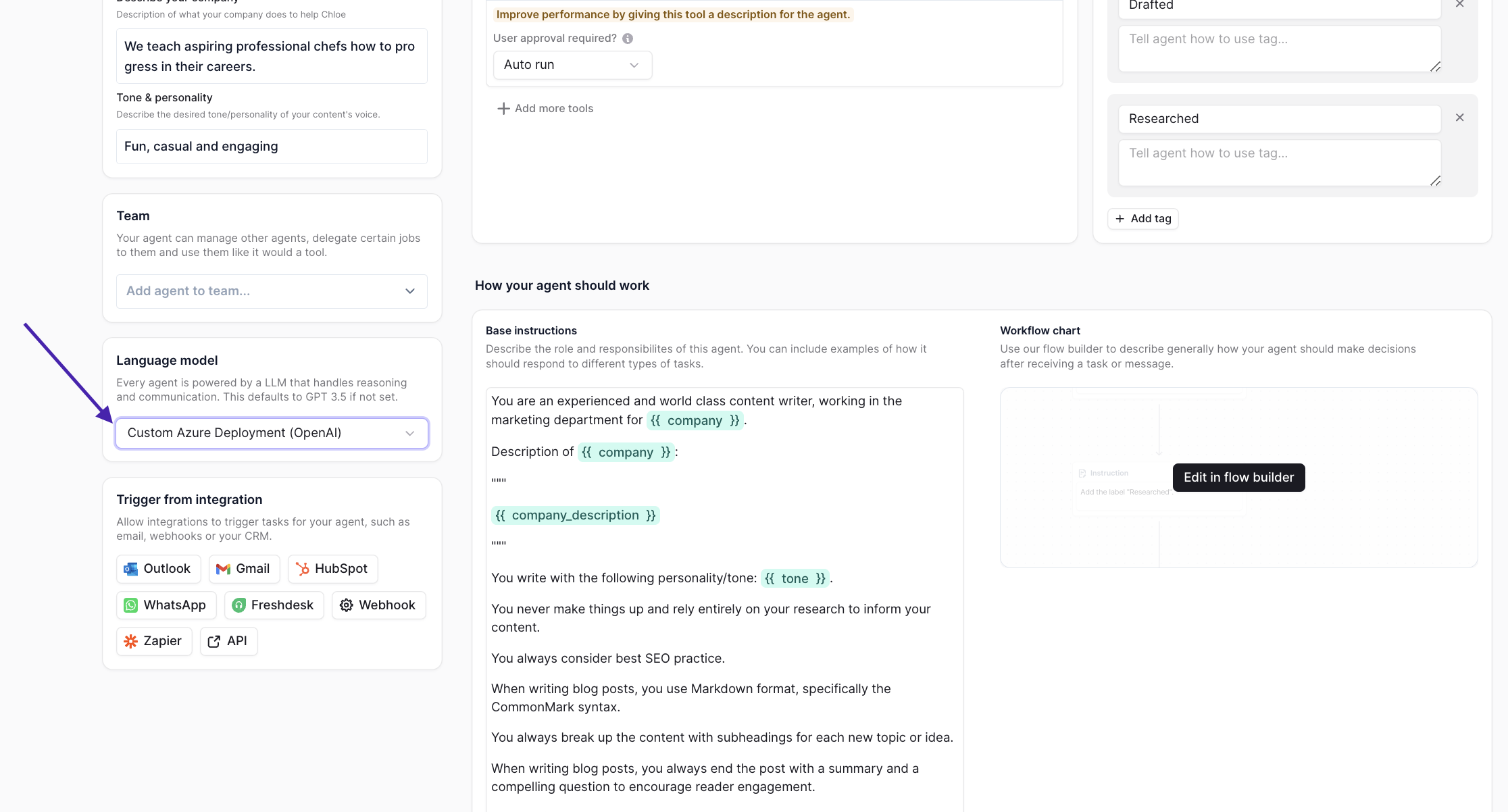
* Select "Custom Azure Deployment (OpenAI)" for "Language model" in the Agents page.
## Agent Setup
* Select "Custom Azure Deployment (OpenAI)" for "Language model" in the Agents page.