> ## Documentation Index
> Fetch the complete documentation index at: https://relevanceai.com/docs/llms.txt
> Use this file to discover all available pages before exploring further.
# Combine array of strings
> Combine entries in an array of string into one string
"Combine array of strings" allows you to combine entries in an array of string into one string.
On this page, we will introduce the Tool step to "Combine array of strings".
## How to use "Combine array of strings" step
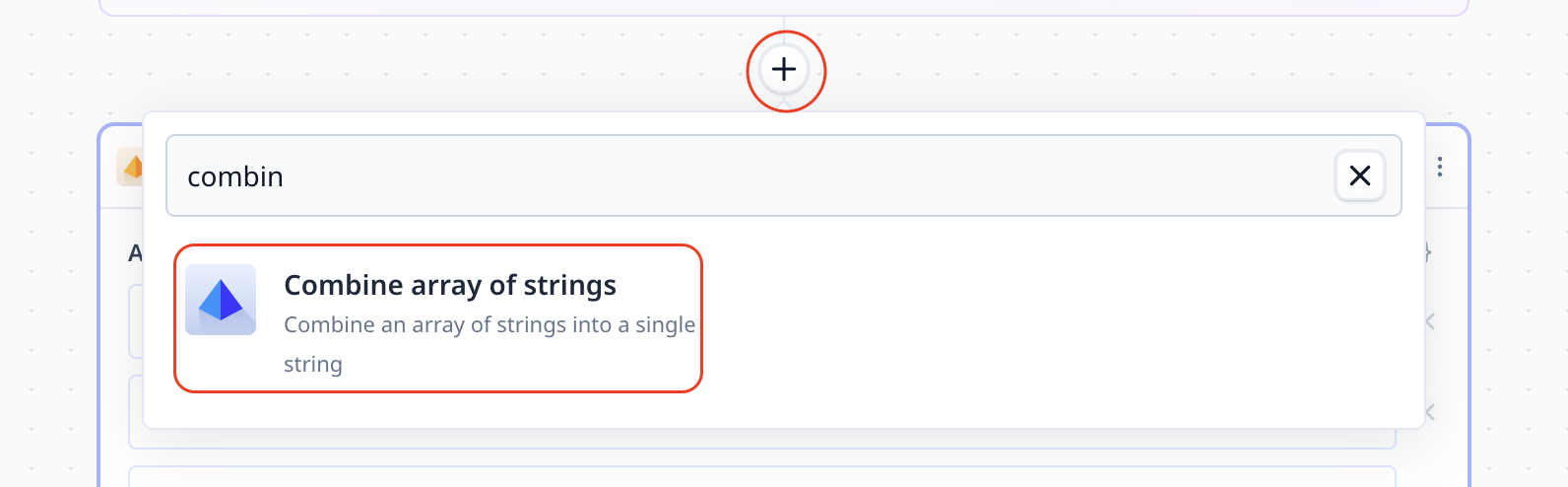
### Add the component
Add the "Combine array of strings" step to your Tool (check how to get started with
[creating a tool](/build/tools/tool-steps/getting-started)).
 ### Array to join
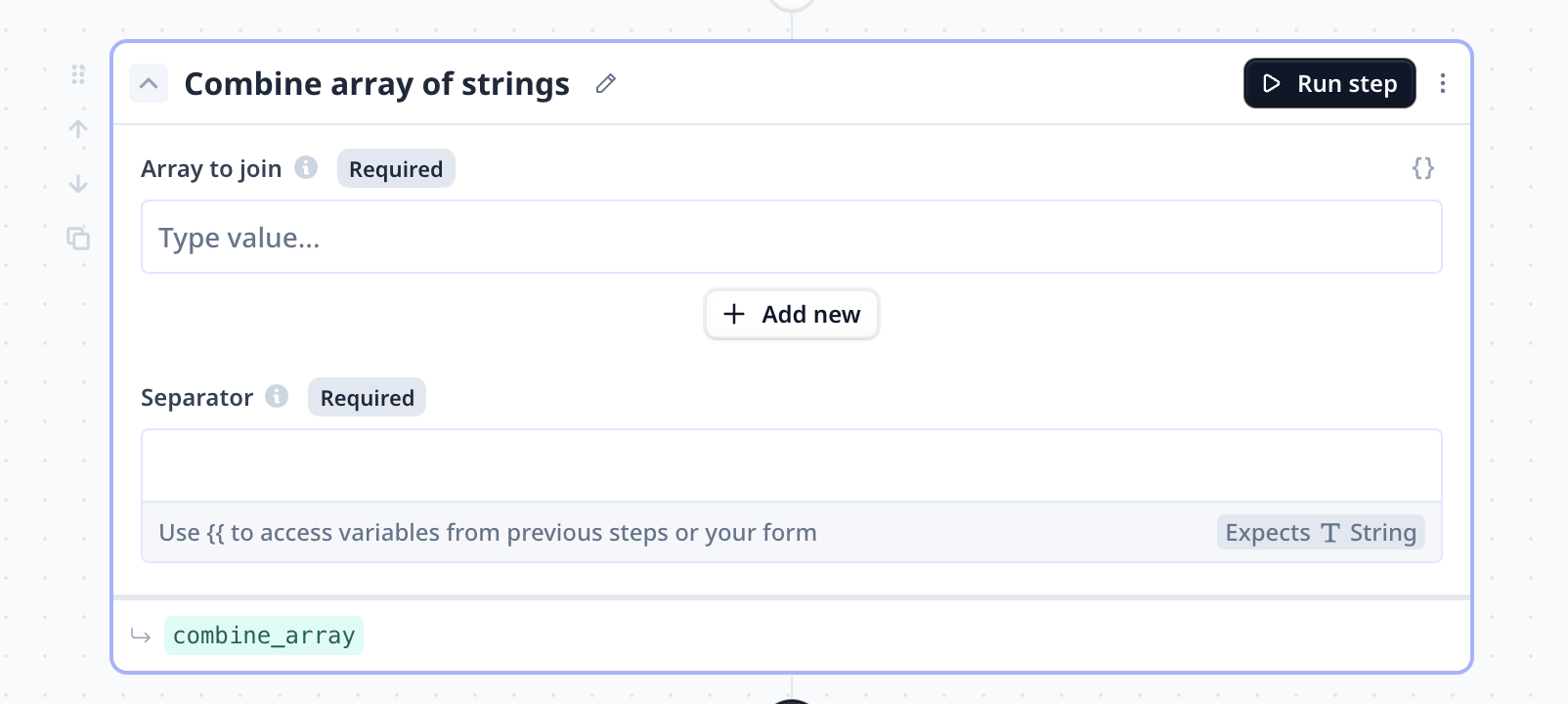
A "Combine array of strings" step requires an array of strings as an input. This array can be entered within the step.
However, it is often more practical to fetch the value from an input component (e.g. [List input](/build/tools/user-inputs/text-list)) or
another step output (e.g. [JavaScript](/build/tools/tool-steps/code-javascript) snippet producing a list of string).
Use `{{variable name}}` to provide the data to the "Combine array of strings" step.
### Array to join
A "Combine array of strings" step requires an array of strings as an input. This array can be entered within the step.
However, it is often more practical to fetch the value from an input component (e.g. [List input](/build/tools/user-inputs/text-list)) or
another step output (e.g. [JavaScript](/build/tools/tool-steps/code-javascript) snippet producing a list of string).
Use `{{variable name}}` to provide the data to the "Combine array of strings" step.
 ### Separator
Even though called separator, this field receives a character to be used as the connector of the items in the string array.
For instance, with a '-' connector, all the list elements are stacked together with a '-' in between.
```
This
is
a
test
=>
This-is-a-test
```
## Access the step output
The output is a dictionary with a key `text`.
Below you can see samples where the default name assigned to the step `combine_array` is used.
Note that a step name is different from the step title. Step titles can be found on the top left
of steps. A step name is shown on the bottom left, in smaller font and highlighted green.
```
combine_array.text
```
## Common errors
### Unsupported input
An error similar to the one noted below indicates that the provided input is not a valid array.
```
Studio transformation combine_array input validation error: must be array {"type":"array"} /array
```
### Separator
Even though called separator, this field receives a character to be used as the connector of the items in the string array.
For instance, with a '-' connector, all the list elements are stacked together with a '-' in between.
```
This
is
a
test
=>
This-is-a-test
```
## Access the step output
The output is a dictionary with a key `text`.
Below you can see samples where the default name assigned to the step `combine_array` is used.
Note that a step name is different from the step title. Step titles can be found on the top left
of steps. A step name is shown on the bottom left, in smaller font and highlighted green.
```
combine_array.text
```
## Common errors
### Unsupported input
An error similar to the one noted below indicates that the provided input is not a valid array.
```
Studio transformation combine_array input validation error: must be array {"type":"array"} /array
```