> ## Documentation Index
> Fetch the complete documentation index at: https://relevanceai.com/docs/llms.txt
> Use this file to discover all available pages before exploring further.
# List of JSON
> Input a list of JSON objects
## What is a JSON list
JSON list is an input component that allows you to enter a list of JSON objects.
## When to use the JSON list component
The JSON list component is suitable for lists composed of multiple key values.
## How to add a JSON list to my custom Tool
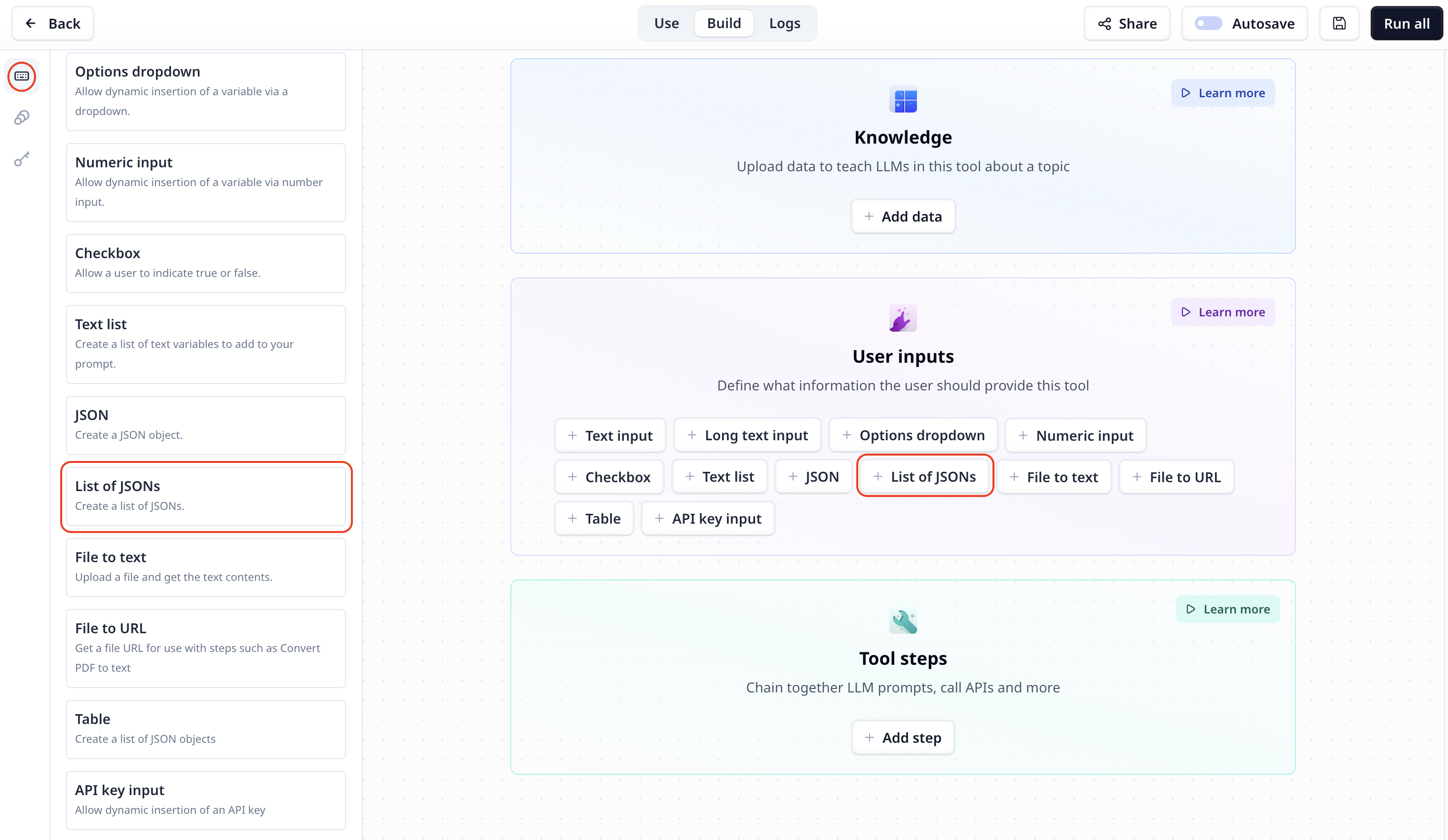
The JSON list component is listed under User inputs. You can add it to your Tool using the main section
or the side-bar.
 ## List of JSON input setting
## Access the entered list of JSON
To access the entered data use the variable mode `{{}}` and the input step name. Under the default setting it is accessible
via `{{json_list}}` (or `params.json_list` in a JavaScript step).
## List of JSON input setting
## Access the entered list of JSON
To access the entered data use the variable mode `{{}}` and the input step name. Under the default setting it is accessible
via `{{json_list}}` (or `params.json_list` in a JavaScript step).