> ## Documentation Index
> Fetch the complete documentation index at: https://relevanceai.com/docs/llms.txt
> Use this file to discover all available pages before exploring further.
# Long text input
> Input longer than a line pieces of text
## What is a Long text input
Long text input is an input component that allows you to enter multiple lines of text.
The value can be entered by the user or later fetched from an uploaded dataset (bulk-run).
## When to use the Long text input component
The Long text input component is suitable for long pieces of text. Such as a responses, audio transcription, etc.
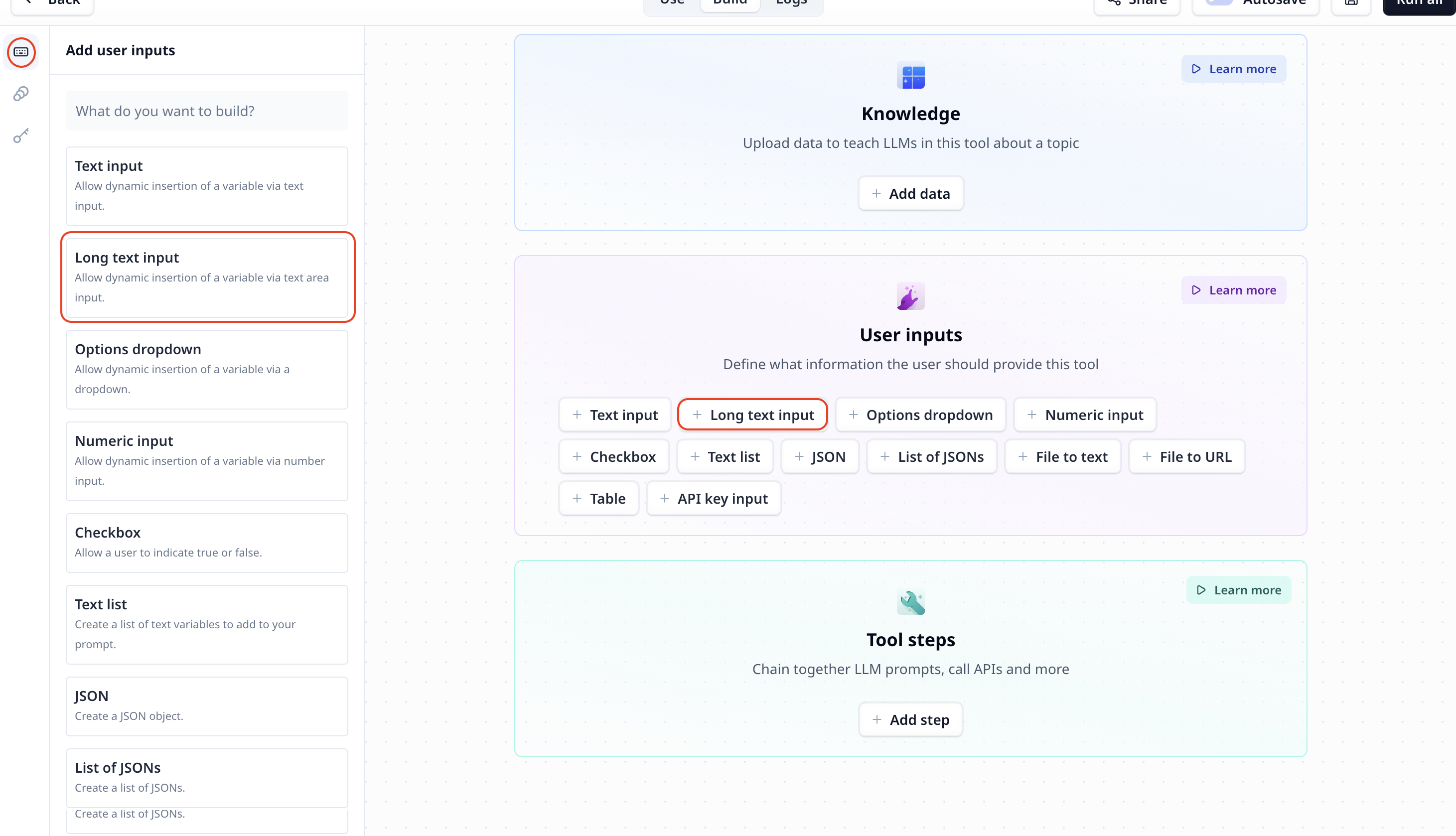
## How to add a Long text input to my custom Tool
The Long text input component is listed under User inputs. You can add it to your Tool using the main section
or the side-bar.
 ## Long text input setting
## Access the entered text
To access the entered text use the variable mode `{{}}` and the input step name. Under the default setting it is accessible
via `{{long_text}}` (or `params.long_text` in a JavaScript step).
## Long text input setting
## Access the entered text
To access the entered text use the variable mode `{{}}` and the input step name. Under the default setting it is accessible
via `{{long_text}}` (or `params.long_text` in a JavaScript step).