> ## Documentation Index
> Fetch the complete documentation index at: https://relevanceai.com/docs/llms.txt
> Use this file to discover all available pages before exploring further.
# Create a Workforce
> How to create your first Workforce in Relevance AI.
This guide walks you through creating a Workforce. For an overview of what Workforces are and how they work, see [Workforces](/get-started/core-concepts/workforces).
## Create your first Workforce
1. Click **Workforce** in the left sidebar
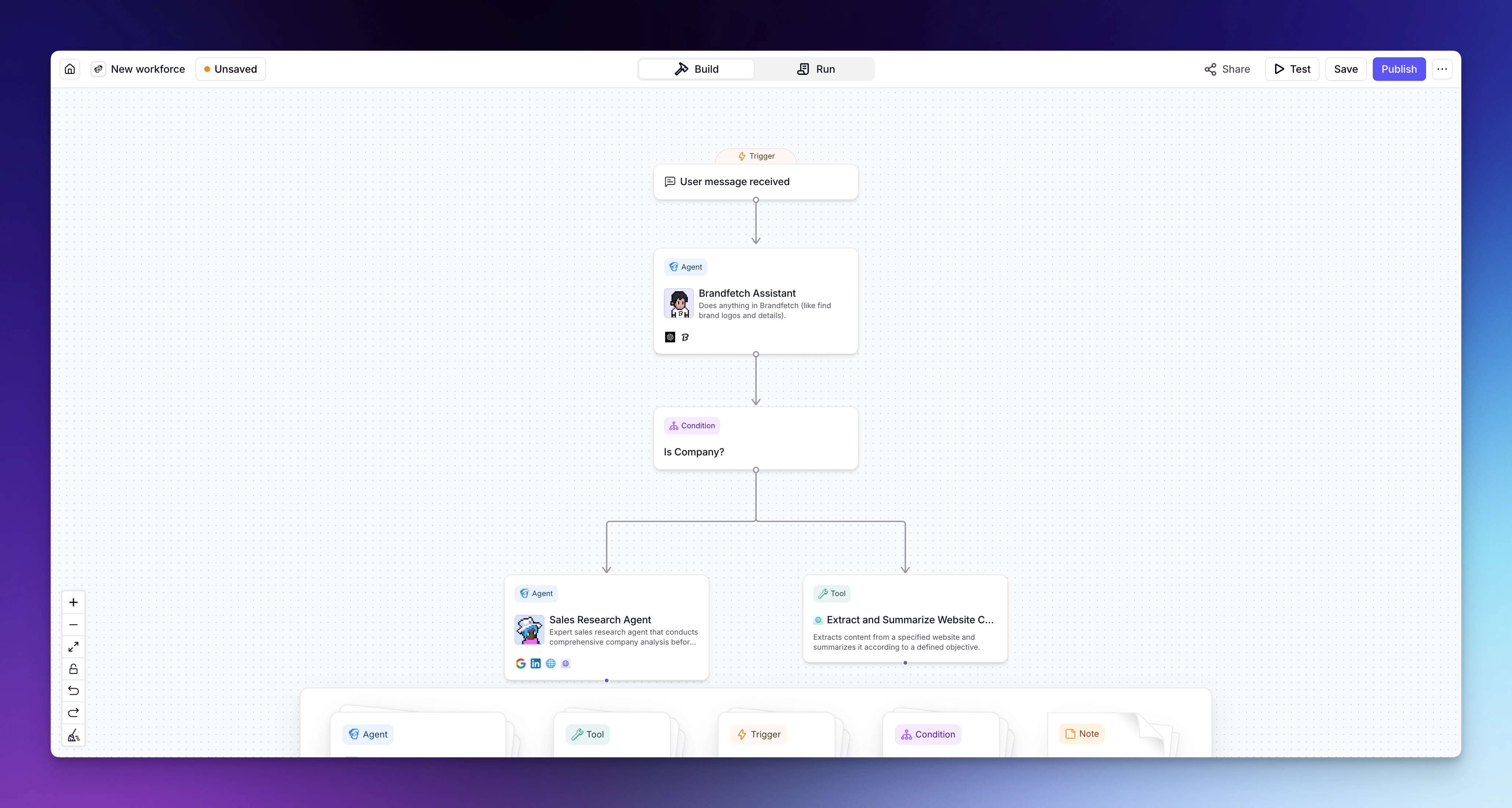
2. Click **+ New Workforce** to open the visual canvas
3. Add your Agents to the canvas by dragging them from the sidebar
4. Connect your Agents by drawing lines between them
5. Configure each connection — choose between an **AI connection** (the Agent decides when to hand off) or a **next step** (mandatory transition)
6. Add Tools to your workflow as needed
7. Set up any conditional logic for routing
8. Save your Workforce
Map out your process before building — know which Agents handle which steps and how they hand off. Simpler Workforces with clearly defined roles tend to perform better than overly complex ones.
## What's next?
Once you've created a Workforce, explore the rest of the build guides to refine it:
* [Add triggers](/build/workforces/build-an-ai-workforce/add-triggers) — configure what starts your Workforce (manual, integration, or scheduled)
* [Introduction to nodes](/build/workforces/build-an-ai-workforce/introduction-to-nodes) — understand the building blocks of your Workforce canvas
* [Add Agents](/build/workforces/build-an-ai-workforce/add-agents) — add and configure Agents on the canvas
* [Add Tools](/build/workforces/build-an-ai-workforce/add-tools) — connect Tools directly within your workflow
* [Add conditions](/build/workforces/build-an-ai-workforce/add-conditions) — create routing rules for smarter workflows
* [Edge settings](/build/workforces/build-an-ai-workforce/edge-settings) — configure how connections between nodes behave