

Tools
Create a Tool
How to create your first Tool in Relevance AI.
This guide walks you through creating a Tool. For an overview of what Tools are and how they work, see Tools.
Two ways to create
Invent
Describe what you want in plain language and the platform generates a working Tool for you. Great for getting started fast — you make the tweaks.
Build from scratch
Full step-by-step control over inputs, steps, and outputs. Ideal when you have a specific workflow in mind or need precision.
Option 1: Invent a Tool
- Click Tools in the left sidebar
- Click + New Tool
- Select Invent
- Describe what the Tool should do — be specific about the input it receives, the action it performs, and the output you expect
- Review the generated Tool — Inventor will set up the inputs, steps, and outputs for you
- Test and tweak as needed
Option 2: Build from scratch
New to Relevance AI? Relevance AI Academy has structured courses that walk you through building on the platform step by step.
- Click Tools in the left sidebar
- Click + New Tool
- Select Start from scratch
- Give your Tool a name and description, then click Edit agent prompt to describe how an Agent should use the Tool
- Add your inputs — what data does the Tool need to receive?
- Add steps — what should the Tool do with that data? Steps include LLM prompts, API calls, integrations, code execution, and more
- Define your outputs — what should the Tool return when it’s done?
- Run individual steps to test as you build
- Give the Tool to an Agent or share it as a standalone form
The Tool Builder
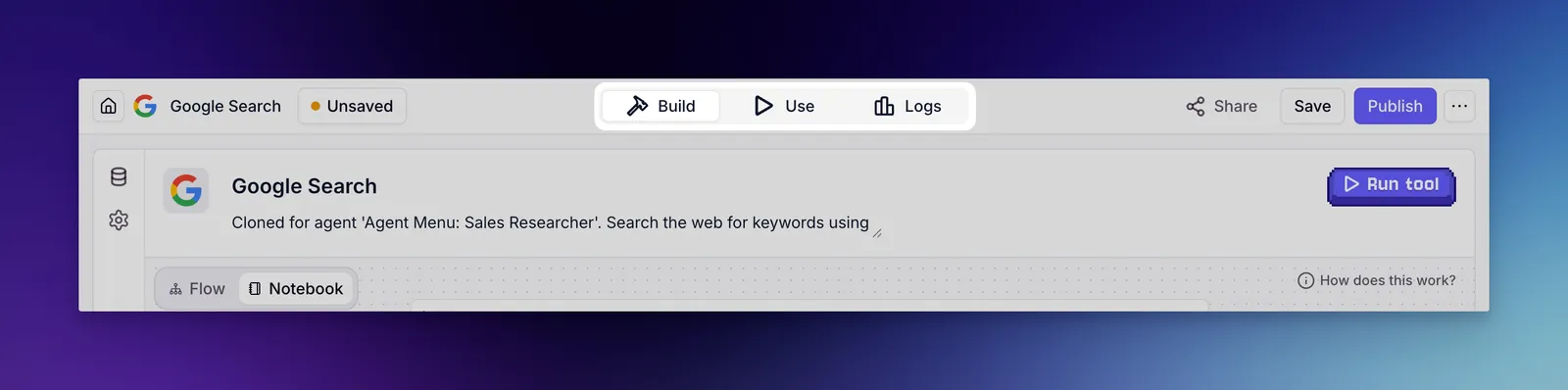
The Tool Builder has three tabs:
- Use — run and test your Tool as a shareable form
- Build — create your Tool by defining inputs and chaining steps together
- Logs — review past executions and debug issues
Editing shared tools
When you open a tool that is used by two or more agents, a warning banner appears at the top of the editor. The banner shows how many agents use the tool and warns that your changes will affect all of them.
To edit without affecting other agents, click Clone this tool in the banner. This creates an independent copy you can modify and assign to specific agents.
Edit the tool directly when the change should apply across all agents using it — for example, fixing a bug or updating a shared integration. Clone the tool when you need a variation for a specific agent, or want to test changes before applying them broadly.
The banner can be minimized. Your preference is saved per tool, so minimized banners stay minimized on future visits.
Follow along on YouTube
What’s next?
Once you’ve created a Tool, explore the rest of the build guides to refine it:
- Style guide — naming conventions and best practices for making Tools work well with Agents
- Inputs — configure what data your Tool receives
- Steps — chain actions together into a workflow
- Outputs — define what your Tool returns
- Version history — every save creates a snapshot you can restore, so you can experiment without losing working versions