Add conditions to steps
Running a step only if conditions are met
By default, when running a Tool, each tool step is executed once. However, Relevance supports conditional execution. Where a step runs only if the defined condition is met
Conditions
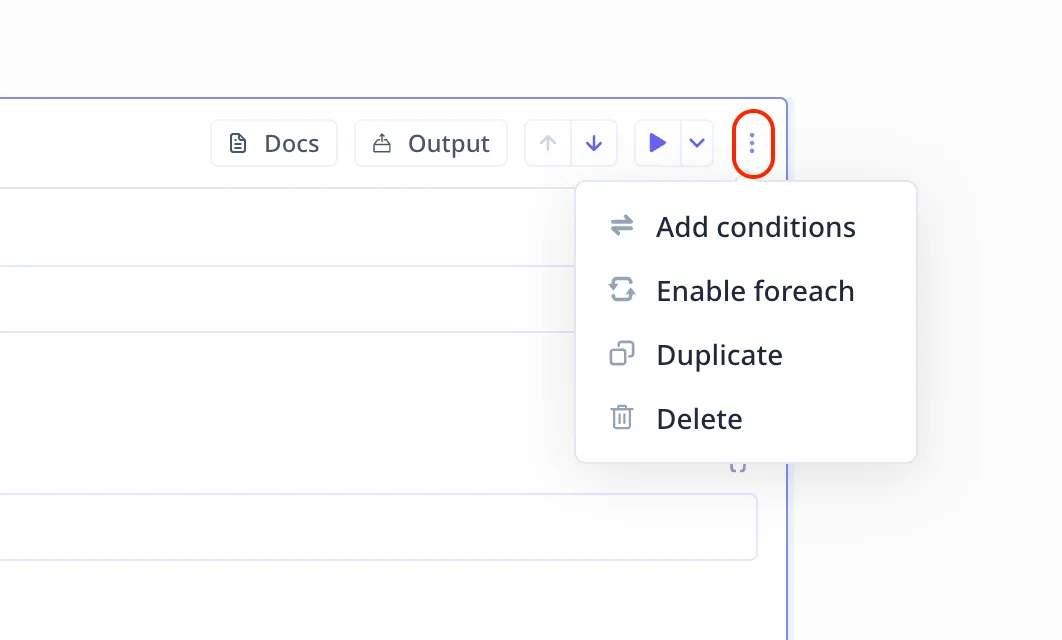
Access loops under the three-dot menu on the top right of steps. Click on Enable conditions.
Conditions must follow JavaScript syntax and must be written inside the template handlebars {{ condition }}.
Tip:
You can use && and || for “and” and “or”, respectively.
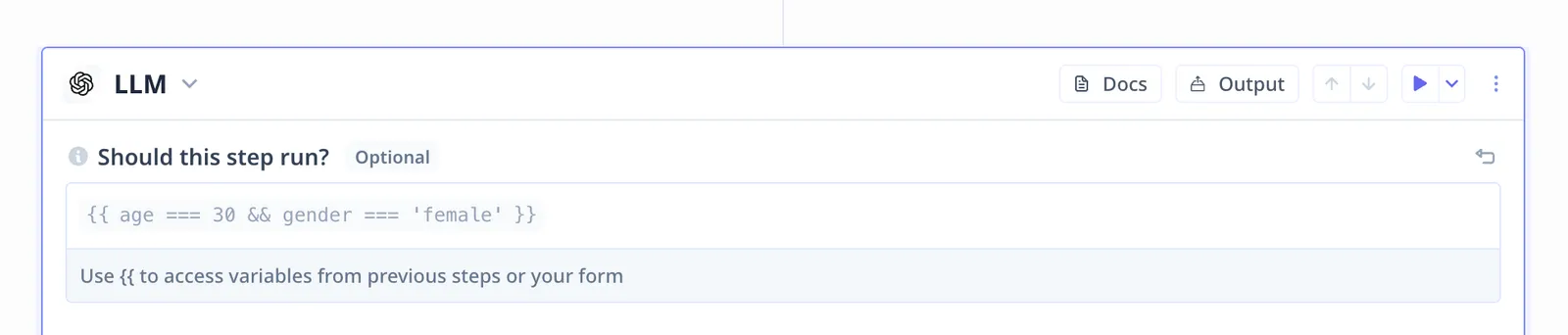
In the example below, the LLM step runs if the input variable age is 30 ({{ age === 30 }}) and the input variable
gender is female ({{ gender === "female" }}).