

Community
Join the Relevance AI Community on Slack or the companion forum
The Relevance AI Community is where customers, Partners, and Rellies (Relevance AI team members) connect — ask questions, share what they’re building, and learn from other operators.
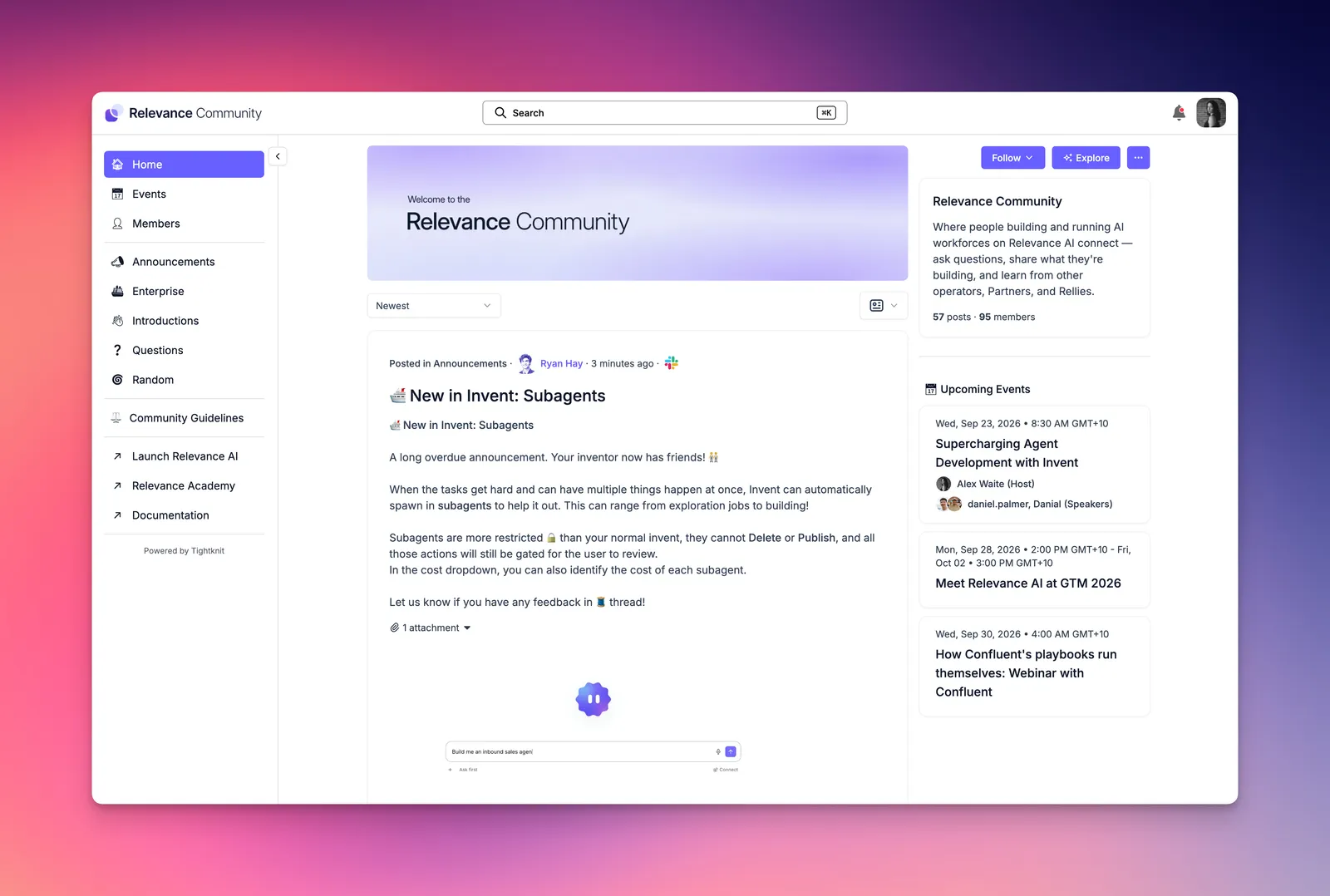
As of September 2026, we’ve moved the Community onto a new platform. The previous standalone forum is being replaced by a dedicated Slack workspace with a companion forum site, so you can participate from either experience. Membership is not carried over automatically. If you had an account on the previous Community, you still need to join the new one.
How the Community works
The Relevance Community is a two platform experience, powered by Tightknit. You can join the Relevance Community via a dedicated Slack Workspace, or a companion forum site hosted at community.relevanceai.com, or both! Activity, including posts and comments, will be synced back and forth either way.
That means there is one Community with two doors in:
Slack Workspace
Real-time discussion in a dedicated Relevance Community workspace.
Companion forum
A web forum at community.relevanceai.com. Read, post, and comment in the browser if you prefer a forum layout, or if Slack isn’t available at work.
A message you post in Slack appears as a thread on the forum. A post you create on the forum appears as a message in the matching Slack channel. Comments on the forum sync as Slack thread replies.
You can use Slack, the forum, or both. You don’t need to follow both surfaces to stay in the conversation.
Use the work email you use for Relevance AI when you join. Tightknit matches your forum login to your Community profile by email, so a personal Gmail on Slack and a work email on the forum will look like two different people.
Join from Slack
This is the fastest path if you already use Slack, including alongside a company workspace.
Open the join link
Go to community.relevanceai.com/join. This is an invitation to the Relevance Community Slack workspace.
Accept the Slack invitation
Sign in to Slack, or create a Slack account if you don’t have one. Use your work email when prompted.
Switch to the Relevance Community workspace
The Community is its own Slack workspace. In the Slack desktop or web app, use the workspace switcher (the icon in the top left) to open Relevance Community. It will sit next to any other workspaces you already belong to.
Introduce yourself
Post in #say-hi with your name, company, and how you’re using Relevance AI. Then browse #questions and #announcements.
Join from the forum
Use this path if you want a web forum rather than Slack, or if you can’t run Slack at work.
Open the Community site
Go to community.relevanceai.com. This is the Tightknit companion forum for the same Slack workspace.
Log in on the forum
Click ‘Log In’ on the top right hand side of the forum. You can log in with your Relevance AI credentials, or your Slack log in. If you’ve used the same email for Slack that your Relevance AI account is attached to, either log in will direct you to the same account in the Community.
Post from the site
Once you’re logged in, open a space, compose a post or comment, and publish. It syncs to the matching Slack channel automatically.
After you join
Where to start:
Introductions
#say-hi in Slack, Introductions on the forum. Post who you are and what you’re building so other members can find you.
Questions
#questions in Slack, Questions on the forum. Ask peers and Rellies about the platform, Chat, Academy, or the Community itself.
Announcements
#announcements in Slack, Announcements on the forum. Product news and upcoming events from the Relevance AI team. Posting here is limited to the team.
Events
Upcoming sessions are listed on the forum events page and called out in Announcements.
The Community is a peer-to-peer space. If you need help with billing, account access, or an outage, contact support instead of posting a Community question.
Private Enterprise Community
Our Enterprise customers have access to an exclusive private space in our Community to learn from each other, attend exclusive events such as private betas, discussion panels, and in-person roundtables, and gain access to premium resources. This is a private roundtable to compare notes on how they’re rolling out agents — including topics that don’t belong in public channels, like organizational change, governance, and how they talk about ROI internally.
Access is invite-only. Being on an Enterprise plan does not add everyone at your company. Enterprise end users can still join the public Community for questions, introductions, and public events, but will not automatically be added to the private Enterprise space, so that any sensitive discussions aren’t shared with your end users.
If you’re on an Enterprise plan and would like to join, contact your account team to gain access to this space.
If you’d like to join this space but are not currently on an Enterprise plan, reach out to our sales team to schedule a demo and discuss an Enterprise upgrade.
Frequently asked questions (FAQs)
Do I need to rejoin if I was on the previous Community?
Yes. Membership is not carried over automatically. Join the new Community at community.relevanceai.com — you can log in with your Relevance AI credentials, join via Slack, or both.
The previous Community closes on Monday 28 September 2026 (AEST). After that date, questions, posts, and comments from the old forum will no longer be available, so save anything you still need before then.
Relevance Live session recordings are still on our YouTube channel.
Agents that were shared in the Community and published on the Marketplace are still there, unless their creators chose to take them down. Other posts and questions from the old forum are not moving across.
How do I delete my account on the old Community?
The previous Community was hosted on Circle. If you want to delete that account before the old Community closes, follow Circle’s guide to deactivating your member account:
- Log in to the old Community
- Click your profile photo in the top right, then Authentication
- Scroll to Deactivate account and choose Deactivate my account
Only do this if Relevance AI was the only Circle community you used. If you belong to other Circle communities, keep your Circle account.
After 28 September 2026, Relevance AI support cannot help with Circle deletion requests — email Circle at support@circle.so. If you also want your Relevance AI account deleted, see account deletion.
Do I have to use both Slack and the forum?
No. You can use Slack, the forum, or both. Posts and comments sync both ways, so you don’t need to follow both surfaces to stay in the conversation.
What email should I use when I join?
Use the work email you use for Relevance AI. Tightknit matches your forum login to your Community profile by email, so a personal Gmail on Slack and a work email on the forum will look like two different people.
If you’ve used the same email for Slack that your Relevance AI account is attached to, logging in with either method takes you to the same Community account.
I'm not receiving a Slack invite email or verification code
Slack sometimes suppresses or bounces emails, so you never receive the invite or the one-time code even after you use the join link. Check whether you get any emails from Slack at all, including in spam.
You can still use the Community without Slack. Go to community.relevanceai.com and click Log In with your Relevance AI credentials.
If you need Slack access, raise a ticket with Slack using their new request form. Include the email address you used to join, and ask them to check whether emails to that address are being suppressed or bouncing. You can paste something like this, replacing the address with yours:
I am trying to join a new Workspace I have been invited to but I'm not receiving emails. I've also tried an invite link and I'm not receiving emailed codes. I suspect my email has been suppressed / emails are bouncing, can you please check on your side to see if emails are being sent to my email address: your-email@company.comWhat syncs between Slack and the forum?
Public channel messages and thread replies sync to the matching forum feed, and posts or comments you create on the forum sync back to Slack.
Direct messages, huddles, and private channels that are not published on the forum site stay in Slack only.
Where do I edit a post?
Edit a post or comment in the same place you created it. Tightknit lets you edit forum-created posts on the site, but a message that started in Slack has to be edited in Slack. The change then syncs to the other side.
How do I find the Community in Slack after I join?
The Community is its own Slack workspace. After you accept the invitation, use the workspace switcher in the top left of the Slack desktop or web app to open Relevance Community.
It will sit next to any other workspaces you already belong to.
How do I log in to the forum?
Go to community.relevanceai.com and click Log In in the top right. You can log in with your Relevance AI credentials or your Slack login.
How do I get access to the Enterprise community?
Access is invite-only. We add nominated builders, champions, and executives — not every user on an Enterprise plan.
If you expect access and don’t see the private space after joining, contact support or talk to your account team. Enterprise end users who aren’t in that space can still use the public Community.