

Insert data into a dataset
Insert data from a Tool into a dataset
When working with Tools, you might need to save the results into a dataset. This can be easily done using Relevance’s Insert data in a dataset step.
How to use a Insert data in a dataset step
Add the component
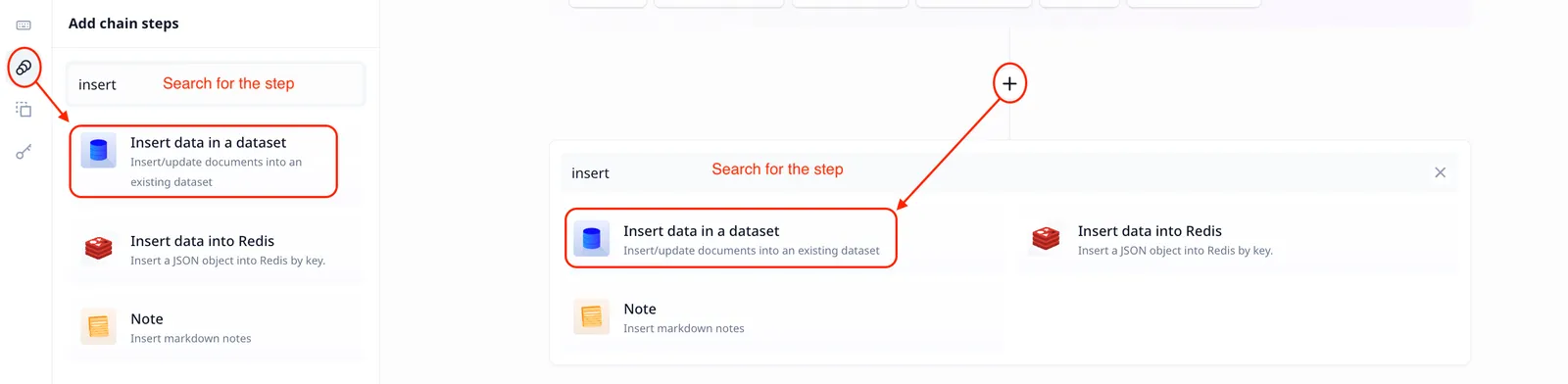
To insert data into a dataset, you need to add a “Insert data in a dataset” step to your Tool (check how to get started with
creating a tool).
Dataset id
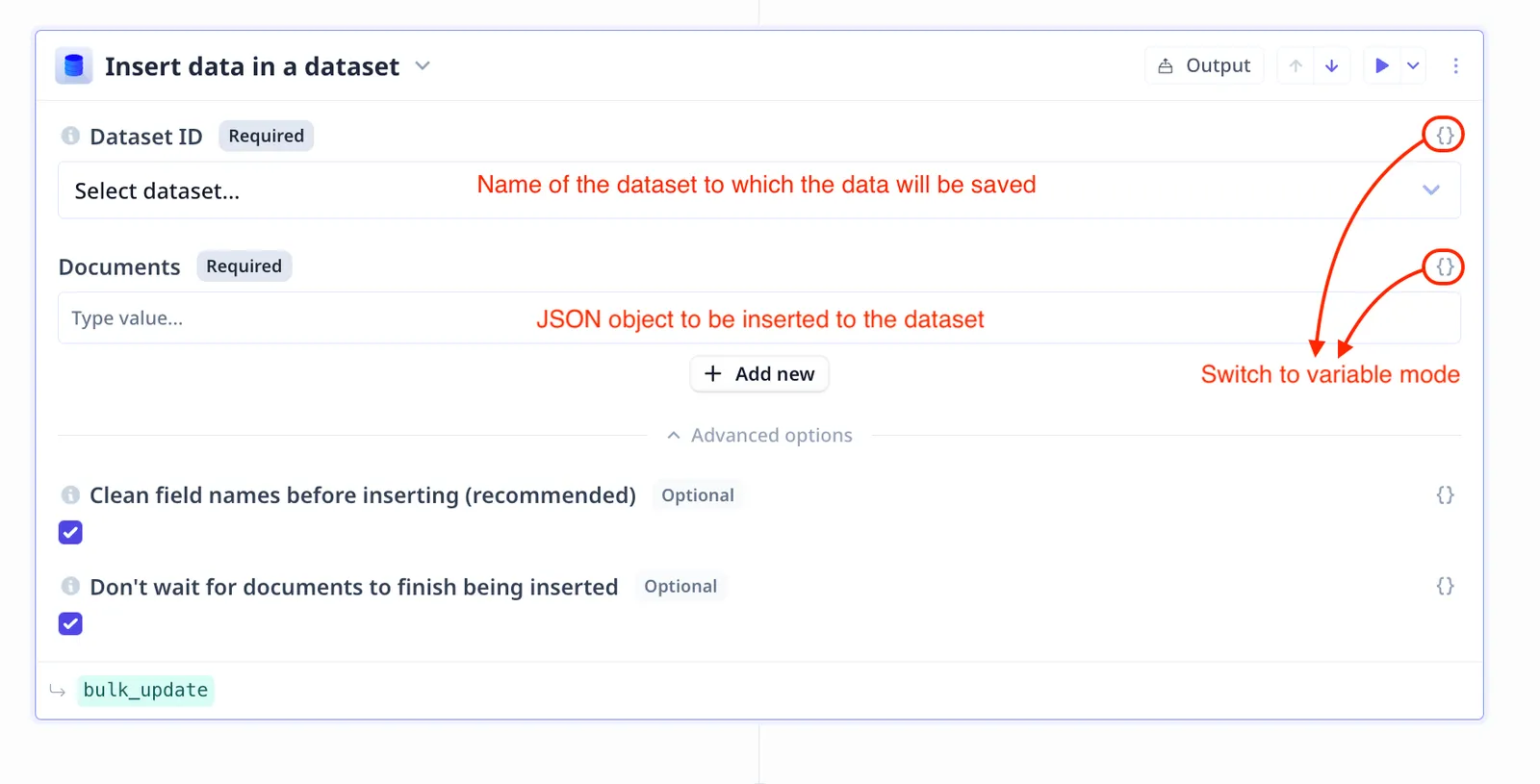
Name the destination dataset. Not that there are two possibilities:
- if you enter the name of an existing dataset, new entries will be added to it
- if a new name is entered, a new dataset will be created to which the new entries will be saved
Dataset Name must contain only lowercase letters, numbers, hyphens and underscores.
By using the variable mode (as marked in the image above), you can use {{}} to provide the dataset name.
For instance, if the dataset name is under an input component called ds_name, using {{ds_name}} in the
Dataset id field will pass the typed value to be used as the name.
Documents
“Documents” is a list (array) of JSON object. You can
- manually enter each document (i.e. JSON object) individually using the
+ Add newbutton - switch to the variable mode (as shown in the image above) and pass on the name of the variable containing the list of JSON objects
Follow the links below for more information about
- How to run a step
- How to delete a step
- How to configure output
- How to configure a default value
- How to move a step in a Tool
- How to duplicate a step
- How to add condition to a step (i.e. execute only if a condition is met)
- How to loop a step (i.e. run one step multiple times)
To see the result, go to the Data page. You might need to refresh the page For the updates to reflect on the page. The new dataset or the new entries added to an existing dataset are accessible from the corresponding data table.
Common errors
Dataset name not matching the convention
{"message":"Dataset Name must contain only lowercase letters, numbers, hyphens and underscores."} trace-id: 422...429dEnter a valid name for your dataset and try again
Wrong document format
What is passed as Documents must be a list/array of valid JSONs. If you see an error similar to the the below, you will need to reformat the input documents.
Bulk update: Studio transformation bulk_update input validation error: must be array {"type":"array"} /documents