

Meeting Agents
Meeting Auto-Scheduling Agent
Automate meeting coordination with AI-powered scheduling
Meeting Auto-Scheduling Agents are digital teammates that actively negotiate optimal meeting times by understanding context, preferences, and priorities. They process thousands of scheduling permutations in seconds while coordinating across teams, time zones, and calendars. No more back-and-forth emails.
Key features
Natural language
Understands scheduling requests in plain English
Multi-timezone coordination
Finds times during working hours for all participants across time zones
Conflict resolution
Handles hard conflicts, soft conflicts, and priority-based scheduling
Automatic rescheduling
Proposes alternatives when meetings need to move
Learning preferences
Adapts to individual and team scheduling patterns over time
Buffer time management
Adds breaks between consecutive meetings
Intelligent prioritization
Respects organizational hierarchy and meeting importance
Multi-platform integration
Works with Google Calendar, Outlook, and major meeting platforms
How to set up an agent for meeting auto-scheduling
Triggers for meeting scheduling agents
To enable your scheduling agent, you’ll need a Google Calendar integration with read/write access to check availability and create events, plus a Gmail trigger to monitor your inbox and kick off the agent when scheduling requests arrive.
Add tools to your scheduling agent
To build a calendar scheduling agent, you’ll need these basic tools to get started:
Check Google calendar availability
Find open slots in your sales team’s calendars
Send email (Gmail)
Reply with available time options to prospects
Create Meet Event in Google Calendar
Automatically generate video links for each demo
Get events from Google Calendar
Avoid double-booking or scheduling too many demos in one day
How to add these tools to your agent
- Go to Tools in your Agent Builder
- Click + Add Tool
- Click New Tool
- Click Build from Scratch
- Click Add Step
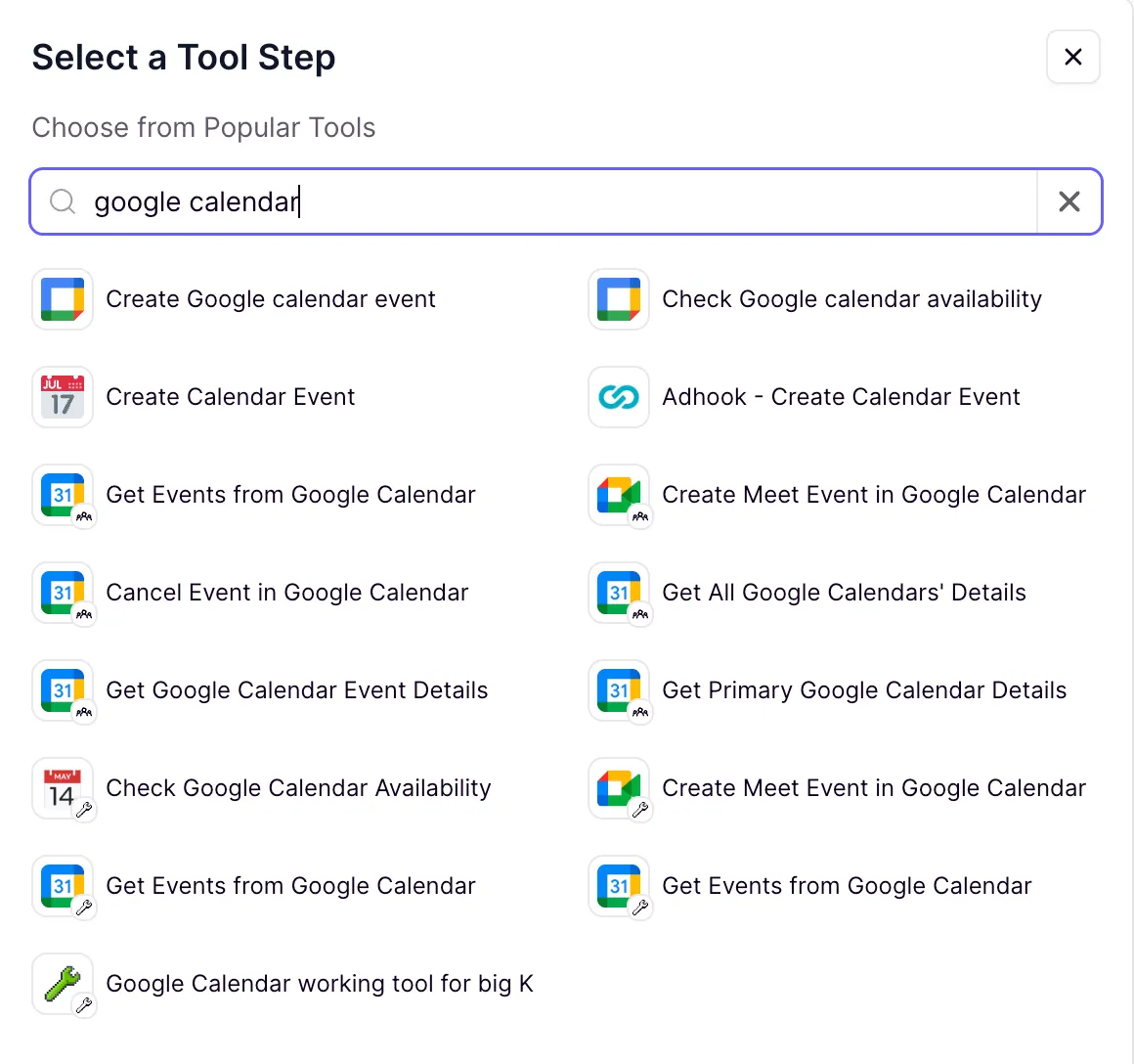
- Search for your calendar provider (e.g., “google calendar” or “outlook”)
- Select the tools you need from the results
Search for your specific calendar provider to discover available built-in tools.
Use case example: Automating demo requests for sales
Calendar Bookings Scheduler Agent - clone from marketplace
Scenario
Your sales team receives numerous demo requests via email. Instead of manually checking calendars and coordinating schedules, an AI agent can handle the entire process automatically.
How it works:
Monitors inbox
Automatically detects demo requests from incoming emails
Checks availability
Reviews your calendar in real-time to find open slots
Coordinates timezones
Handles timezone differences automatically to suggest appropriate meeting times
Proposes time slots
Suggests 30-minute meeting slots across two different days (avoiding weekends)
Books & confirms
- Books immediately if a specific time is requested and available
- Proposes 2-3 times per day when flexibility is needed
- Sends professional confirmation emails
Ready to use this agent?