

Integrated Knowledge Sources
Sharepoint as a Knowledge Source
Use Sharepoint as a source of Knowledge for your Agents
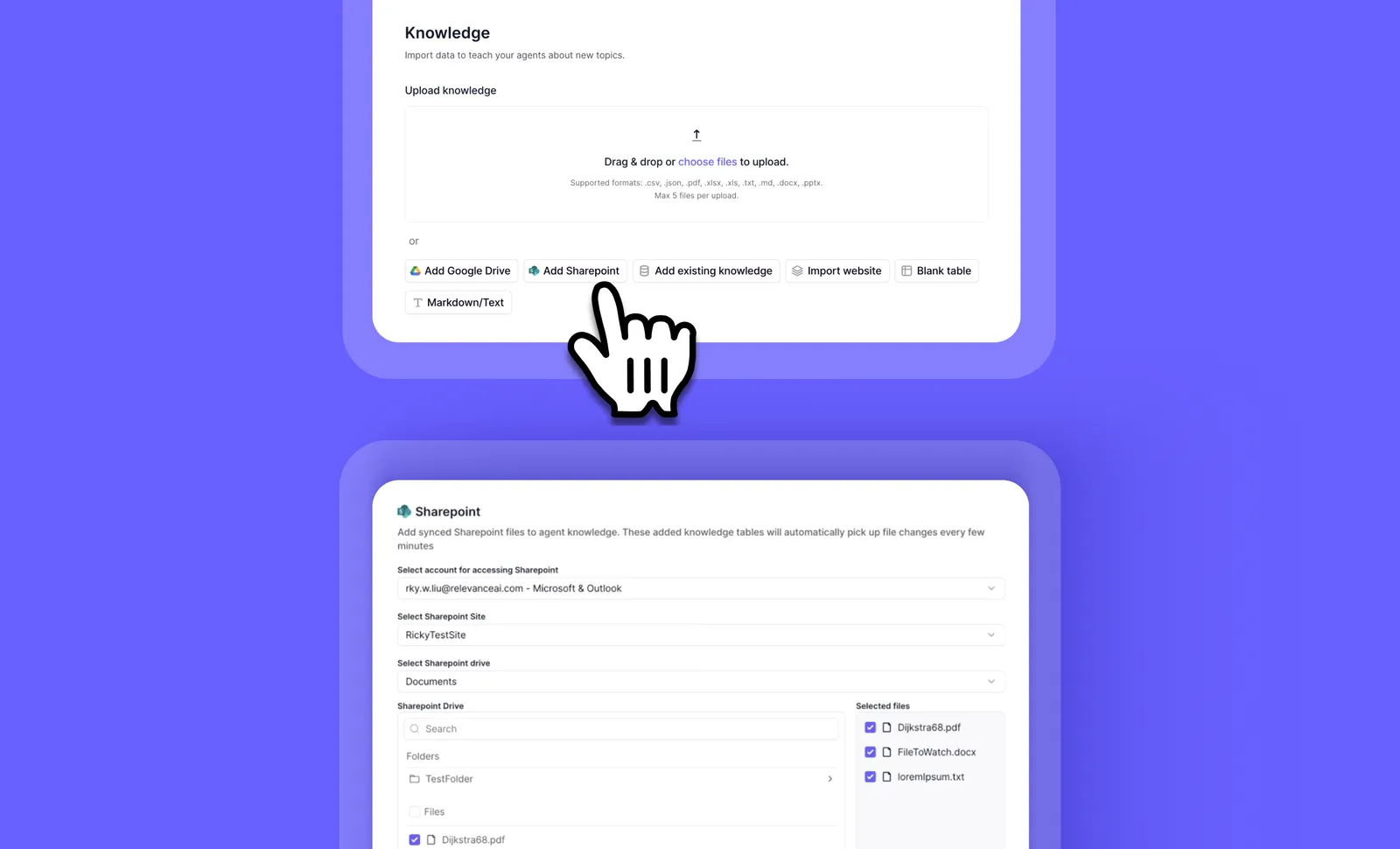
Sharepoint can be added as an integrated Knowledge source via the Agent Builder for your Agents to read files and use them as Knowledge.
You can select specific Sharepoint folders or files for your Agent to read as Knowledge sources.
Set up Sharepoint as a Knowledge source
To set up Sharepoint as a Knowledge source, first, open an Agent up and head to the Build screen. Then...
- Click ‘Knowledge’
- Click ‘Add Sharepoint’
- Select or add the Sharepoint account and drive you want to access
- Select the Sharepoint files you wish to have the Agent read
- Once you’ve selected the files you want to add as Knowledge, click ‘Create’
- Choose how you want the Agent to use this Knowledge on the next screen
Frequently asked questions (FAQs)
Yes, our automatic content syncing feature ensures that any documents you upload initially, as well as any changes made to those files in SharePoint, are automatically updated in your agent’s knowledge store. This means you won’t have to worry about manually syncing files every time there’s an update; it all happens seamlessly in the background.