

Changelog
All the latest updates and changes to the Relevance AI platform.
Meet the new Invent
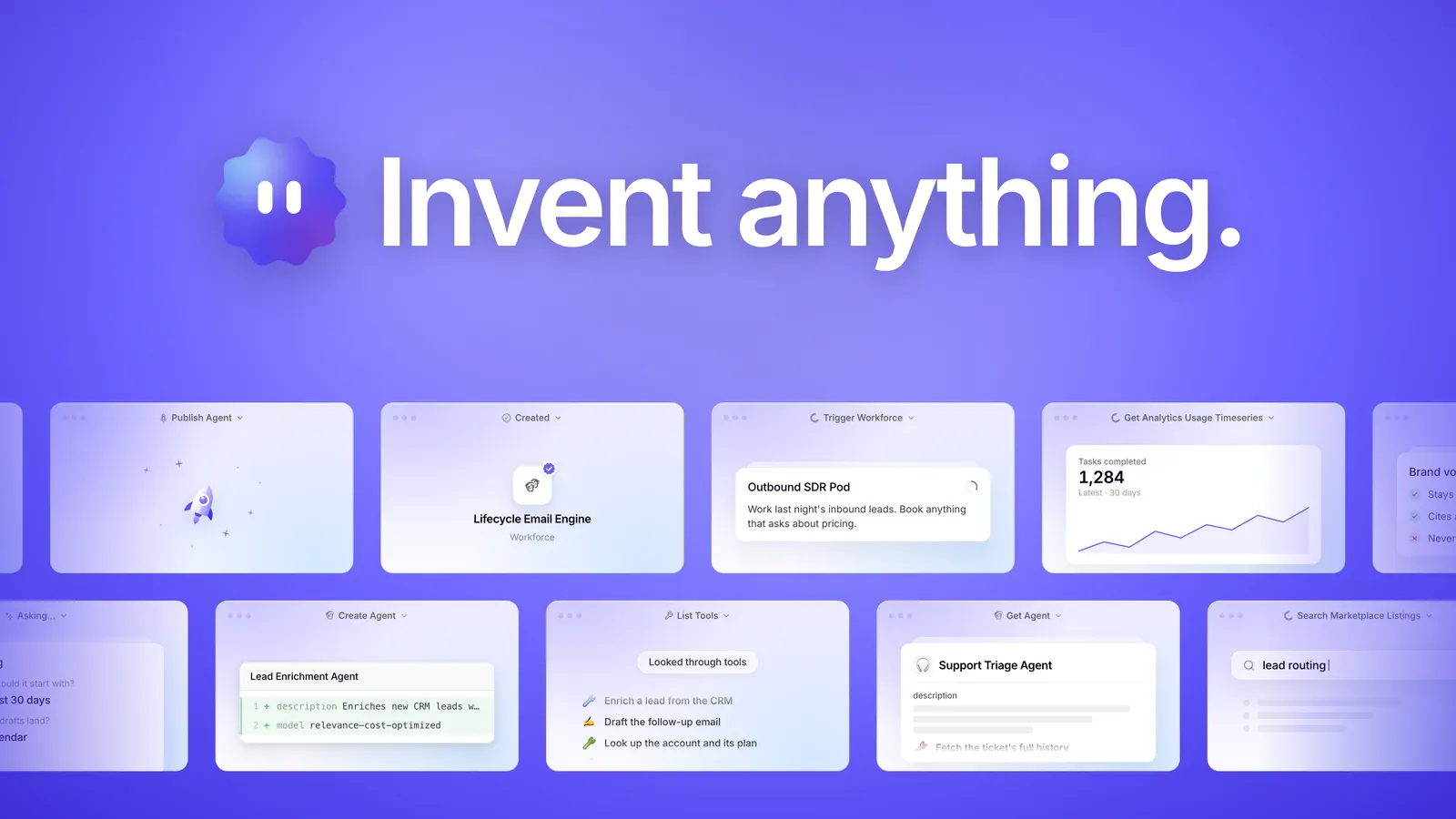
The newest version of Invent is now available.
Invent can create and edit Agents, Tools, Workforces, Knowledge tables, Triggers, and Evals, run tasks, pull your analytics, and much, much more. It has context over everything in your project and acts as a specialist who can help you create almost anything inside of Relevance AI.
Open Invent from the badge tucked into the right edge of the screen, from the button in the bottom-right corner of the Home page, or from Invent in the left navigation menu. Invent is enabled per project: an organization admin opens Settings → Projects, selects the project, clicks Manage settings, and turns on the Invent toggle. See Build with Invent for more information on using and configuring Invent.
Concurrency visibility for project and organization admins
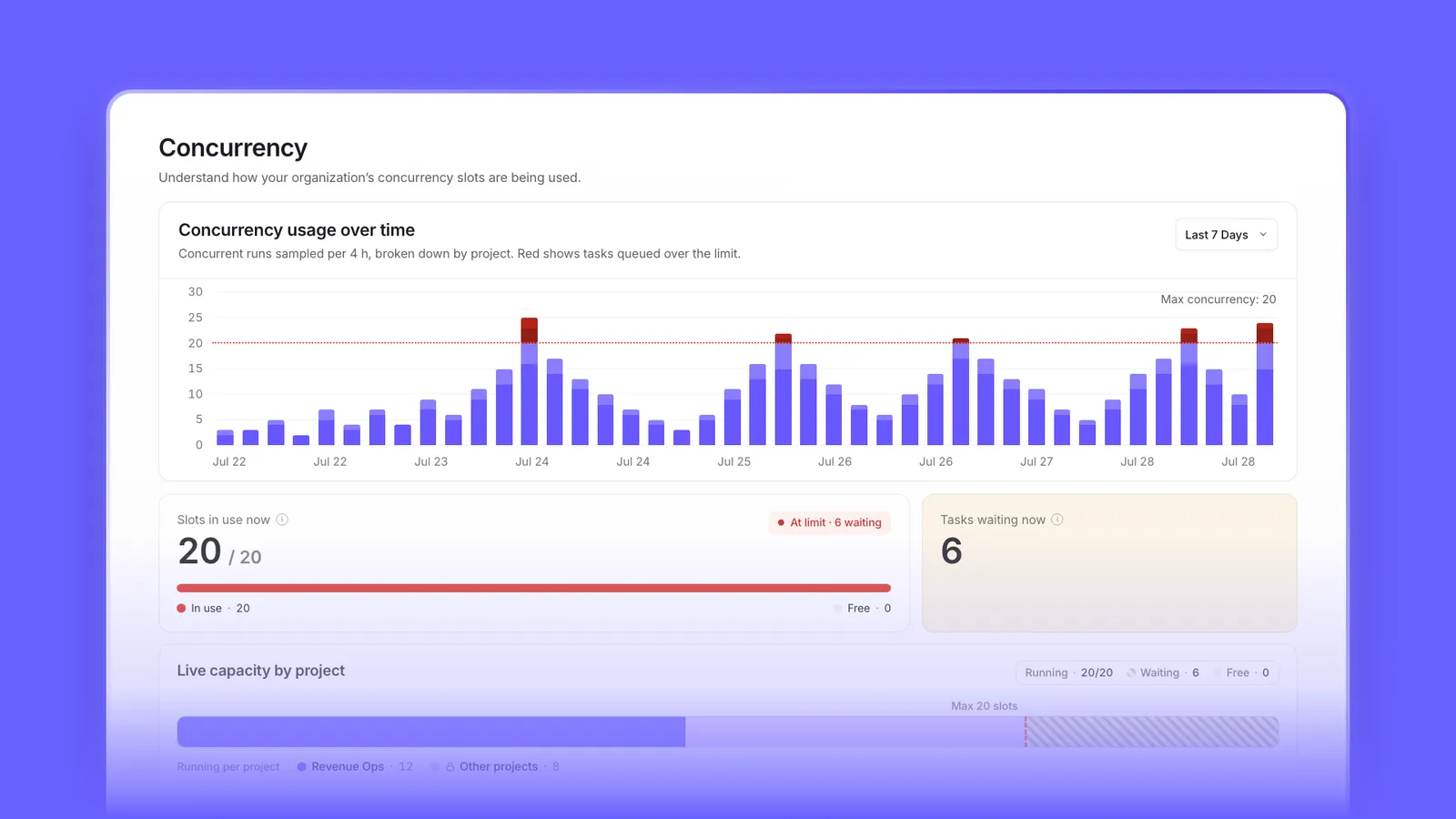
Concurrency monitoring on the Analytics page now covers queued runs, live slot counts, and a per-project capacity breakdown.
Queued runs now stack in red above the limit line on the usage chart, live counters show slots in use and tasks waiting, and a per-project bar attributes running slots to the projects holding them. Between them you can see whether you’re at the limit, how much is queued behind it, and which project is consuming the capacity. Project admins see the same charts with other projects’ names and task details anonymized.
Project admins find the chart on the Analytics page; organization admins can also view it on the Plan & Billing page.
Eval cost breakdowns and Workforce evaluations
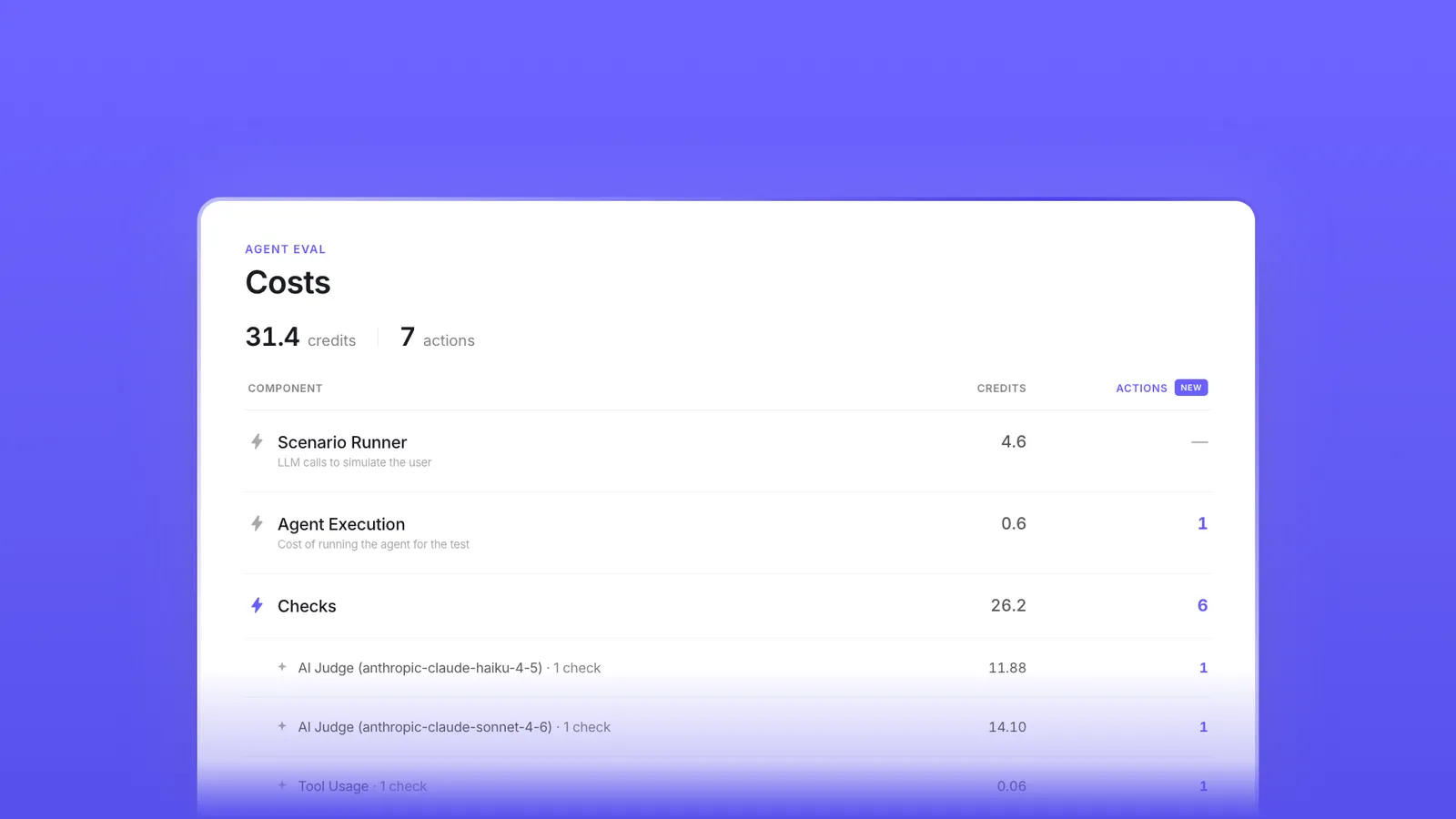
Eval runs now show exactly where their cost goes, itemized per check, and cover full Workforce runs including sub-agent and tool calls.
Each completed Eval run renders a cost breakdown panel that itemizes credit and action consumption per component. Checks account for 1 action per run across every check type, including LLM as Judge and Tool Usage, so the panel’s totals reconcile to the exact source of every credit and action. Workforce runs that fan out to sub-agents or call tools record and evaluate each of those interactions, the same as individual Agent runs.
To see the breakdown, open any completed Eval run; the panel appears alongside the results. See the Evals documentation for full details.
Gemini 3.5 Flash now available
Google’s Gemini 3.5 Flash is now available in production for all users, selectable anywhere you configure a language model.
The model has a 1M-token context window and returns up to 64K tokens per response. It supports function calling and accepts image and file inputs alongside text. Reasoning runs at four configurable thinking levels — minimal, low, medium, and high — defaulting to minimal, so you can raise the depth for harder tasks or keep it low for faster, cheaper responses.
Where to find it: select Gemini 3.5 Flash from the model dropdown in any agent, tool, or workflow. See language model settings for how to change an agent’s model.
Timeline view added to Tasks page
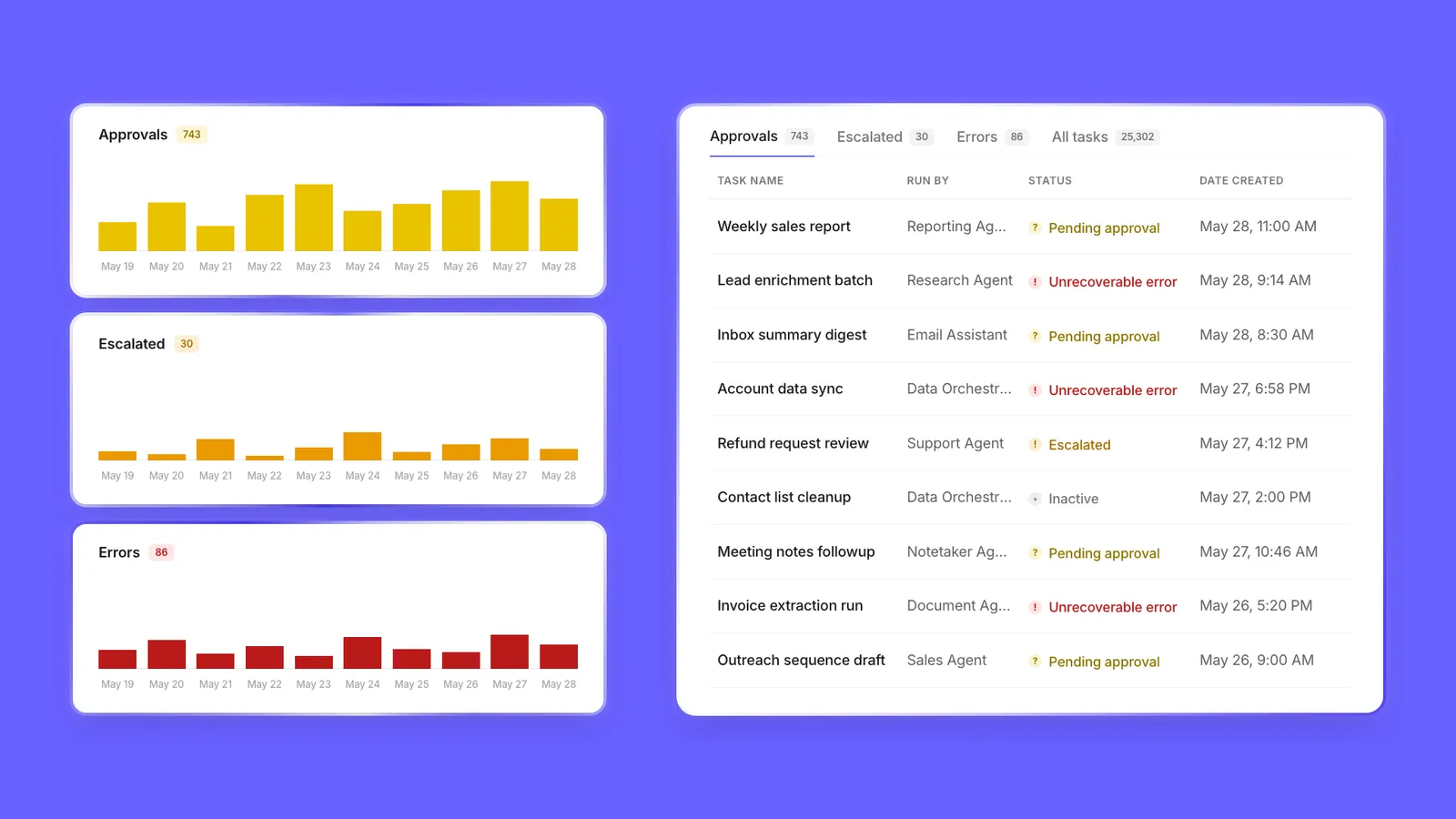
The Approvals, Escalated, and Errors tabs on the Tasks page now show a timeline chart of task counts per day.
Each tab is colored to match its sentiment — Approvals yellow, Escalated orange, Errors red — and the bars are day-bucketed in your local timezone. The chart honors the date range and Agent filters at the top of the page, so the bars always match the task list below. Any project member who can already see a tab can also see its chart; no admin role required.
Find the chart at the top of each tab in Tasks → Approvals / Escalated / Errors.
Outreach-only reply mode for Microsoft Teams agents
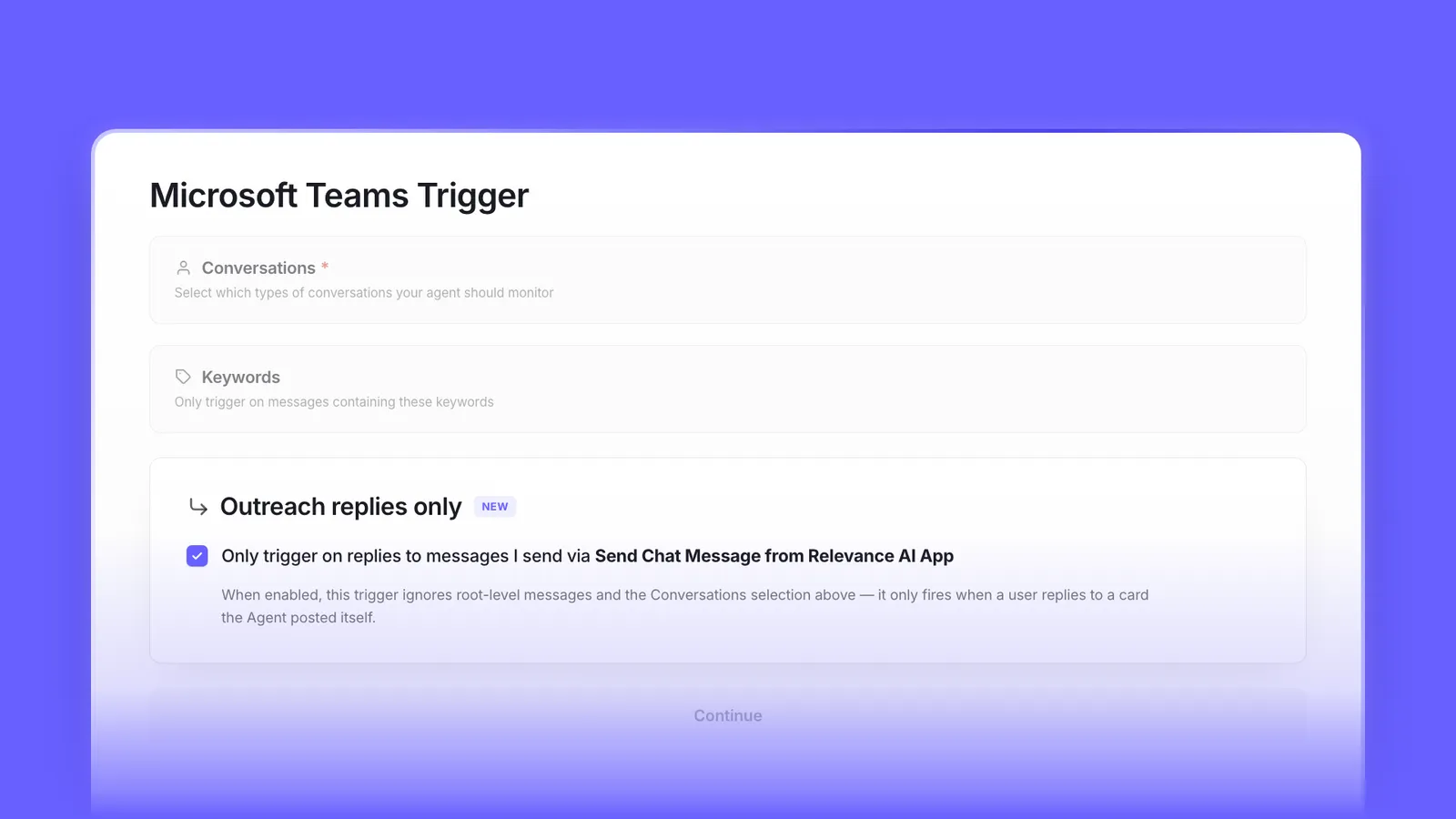
Microsoft Teams triggers now support an Outreach replies only mode that limits responses to direct replies on the Agent’s own outbound DMs.
The trigger distinguishes between inbound replies (replies to messages your Agent sent) and channel mentions. In outreach-only mode, only inbound replies route to the Agent — channel chatter doesn’t trigger a run.
Configure the toggle on your Microsoft Teams trigger in Agent → Triggers → Microsoft Teams.
MCP access for the Member role
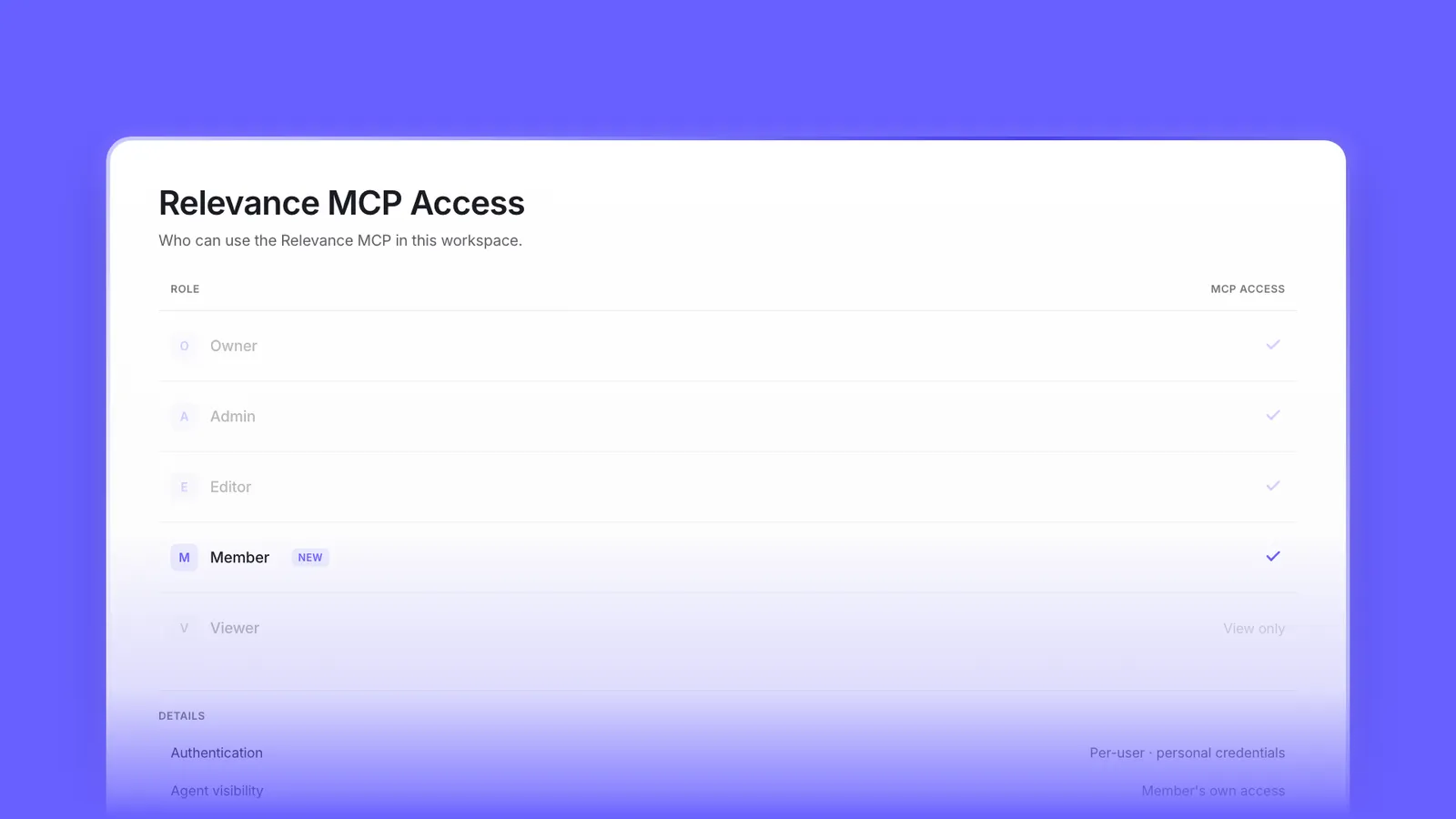
The Relevance MCP is now available to users with the Member role in RBAC-enabled organizations.
The role gate that previously required Editor or above has been lowered to Member for connecting an MCP client to a Relevance project. Requests run with the user’s own auth, so a Member only sees and operates on Agents they already have access to.
See our MCP server documentation for setup steps and supported clients.
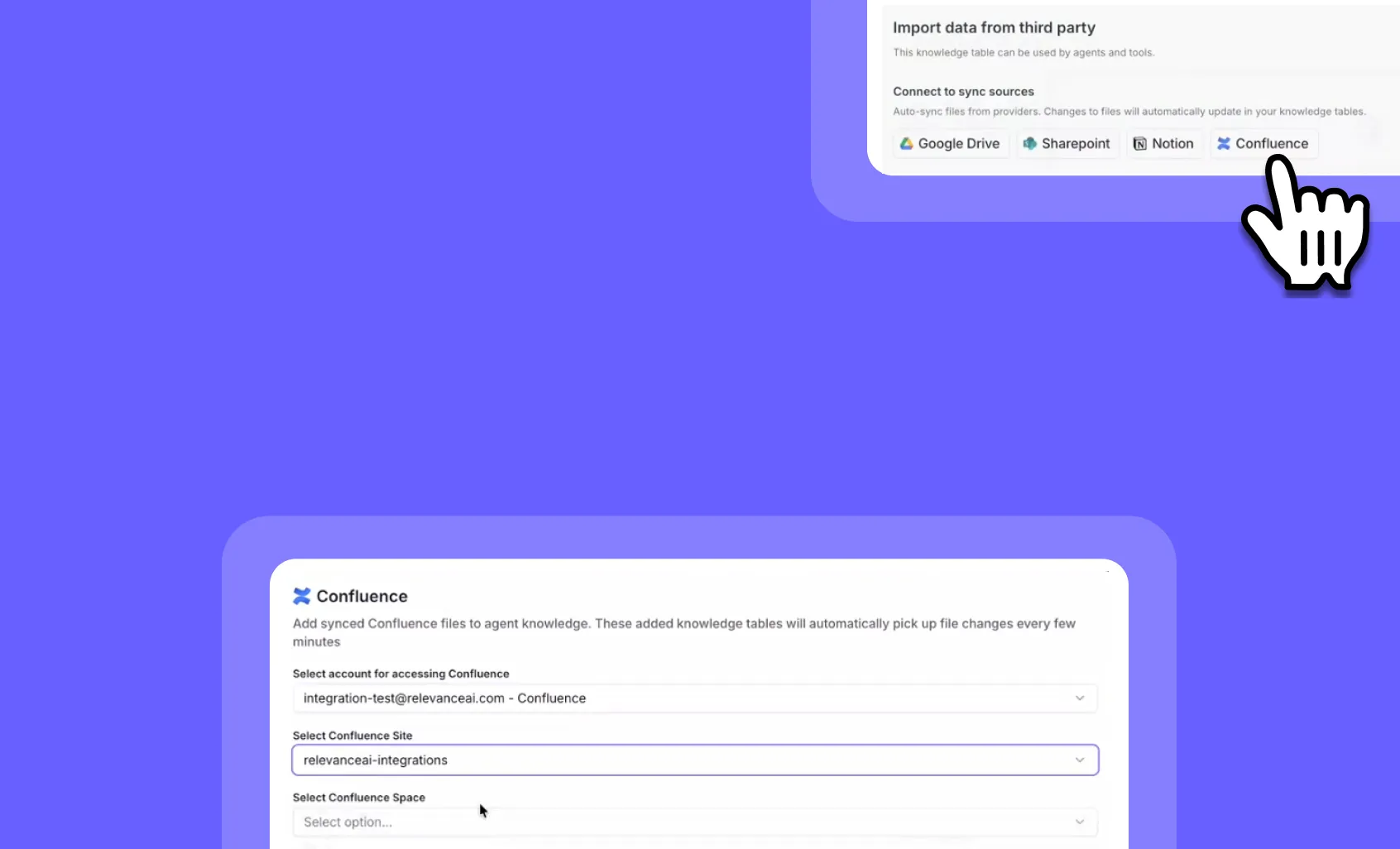
You can now connect your Confluence pages directly to Relevance AI and keep your knowledge tables automatically synced!
Confluence Knowledge Sync brings the same powerful auto-sync capabilities you love from Google Drive, Notion, and SharePoint integrations. Connect your Confluence workspace once, and your AI agents will always have access to the latest documentation, processes, and team knowledge—without manual updates.
➡️ Auto-sync Confluence pages – Your knowledge tables update automatically when page content changes
➡️ Eliminate manual updates – No more copying and pasting documentation into your AI workflows
➡️ Keep agents accurate – Ensure your AI workforce always references the most current information
➡️ Centralize team knowledge – Connect your existing Confluence workspace without changing how your team works
➡️ Scale confidently – As your documentation grows, your AI agents stay informed automatically
With Confluence Knowledge Sync, you can build AI agents that stay current with your team’s documentation, ensuring accurate responses and eliminating the risk of outdated information derailing your workflows.
To connect Confluence to your knowledge tables, go to Knowledge > Add Source > Confluence and authenticate your workspace.
Start syncing your Confluence documentation today!
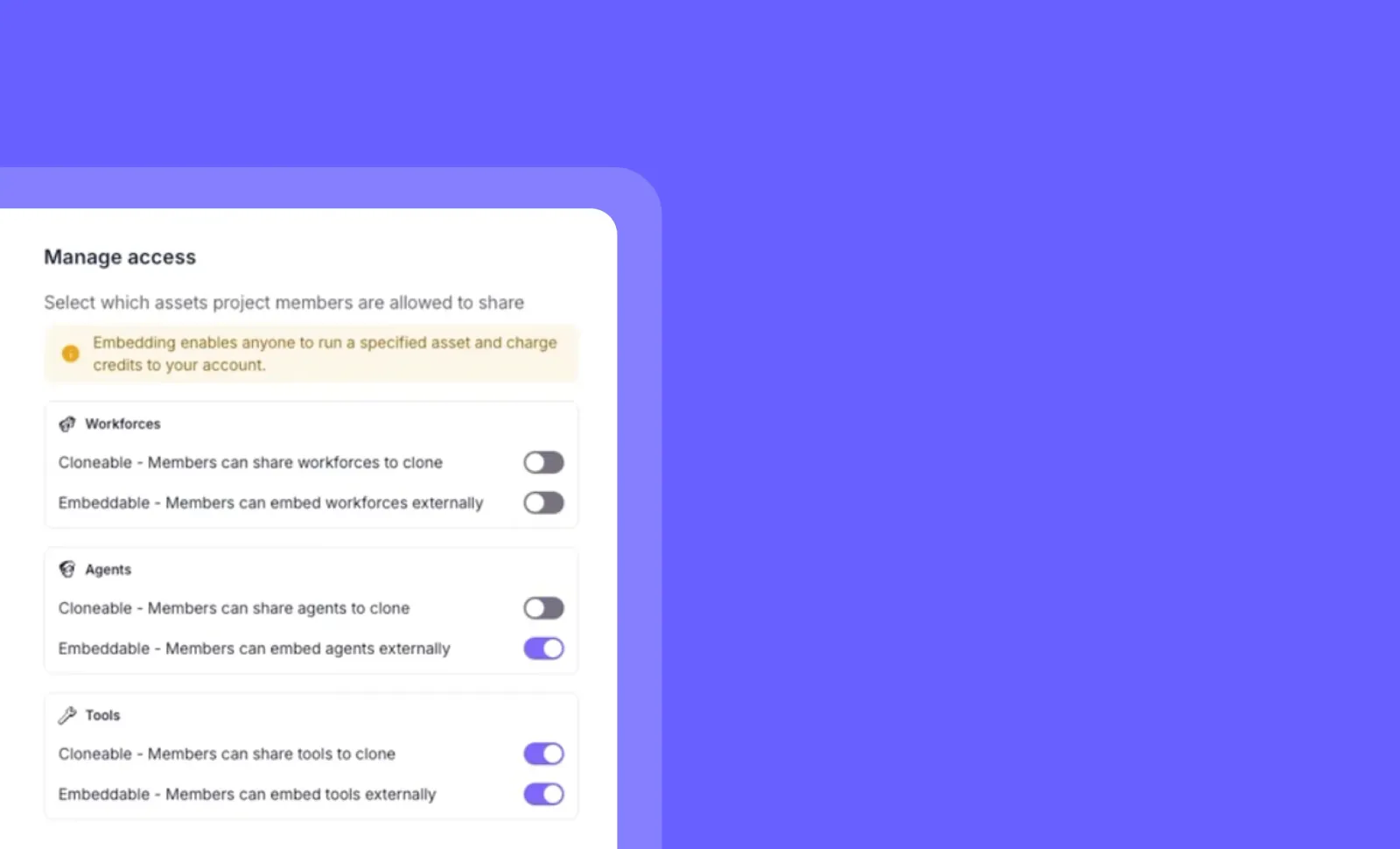
You can now manage public sharing settings for all agents, workforces, and tools from one central location!
Project-Level Public Agent Controls give admins the power to disable public cloning and embeddability across their entire workspace with a single setting. When you disable these features at the project level, they’re automatically turned off for all agents, workforces, and tools—and individual users can’t re-enable them.
➡️ Centralized control – Manage security settings for all assets from one place
➡️ Enforce security policies – Prevent unauthorized public sharing across your organization
➡️ Override individual settings – Automatically disable public features on all existing assets
➡️ Prevent re-enabling – Stop team members from making assets public after you’ve locked them down
➡️ Protect sensitive workflows – Ensure proprietary agents and tools stay within your organization
With Project-Level Public Agent Controls, you can enforce consistent security policies across your entire AI workspace, giving your team the governance they need while protecting your intellectual property.
To access these controls, go to your Project Settings and look for the Manage Access section.
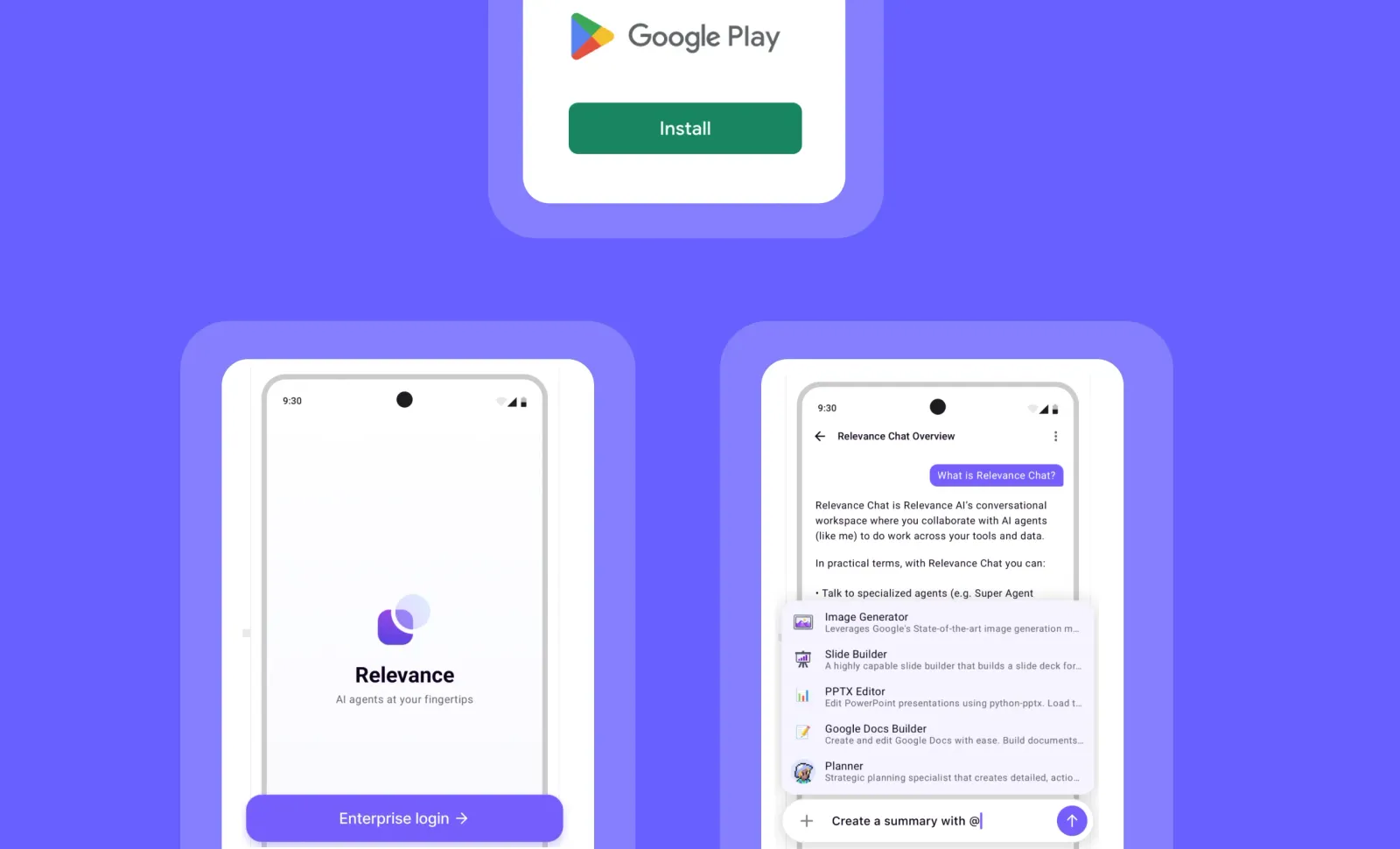
Your AI agents are now mobile! The Relevance AI Android app is live on the Google Play Store, giving you full access to your AI workforce from anywhere.
Built for teams that need flexibility, the Android app lets you manage agents, monitor workflows, and stay connected to your AI operations—all from your phone. Whether you’re commuting, traveling, or away from your desk, your AI workforce stays at your fingertips.
➡️ Run agents on the go – Trigger workflows and execute tasks from anywhere
➡️ Monitor agent activity – Track performance and view real-time updates instantly
➡️ Manage your AI workforce – Access agent settings and configurations from your mobile device
➡️ Stay connected to workflows – Receive notifications and respond to critical tasks immediately
➡️ Full mobile experience – Enjoy a native Android interface designed for productivity
With the Relevance AI Android app, you can keep your AI operations running smoothly no matter where you are, ensuring your team never misses a beat.
To download the app, visit the Google Play Store and search for “Relevance AI” or go directly to: https://play.google.com/store/apps/details?id=com.relevanceai.android
Get the Android app today and take your AI workforce mobile!
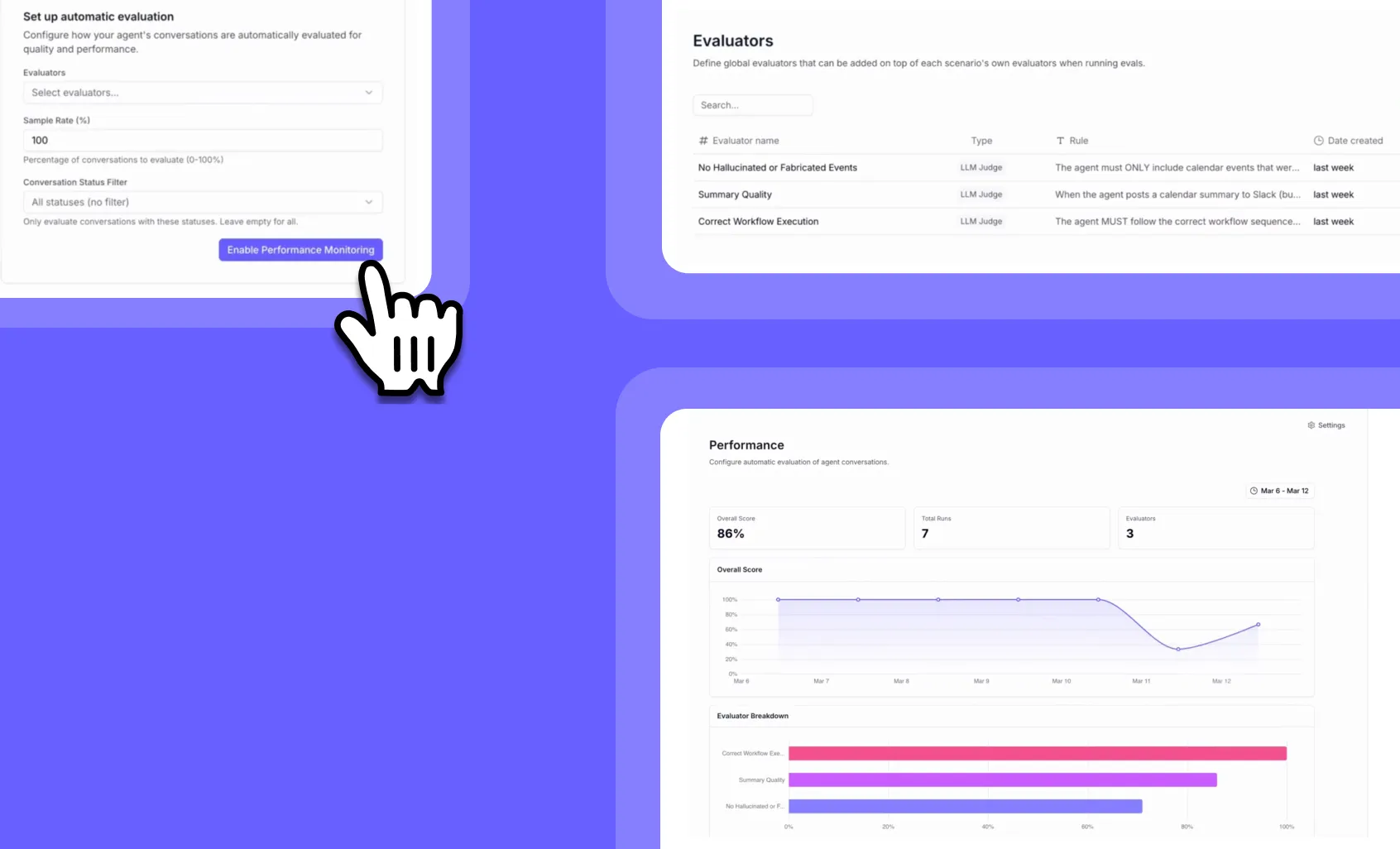
You can now track how your agents perform in real-world scenarios with comprehensive production monitoring! Just like software development has build → test → monitor stages, agent development now has the same complete lifecycle. After building your agents and testing them with Evals, you need visibility into production performance at scale.
➡️ Automatic evaluation – Set up LLM judges to continuously assess your agents on custom criteria like summary quality, hallucination detection, and workflow execution
➡️ Performance dashboards – View overall scores, breakdowns by evaluator, and trends over time to spot issues before they become problems
➡️ Smart sampling – Run evaluations on 10%, 50%, or 100% of conversations to balance cost and coverage based on your volume
➡️ Detailed investigation – Filter and drill down into specific failed runs to understand exactly what went wrong and when
With Agent Performance Observability, you can catch performance degradations immediately—like when a model update changes behavior or agents start hallucinating—instead of discovering issues weeks later.
🔐 Permissions required: Available exclusively for select Enterprise customers. Evals delivers the advanced testing capabilities needed for mission-critical AI deployments. This feature is not available on non-Enterprise plans.
To access Agent Performance Observability, enterprise users can go to their agent’s dashboard and select the “Monitor” tab, then navigate to the “Test Suites” section. If you’re on an Enterprise plan and don’t yet have access, contact your Relevance AI sales representative to register interest.
Keep your AI workforce running at peak performance with enterprise-grade monitoring!
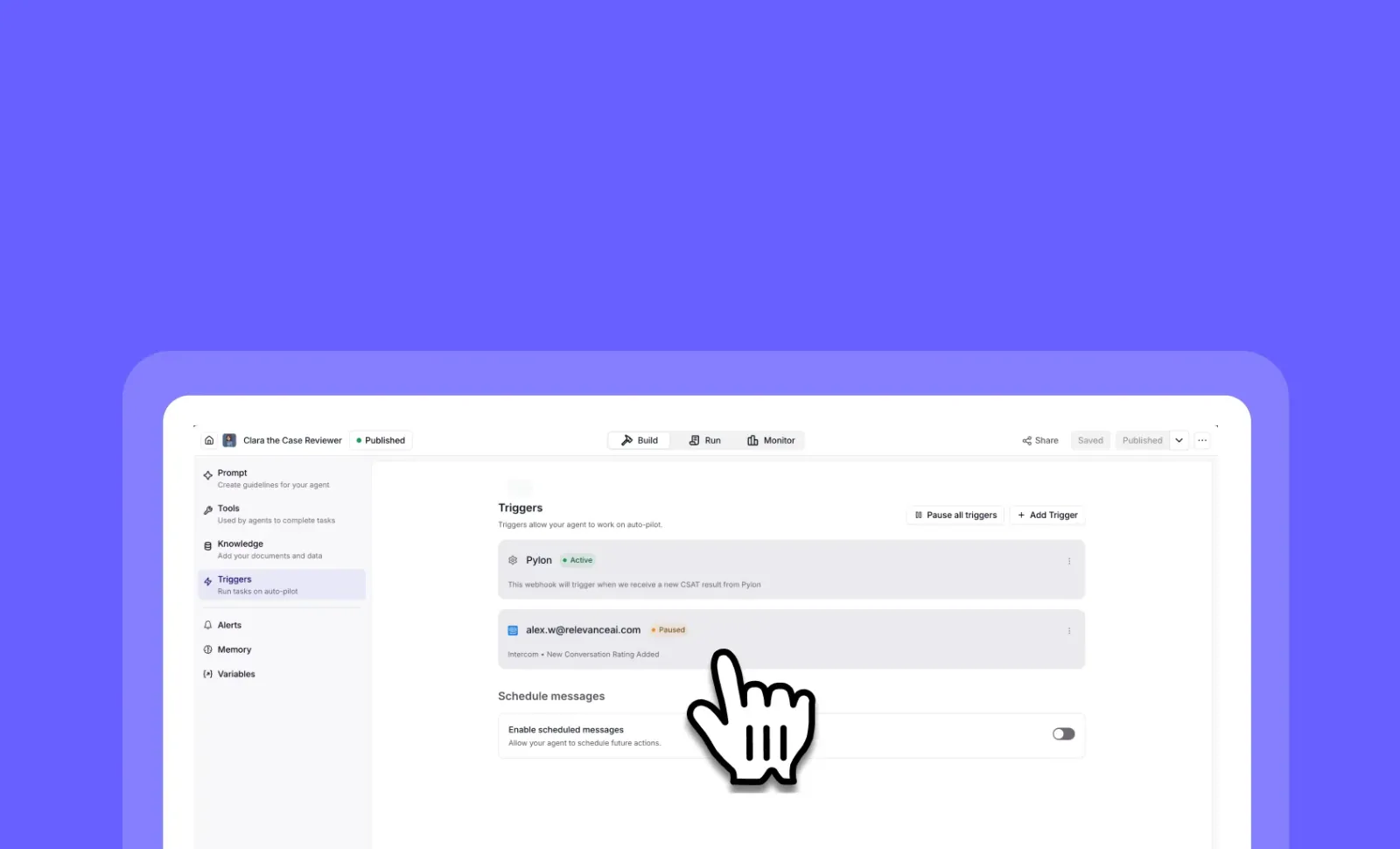
Pause Agent Triggers: Take Control of Your Automated Workflows
You can now pause Agent triggers instantly without deleting them!
Following customer feedback, we’ve extended our Workforce trigger pause capability to Agents. Now you have complete control over when your automated workflows run, giving you the flexibility to temporarily halt triggers during maintenance, testing, or when you need a break from automation.
➡️ Pause all triggers at once – Use the “Pause all triggers” button to instantly stop all automated workflows for an Agent
➡️ Individual trigger control – Toggle specific triggers between Active and Paused states without affecting others
➡️ Preserve your configurations – Paused triggers retain all their settings, so you can resume them exactly as they were
➡️ Perfect for testing and maintenance – Temporarily halt production workflows while you make updates or troubleshoot issues
With Pause Agent Triggers, you can confidently manage your AI automation without the fear of unwanted executions during critical periods.
To pause triggers, go to your Agent > Triggers tab and use the pause controls.
Take control of your Agent workflows with the precision you need!
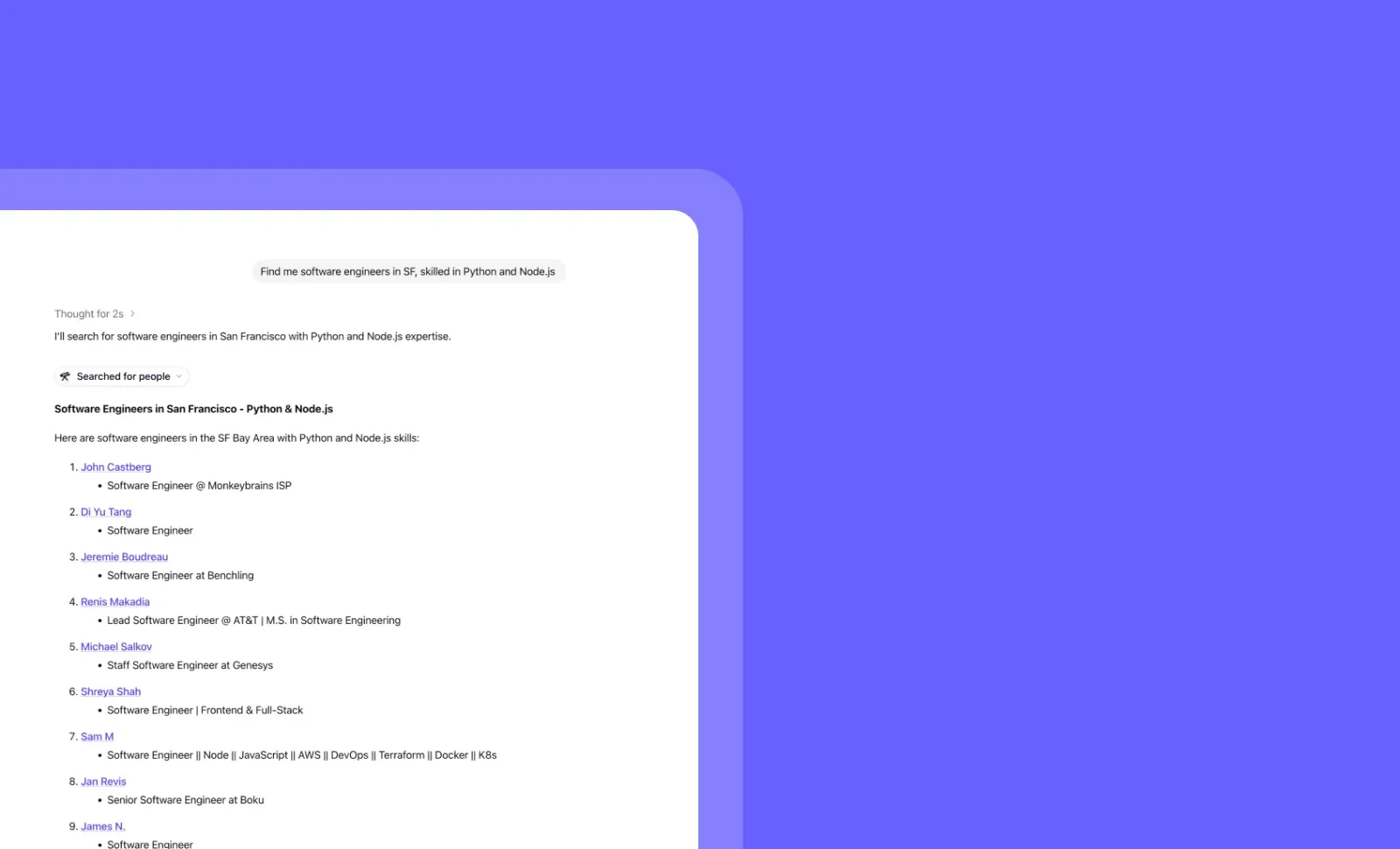
Chat People Search Engine: Find the perfect candidates instantly
You can now search for people directly within Chat using our powerful built-in search engine!
Chat now includes an integrated people search powered by Exa’s index, making recruitment and networking effortless. Simply ask Chat to find people with specific skills, locations, or experience levels.
➡️ Instant recruitment – Find software engineers, designers, or any role with specific skills in seconds
➡️ Location-based search – Target candidates in specific cities, regions, or remote-friendly professionals ➡️ Skill-specific filtering – Search by programming languages, frameworks, tools, or industry expertise
➡️ Comprehensive profiles – Get detailed information including current roles, companies, and technical backgrounds
With Chat People Search Engine, you can streamline your hiring process and discover talent that perfectly matches your requirements.
To access people search, simply ask Chat: “Find me [role] in [location] with [specific skills]” and watch the magic happen.
Transform your recruitment workflow with AI-powered people discovery!
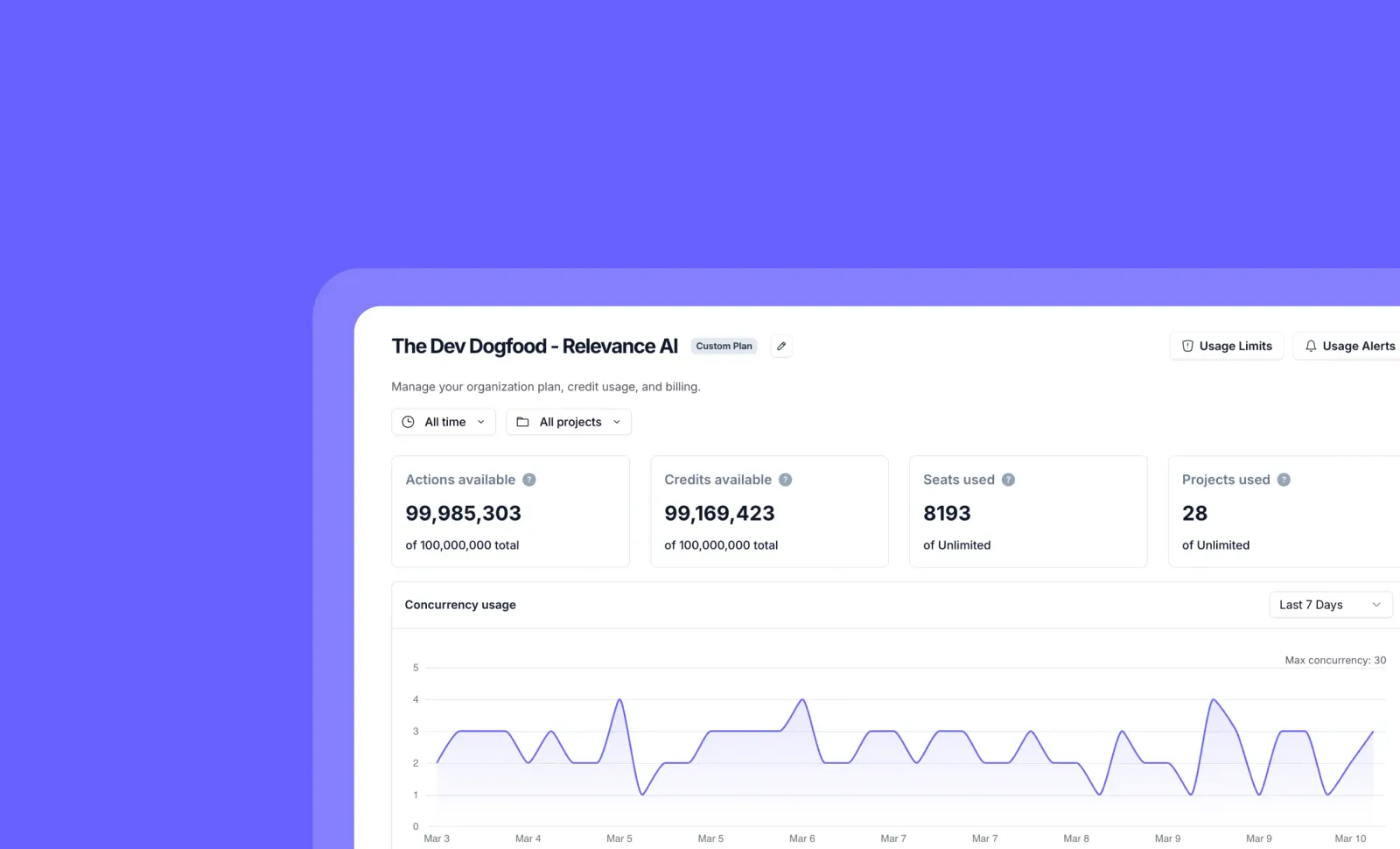
Org Concurrency Timeseries: Track Your Organization’s Performance Analytics
You can now monitor your organization’s concurrency usage and limits with detailed timeseries data!
View comprehensive analytics directly from your organization settings page under the Plan & Billing section, giving you complete visibility into how your team uses Relevance AI’s resources.
➡️ Real-time concurrency tracking – See exactly how many concurrent operations your organization is running at any given time
➡️ Historical usage patterns – Analyze trends over the last 7 days to understand peak usage times and optimize your workflows
➡️ Usage limit monitoring – Keep track of your current usage against your plan limits to avoid unexpected throttling
➡️ Visual timeseries charts – Easy-to-read graphs show your concurrency patterns, helping you identify optimization opportunities
With Org Concurrency Timeseries, you can make data-driven decisions about your AI operations, ensuring optimal performance and resource allocation across your entire organization.
🔐 Permissions required: Organization Admin access to view billing and usage analytics
To access this feature, go to Analytics Dashboard.
Take control of your AI performance with enterprise-grade analytics built right into Relevance AI!
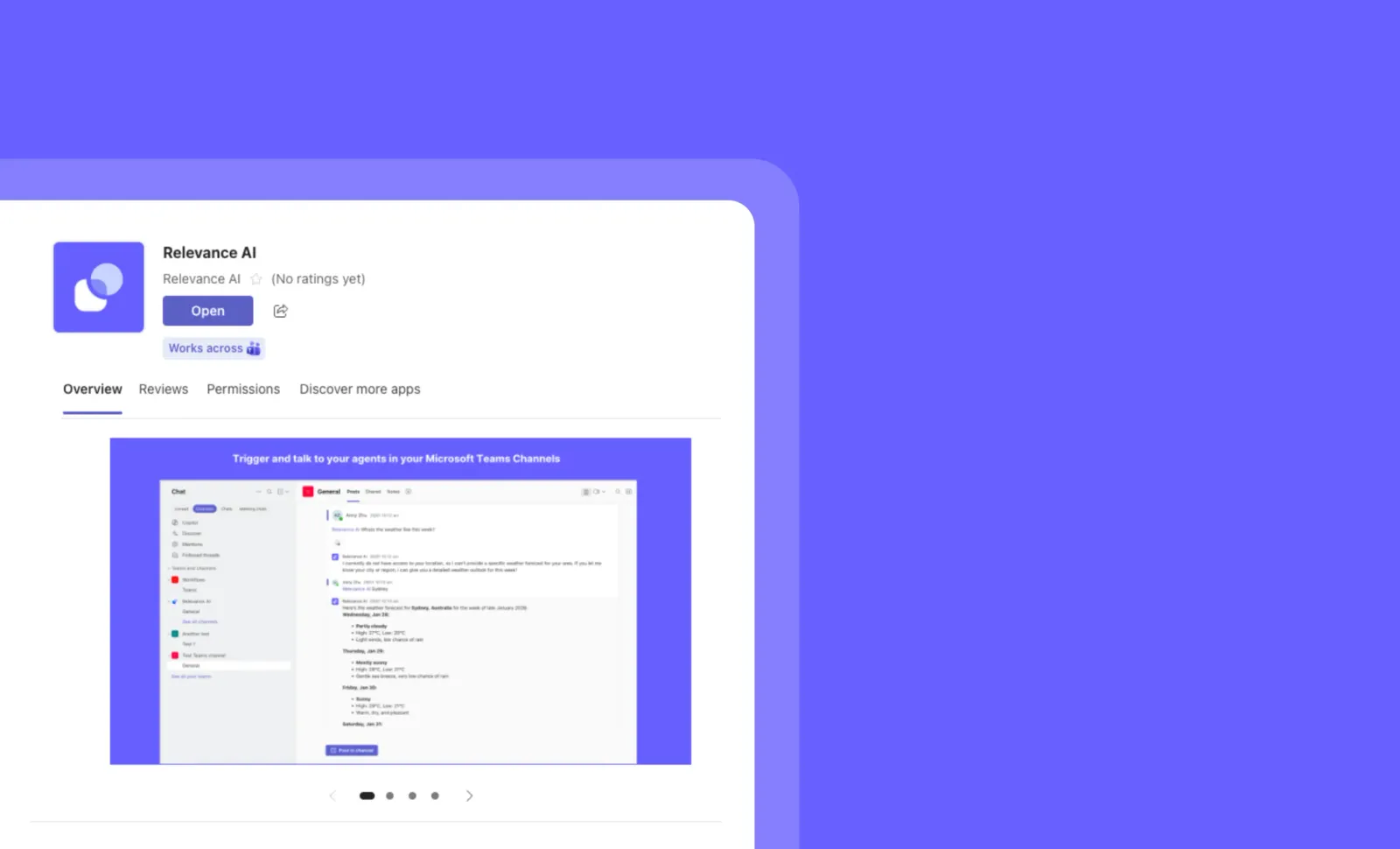
Microsoft Teams Integration: Trigger AI agents directly from your Teams workspace
You can now seamlessly integrate Relevance AI with Microsoft Teams!
Relevance AI is officially live in the Microsoft Teams App Store. This integration brings your AI workforce directly into your daily collaboration hub.
➡️ Trigger Agents from Teams – Launch any AI agent directly from Teams channels or chats without switching platforms
➡️ Real-time Teams alerts – Get instant notifications when your agents complete tasks, find insights, or need attention
➡️ Streamlined workflows – Keep your team in the loop with automated updates delivered straight to relevant Teams channels
➡️ Enterprise-ready integration – Built to Microsoft’s standards with secure, scalable connectivity for teams of any size
With Microsoft Teams Integration, you can transform how your team collaborates with AI—keeping everyone aligned while your agents work behind the scenes.
To get started, install the Relevance AI app from the Microsoft Teams App Store and connect your workspace. Check out our complete setup guide for step-by-step instructions.
Your AI workforce just got a whole lot more collaborative!
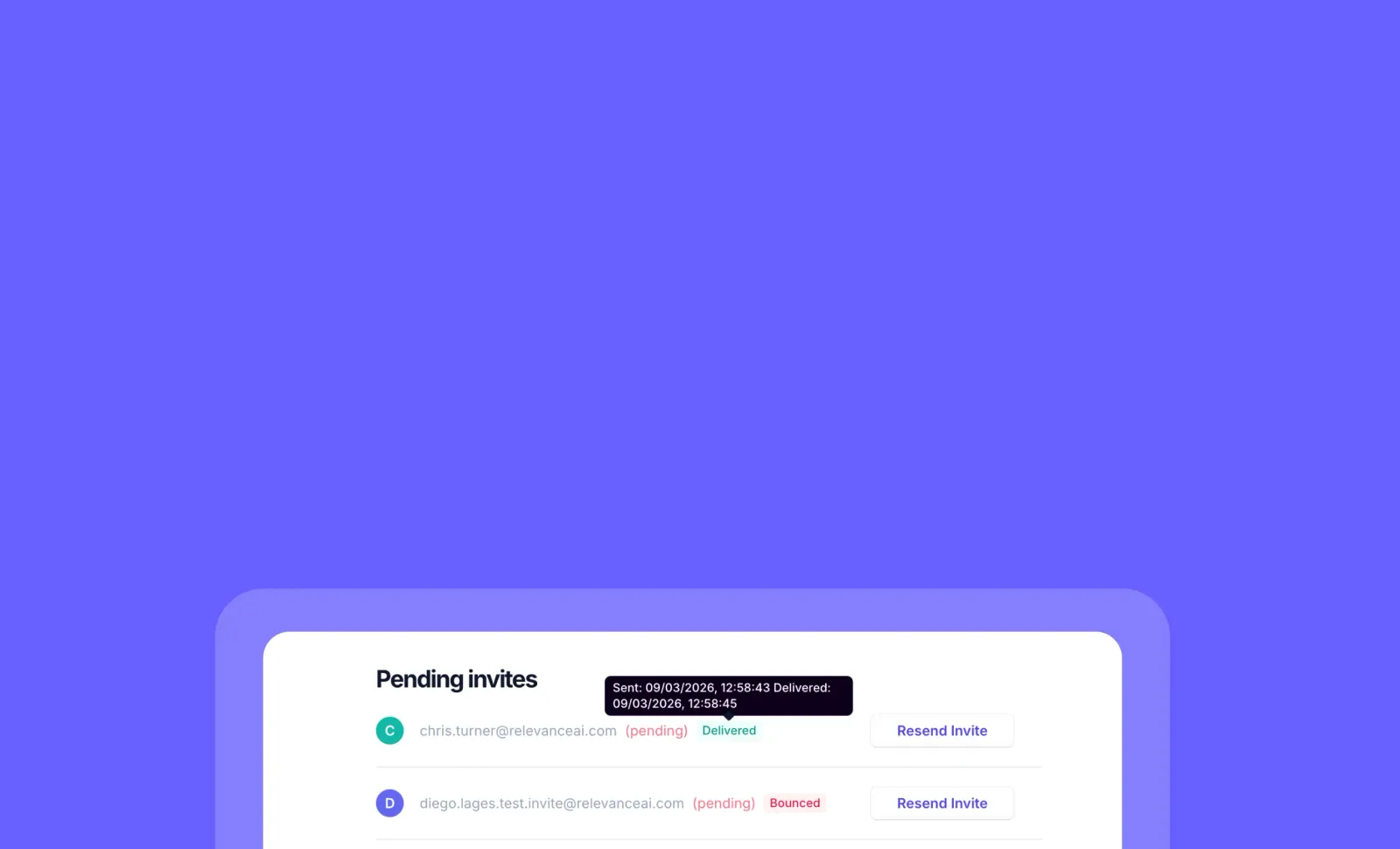
Project Invitation Email Tracking: Know When Your Team Invites Are Delivered
You can now see exactly what happens to every project invitation email you send to teammates!
When you invite colleagues to join your Relevance AI projects, you’ll now get complete visibility into whether those invitation emails were delivered, bounced, or opened. No more wondering if your team members received their invites.
➡️ Delivery confirmation – See exactly when project invitation emails reach your teammates
➡️ Bounce detection – Know when invites can’t be delivered due to invalid email addresses
➡️ Open tracking – See when your colleagues have opened their project invitation emails
➡️ Resend capability – Easily resend project invitations that bounced or need a follow-up
With Project Invitation Email Tracking, you can ensure your team onboarding runs smoothly and address delivery issues before they slow down collaboration.
To view invitation status, go to your project settings and check the “Pending Invites” section.
No more guessing whether your teammates got their project invites—just reliable, actionable insights into your invitation delivery!
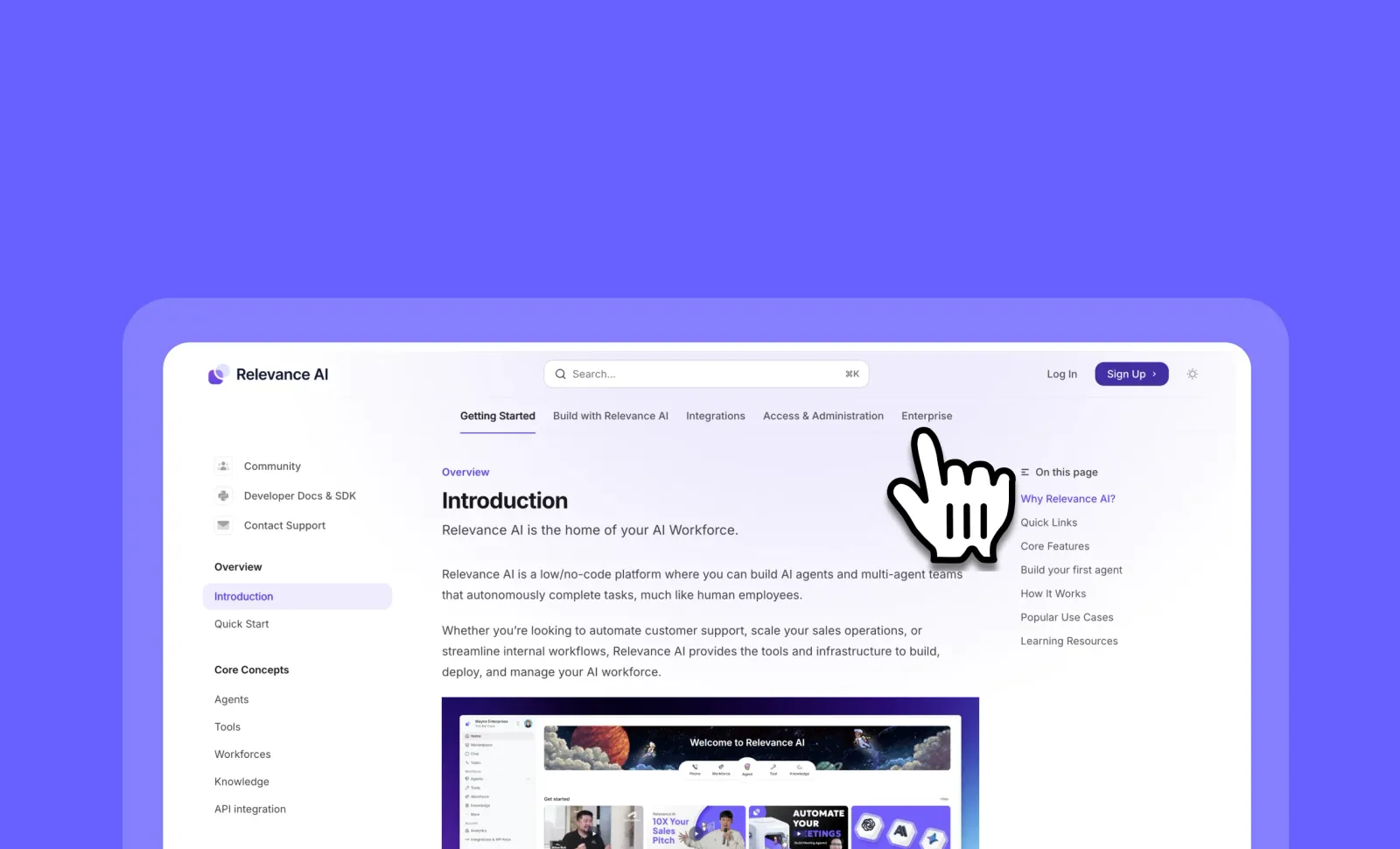
Documentation Redesign: Navigate faster with organized, focused tabs
You can now find exactly what you need in our completely redesigned documentation!
We’ve transformed our documentation from a single overwhelming sidebar into 5 focused tabs that match how you actually work with Relevance AI.
➡️ Getting Started – Everything new users need: introduction, quick start, core concepts, and troubleshooting all in one place
➡️ Build with Relevance AI – Unified hub for creating agents, tools, knowledge bases, and workforces with new step-by-step guides
➡️ Integrations – Organized by category (CRM & Sales, Communication, Productivity, Customer Support, Developer) instead of endless alphabetical lists
➡️ Enterprise – Promoted to its own dedicated tab for business-critical features and requirements
➡️ Access & Administration – Centralized account management, project settings, subscriptions, security, and system limits
With the new documentation structure, you can jump straight to what matters most for your current task—whether you’re just getting started, building your first agent, or managing enterprise deployments.
To explore the new documentation, visit relevanceai.com/docs/get-started/introduction.
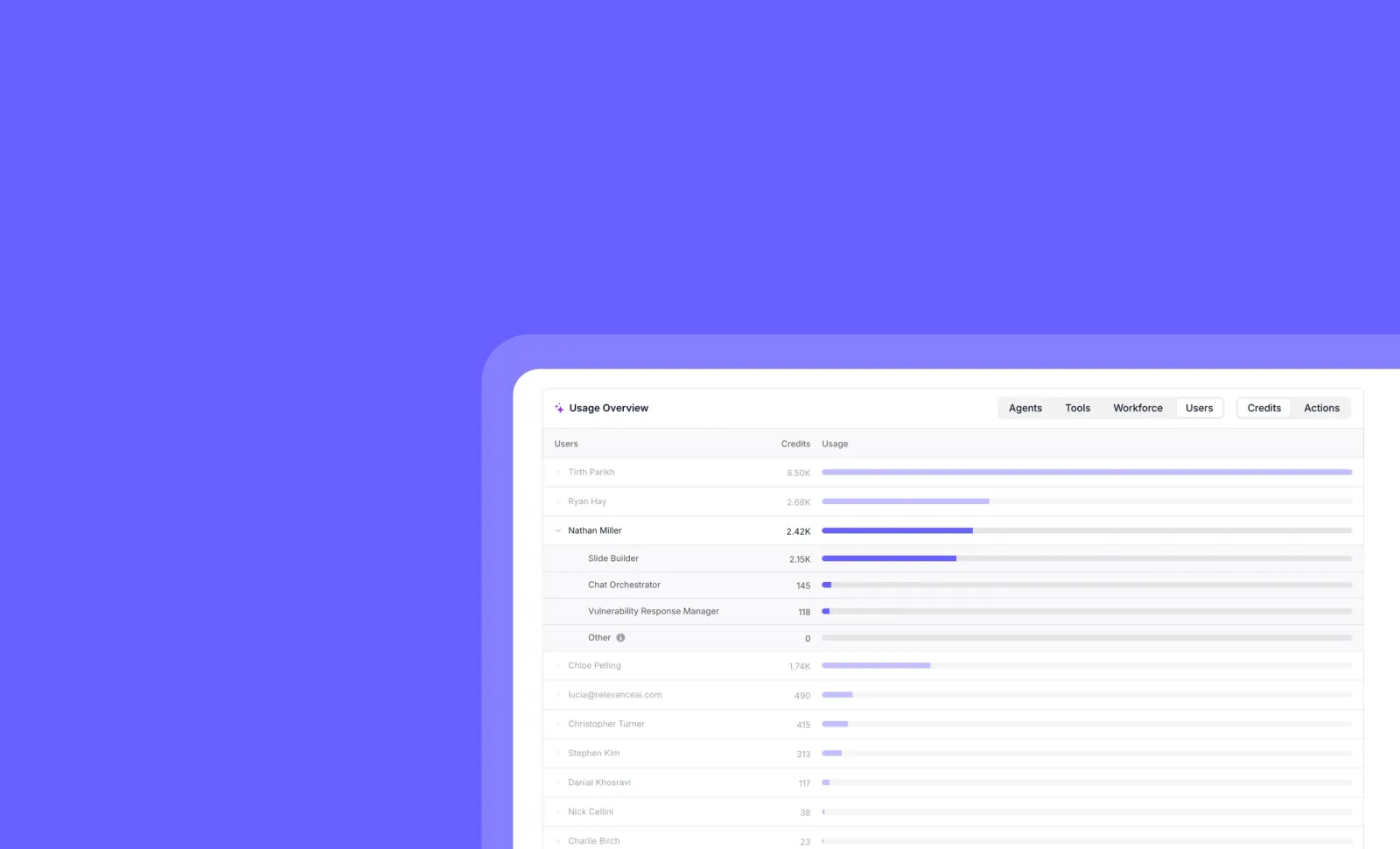
Enterprise Analytics - Per User Usage: Track Team Performance at a Glance
You can now see detailed per-user usage data in your analytics dashboard!
Get complete visibility into how each team member uses Relevance AI with our new per-user analytics view. Monitor credits consumed, track usage patterns, and optimize your team’s AI workflow efficiency.
➡️ Individual Usage Tracking – See exactly how many credits each user has consumed with visual usage bars
➡️ Team Performance Overview – Identify your power users and understand usage distribution across your organization
➡️ Agent-Level Breakdown – Drill down to see which specific agents each user is running most frequently
➡️ Enterprise Management – Make data-driven decisions about resource allocation and team optimization
With Enterprise Analytics - Per User Usage, you can optimize team performance, manage costs effectively, and ensure your AI workforce is being utilized to its full potential.
Permissions required: Admin role and Team plan or higher required to access analytics dashboard.
To access per-user analytics, go to Analytics Dashboard > Users tab.
Perfect for enterprise teams who need granular visibility into their AI usage patterns!
Other improvements
General fixes and UI improvements
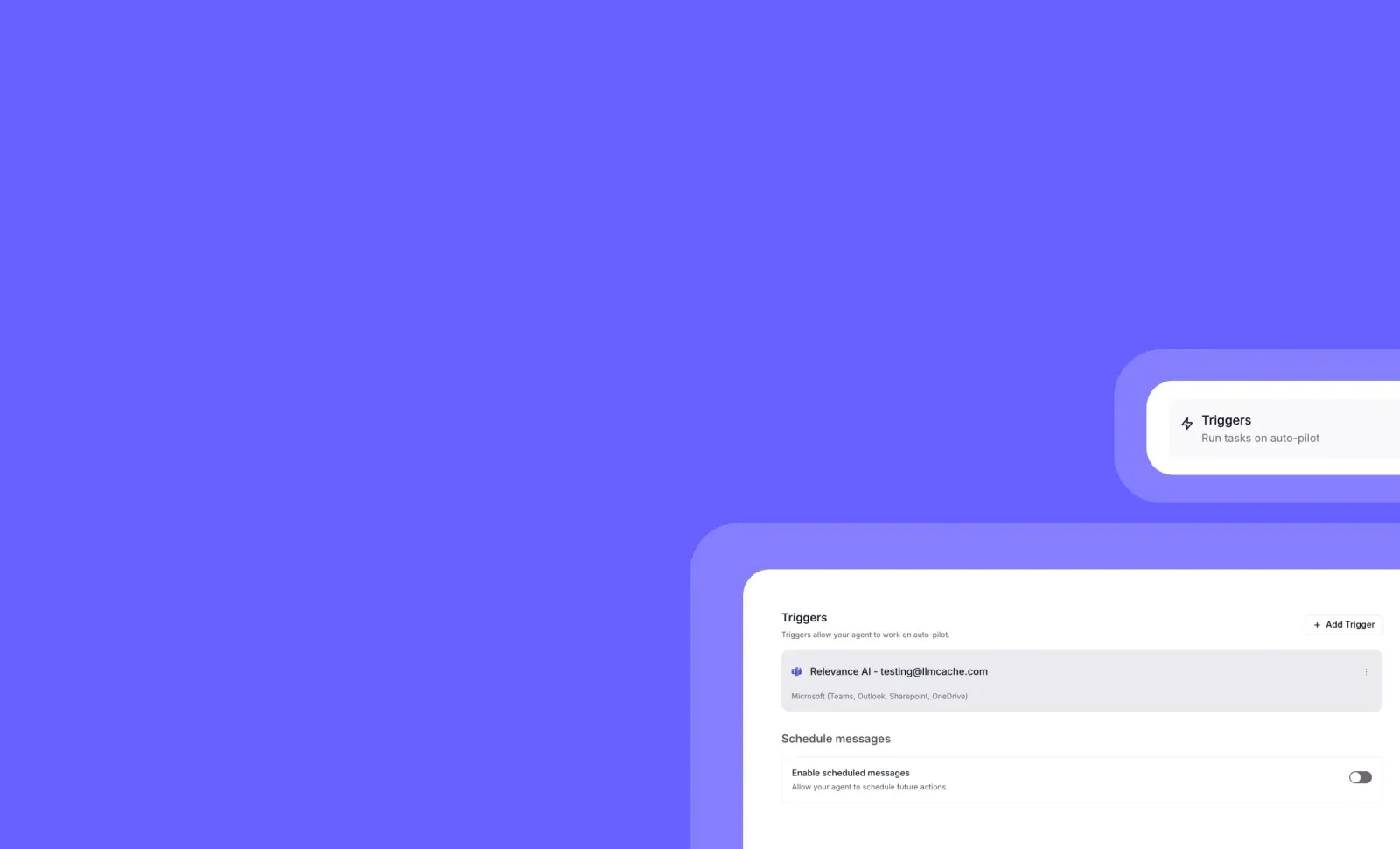
Teams Calendar Trigger: Automate AI Agents with Microsoft Teams Meetings
You can now trigger your AI agents automatically based on Microsoft Teams calendar events!
The Teams Calendar Trigger removes a major blocker for enterprise teams using Microsoft 365. If you’ve been waiting to automate workflows around your Teams meetings, you can now set up agents that respond to calendar events—just like Google Calendar users have been doing.
➡️ Trigger agents when Teams meetings start or end – Automate meeting prep, follow-ups, and summaries
➡️ Unlock enterprise automation for Microsoft 365 teams – No more being blocked by calendar platform limitations
➡️ Integrate seamlessly with your existing workflows – Works with all your current agent configurations
➡️ Match Google Calendar functionality – Get the same powerful automation capabilities for Teams users
➡️ Enable meeting intelligence at scale – Perfect for organizations standardized on Microsoft 365
With Teams Calendar Trigger, your enterprise team can finally automate meeting-related workflows without switching calendar platforms—removing a critical blocker for Microsoft-first organizations.
To set up a Teams Calendar Trigger, go to your agent settings, select “Triggers,” and choose “Teams Calendar” from the available options.
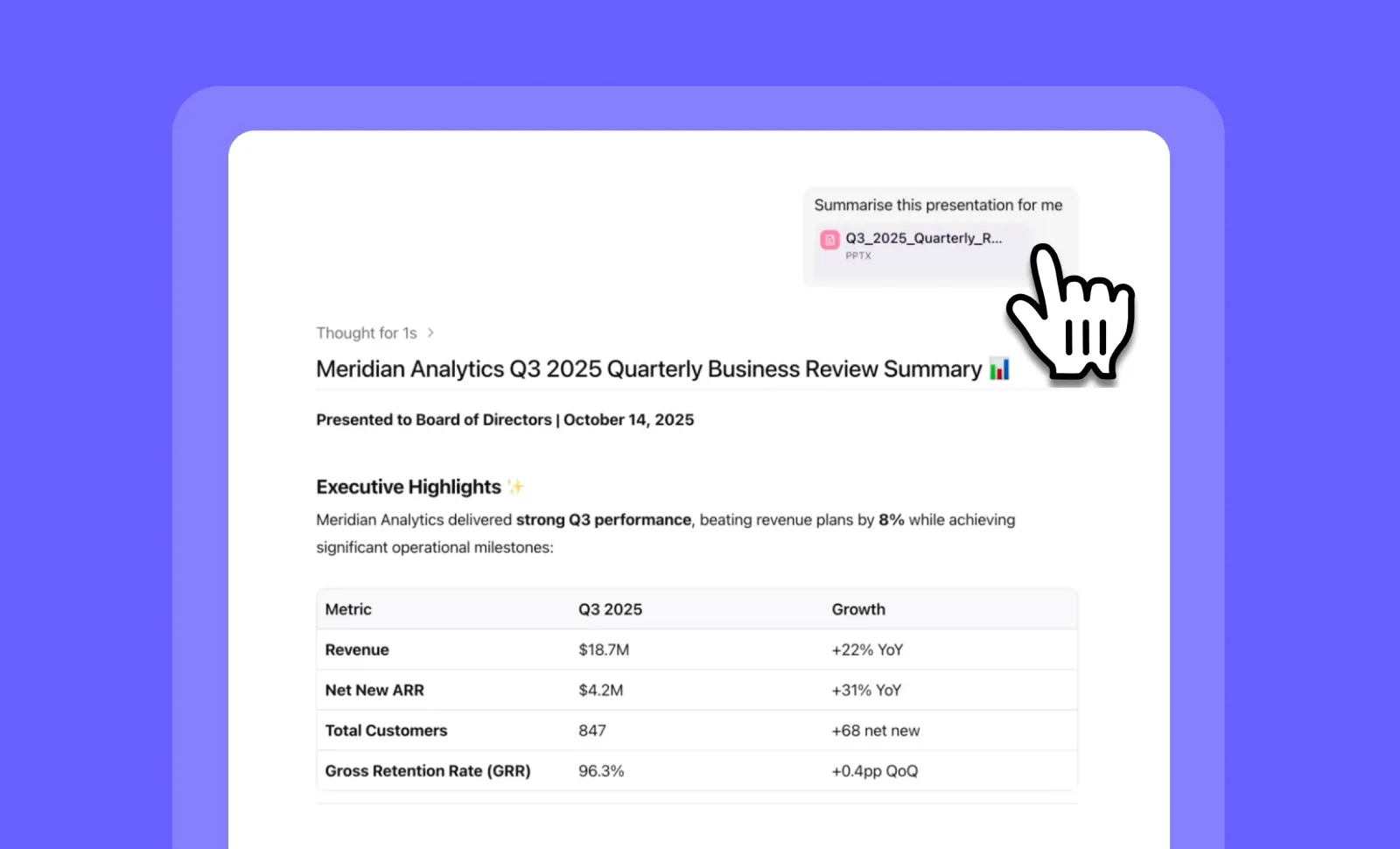
PPTX File Support: Upload and Analyze PowerPoint Presentations in Chat
You can now attach PowerPoint presentations directly in Relevance Chat and share them with any agent for instant analysis!
PPTX file support means your agents can read, interpret, and analyze entire presentations—extracting text, understanding images and charts, and recognizing the visual layout of each slide. Simply attach your .pptx file and ask your agent to summarize, analyze, or extract insights from your presentation.
➡️ Upload presentations directly – Attach .pptx files in chat just like any other document
➡️ Full content interpretation – Agents read text, view images, analyze charts, and understand slide layouts
➡️ Smart file size handling – Get automatic warnings if your file exceeds model limits
➡️ Optimized model recommendations – Use Gemini or OpenAI models for presentations with 100+ slides
➡️ Instant analysis – Ask agents to summarize, extract data, or answer questions about your presentations
With PPTX file support, you can quickly analyze quarterly reports, extract insights from sales decks, summarize conference presentations, and transform static slides into actionable intelligence—all without leaving your chat.
To upload a PowerPoint presentation, simply click the attachment icon in any Relevance Chat conversation or agent message and select your .pptx file.
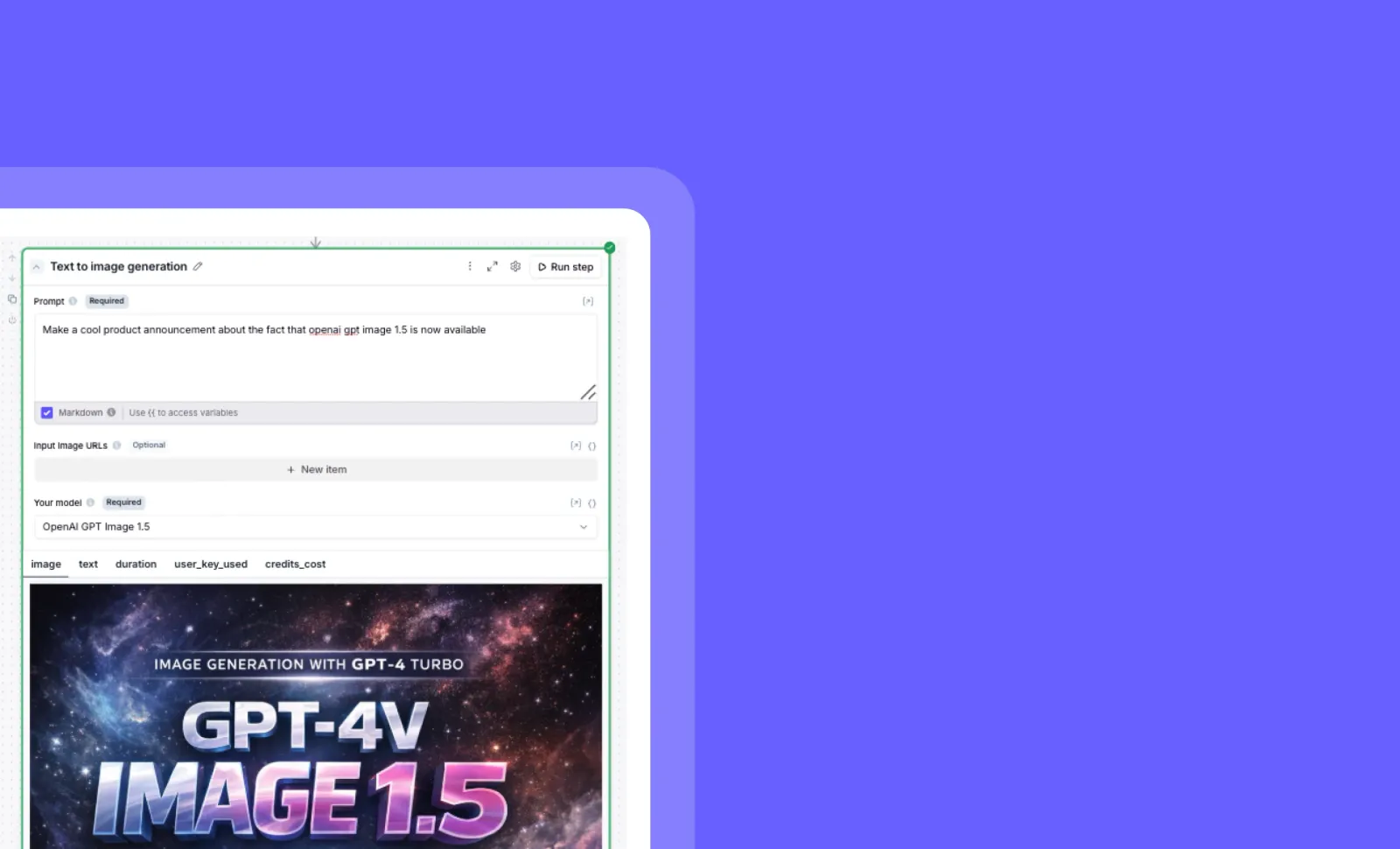
GPT Image 1.5: Create Stunning Visuals with OpenAI’s Latest Image Model
You can now generate higher-quality, more accurate images directly in your Relevance AI workflows with OpenAI’s GPT Image 1.5!
The powerful GPT Image 1.5 model is now available in the “Text to image generation” step, giving you access to OpenAI’s latest image generation capabilities. Simply enter your prompt, select the model, and watch as your text transforms into stunning visuals powered by GPT-4 Turbo technology.
➡️ Access cutting-edge image generation – Leverage OpenAI’s latest model directly in your workflows
➡️ Create more accurate visualizations – Generate images that better match your text prompts
➡️ Enhance your agent outputs – Deliver more engaging, visual responses to users
➡️ Streamline creative processes – Produce professional-quality images without leaving Relevance AI
With GPT Image 1.5, you can elevate your AI agents’ capabilities by incorporating visually stunning, contextually relevant images that enhance user engagement and communication effectiveness.
To use GPT Image 1.5, simply add a “Text to image generation” step to your workflow, enter your prompt, and select “OpenAI GPT Image 1.5” from the model dropdown.
Start creating amazing visuals with GPT Image 1.5 today!
Other improvements
Clean up your workspace in seconds with our new bulk chat deletion feature – perfect for removing those numerous “Hi” test conversations and keeping your environment organized.
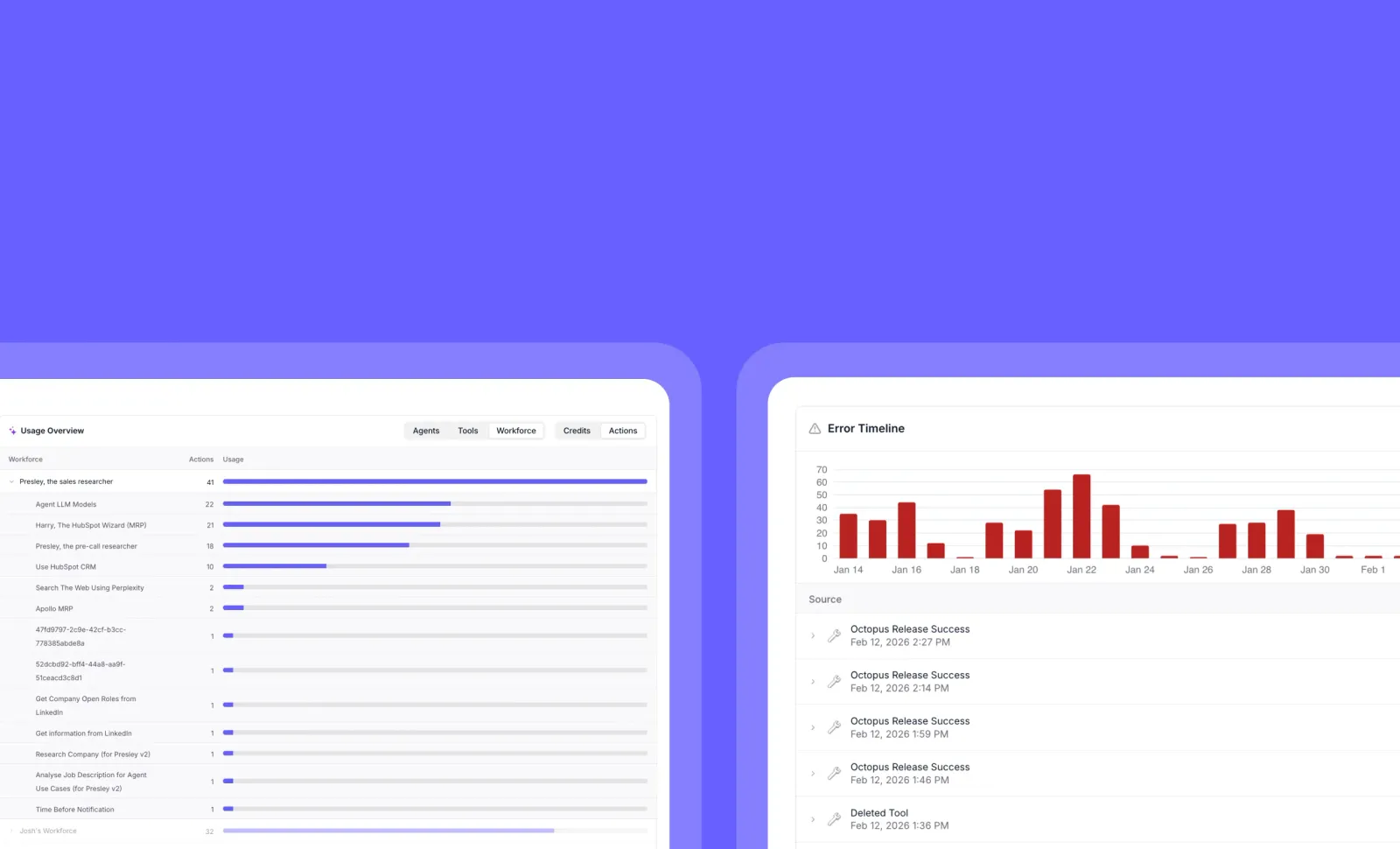
Enterprise Analytics: Track AI Agent Usage and Error Trends
You can now track resource consumption and troubleshoot errors with powerful visual analytics!
The new Enterprise Analytics dashboards provide critical visibility into your AI operations with two specialized views. The Usage Overview dashboard shows exactly which agents, tools, and workforces consume the most actions and credits, while the Error Timeline helps you identify and resolve issues by tracking error patterns over time.
➡️ Identify resource-intensive components – See which agents and tools use the most actions at a glance
➡️ Optimize credit allocation – Make data-driven decisions about where to invest resources
➡️ Track error patterns over time – Spot recurring issues with the visual timeline display
➡️ Filter errors by type – Easily segment by Agents, Tools, or Workforce to pinpoint problem areas
➡️ Diagnose transformation issues – View detailed error messages to quickly identify root causes
With Enterprise Analytics, you gain the insights needed to optimize performance, reduce errors, and make informed decisions about your AI infrastructure.
To access these new dashboards, go to your project’s Analytics page and select either “Usage Overview” or “Error Timeline” from the navigation.
Other improvements
General fixes and UI improvements
Claude Opus 4.6: Anthropic’s Most Advanced AI Model Now Available
You can now access Anthropic’s flagship Claude Opus 4.6 model directly in the platform, with an optional 1M context window variant for handling massive documents!
Claude Opus 4.6 delivers exceptional performance on complex reasoning, coding, and advanced agentic tasks. This latest version brings Anthropic’s most powerful AI capabilities to your workflows, with both standard and extended context options to match your specific needs.
➡️ Standard 200K token context window – Process lengthy documents and conversations with ease
➡️ Optional 1M token context window – Handle massive datasets, codebases, or documents in a single prompt
➡️ Adaptive thinking support – Tackle complex reasoning and multi-step problem solving
➡️ Advanced image processing – Work with jpg, jpeg, gif, webp, and png files
➡️ Exceptional output quality – Benefit from improved reasoning and response generation
With Claude Opus 4.6, you can tackle your most demanding AI tasks with confidence, whether you need deep analysis of complex documents or sophisticated reasoning across massive datasets.
To access Claude Opus 4.6, simply select it from the model selection menu in your workspace. For projects requiring extended context, choose the “Claude Opus 4.6 (1M context)” variant.
Other improvements
General fixes and UI improvements
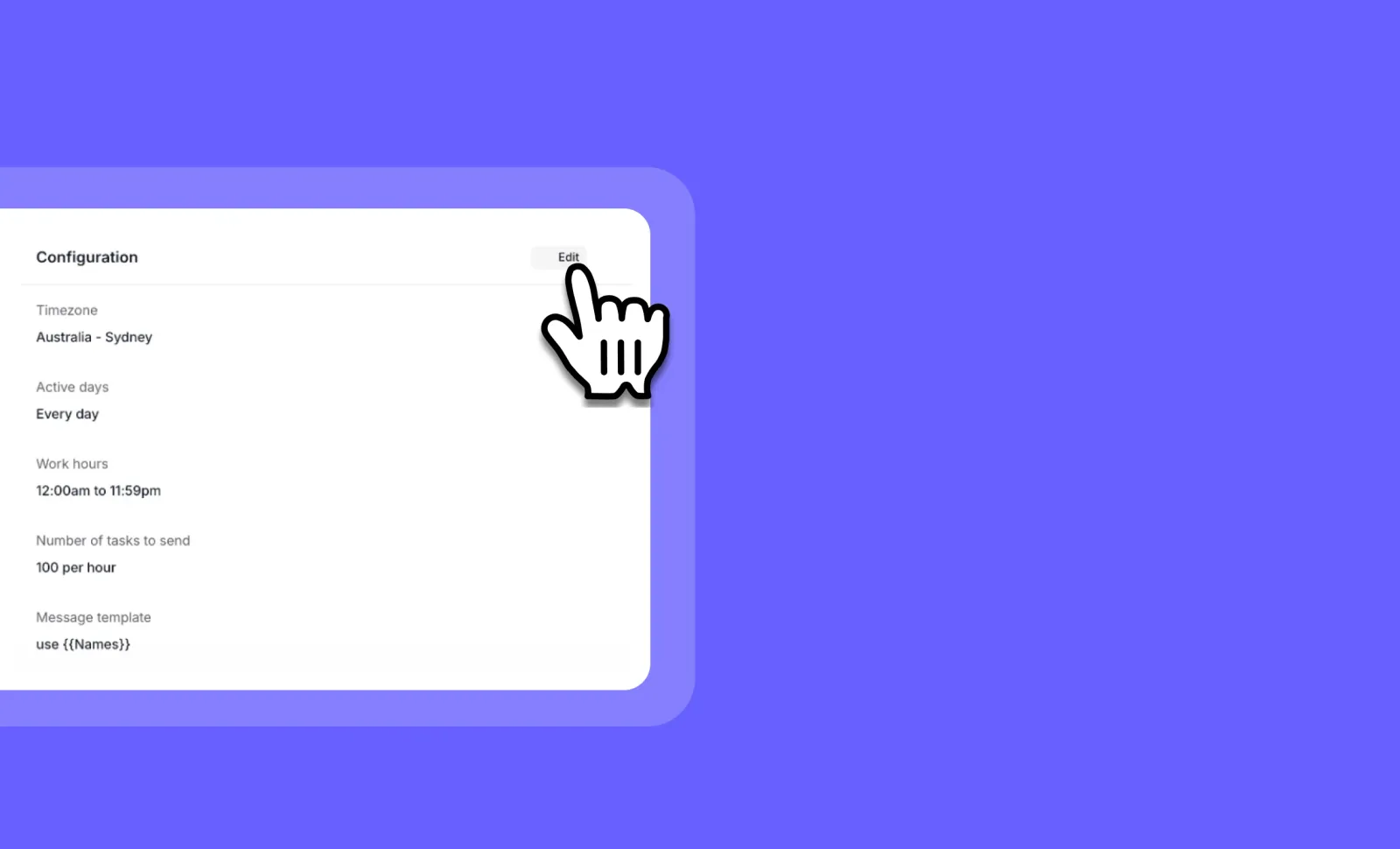
Bulk Run Editing: Customize Your Agent Automation Settings On-The-Fly
You can now modify your agent’s bulk run settings even after they’ve been created!
Bulk Run Editing gives you complete flexibility to adjust your automation parameters whenever your needs change. Whether you need to scale back daily tasks, change time zones, or make other adjustments, you can now modify these settings without creating entirely new bulk runs.
➡️ Adjust task volume – Change the number of tasks processed per day from 100 to 10 or any number you need
➡️ Update time zones – Switch processing times to match your team’s location or business hours
➡️ Modify any parameter – Edit any setting available in the bulk run modal
➡️ Make changes anytime – Adjust settings mid-campaign without disrupting your workflow
➡️ Maintain continuity – Keep the same bulk run while adapting to changing requirements
With Bulk Run Editing, you gain greater control over your agent automation, allowing you to respond quickly to changing priorities, resource constraints, or business needs.
To edit a bulk run, navigate to your agent, select the active bulk run, and click the “Edit” button in the bulk run modal.
Other improvements
General fixes and UI improvements
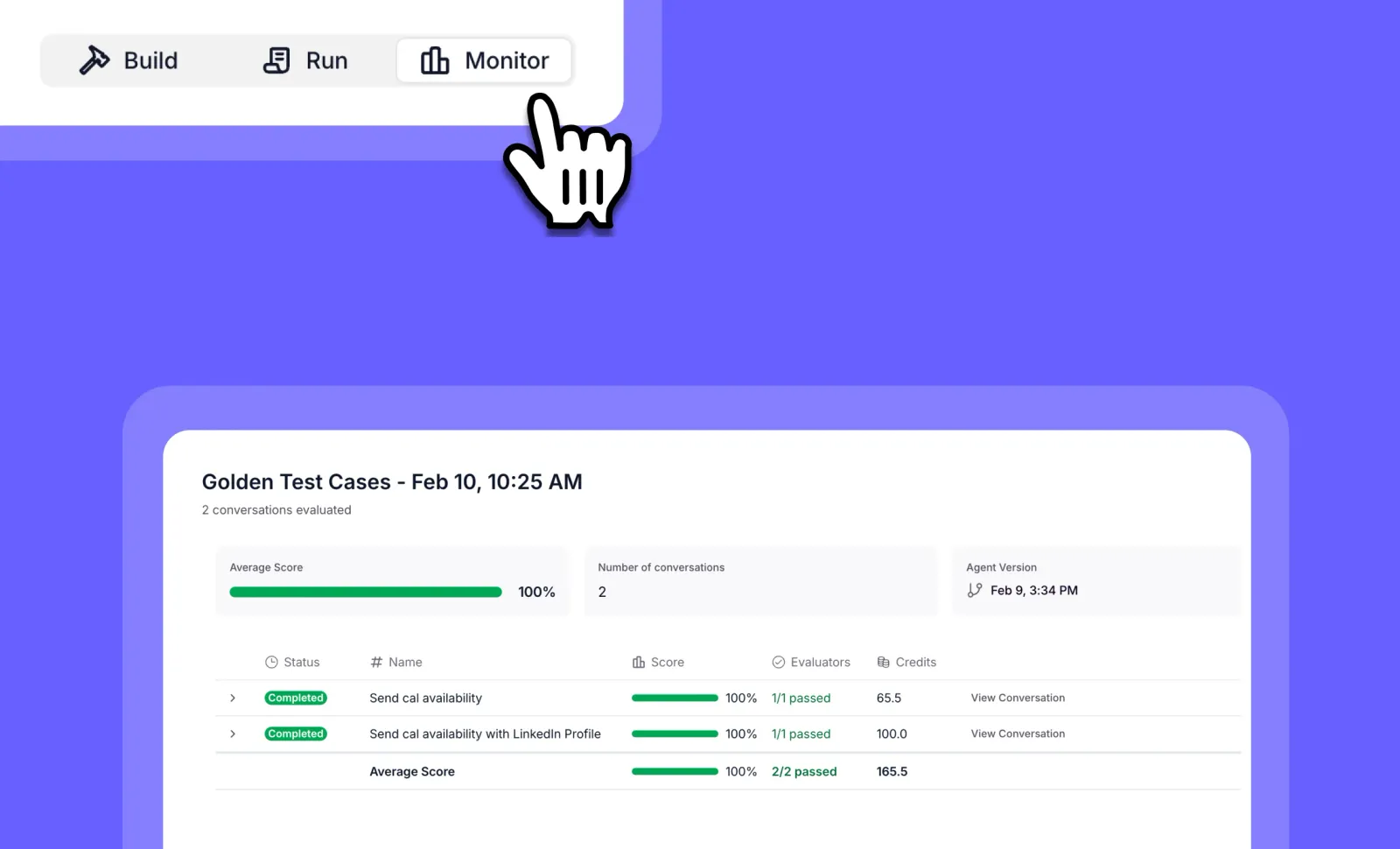
Evals: Test and Validate Your AI Agents with Confidence
You can now thoroughly test your AI agents with our powerful Evals feature, ensuring they perform exactly as expected in real-world scenarios!
Evals provides a structured testing framework for your AI agents, allowing you to create test suites with multiple scenarios to validate functionality. Create golden test examples, simulate user interactions, and evaluate agent performance without triggering actual tool executions or external actions.
➡️ Create organized test suites – Group related tests together for better organization and management
➡️ Generate realistic test scenarios – Automatically create diverse user interactions to thoroughly test your agents
➡️ Evaluate with AI judges – Use LLM-powered evaluators to assess if your agent meets specific criteria
➡️ Track performance over time – Monitor how your agents perform across multiple test runs
➡️ Coming soon: Tool simulations – Test workflows with sensitive or expensive tools without triggering actual executions
With Evals, you can confidently deploy agents knowing they’ve been thoroughly tested against a variety of scenarios, ensuring reliability and consistent performance for your users.
Available exclusively for select Enterprise customers, Evals delivers the advanced testing capabilities needed for mission-critical AI deployments. To access Evals, enterprise users can go to their agent’s dashboard and select the “Monitor” tab, then navigate to the “Test Suites” section. If you’re on an Enterprise plan and don’t yet have access, contact your Relevance AI sales representative to register interest. This feature is not available on non-Enterprise plans.
Start building more reliable AI agents with comprehensive enterprise-grade testing today!
Other improvements
General fixes and UI improvements

AWS Bedrock Guardrails: Enhanced Content Safety for BYO Anthropic Models
You can now apply powerful content safety controls to your BYO Anthropic models via AWS Bedrock Guardrails!
AWS Bedrock Guardrails integration gives customers using their own Bedrock account organization-wide content filtering capabilities for Anthropic models without custom workforces. Apply guardrails before or after LLM calls to filter harmful content, detect prompt injections, and protect sensitive information—all with minimal performance impact.
➡️ Block prompt injection attacks – Choose from various strength levels to prevent malicious inputs
➡️ Filter harmful content – Automatically detect and block insults, hate speech, sexual content, and misconduct
➡️ Protect sensitive information – Mask or block PII like email addresses, phone numbers, and more
➡️ Create custom topic filters – Define specific topics you want to restrict in your organization
➡️ Apply profanity controls – Maintain professional communication standards across all AI interactions
With AWS Bedrock Guardrails, you can confidently deploy your BYO Anthropic models across your organization while maintaining strict content safety standards and compliance requirements.
Learn more in our documentation.
Other improvements
General fixes and UI improvements

OpenTelemetry Event Streaming for AI Audit Logs and Execution Traces
You can now stream AI audit logs and execution traces in industry-standard OpenTelemetry format to a customer-controlled destination.
This enhancement enables enterprise teams to integrate Relevance AI event data directly into their existing observability and monitoring stack, supporting governance, compliance, and operational visibility across AI workflows.
What’s included:
➡️ Stream audit logs and execution traces to a customer-owned destination – Maintain full control over storage, access, and retention policies
➡️ Export data in OpenTelemetry format – Integrate seamlessly with major observability and monitoring platforms
➡️ Support enterprise governance and compliance requirements – Retain and analyze AI operational data within your approved systems
➡️ Enable standardized querying and correlation – Use consistent schemas across your broader observability stack
Availability
OpenTelemetry event streaming is available to Enterprise customers with RBAC enabled. RBAC access is being rolled out progressively. If you’re on an Enterprise plan and don’t yet have access, contact your Relevance AI sales representative to register interest. This feature is not available on non-Enterprise plans.
Other improvements
General fixes and UI improvements
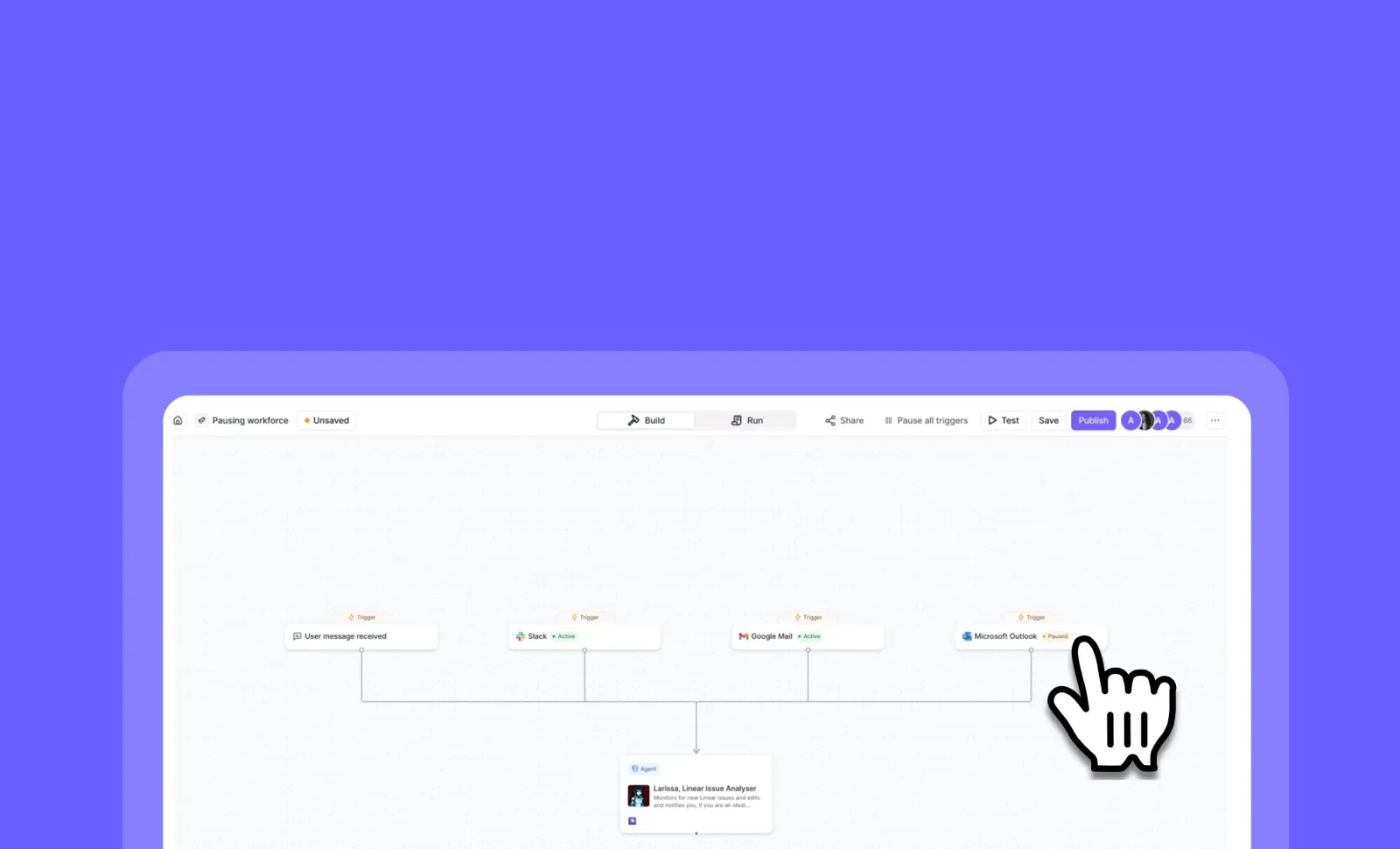
Workforce Trigger Controls: Pause, Cancel, and Resume Your Automation Workflows
You can now take full control of your workforce triggers with flexible pause, cancel, and resume options!
Workforce Trigger Controls give you granular management over your automation workflows. Quickly pause specific triggers when issues arise, cancel problematic workflows, or pause an entire workforce at once—then resume operations when you’re ready.
➡️ Pause individual triggers – Temporarily stop specific automations without affecting others
➡️ Cancel active workflows – Immediately terminate problematic processes
➡️ Resume paused triggers – Restart automations when issues are resolved
➡️ Pause entire workforces – One-click solution to halt all triggers during maintenance
➡️ Visual status indicators – Clearly see which triggers are active, paused, or canceled
With Workforce Trigger Controls, you can confidently manage complex automation environments, quickly respond to issues, and maintain precise control over your AI workflows.
To access these controls, navigate to your workforce dashboard and use the trigger status options or the “Pause all triggers” button in the top menu.
Other improvements
General fixes and UI improvements
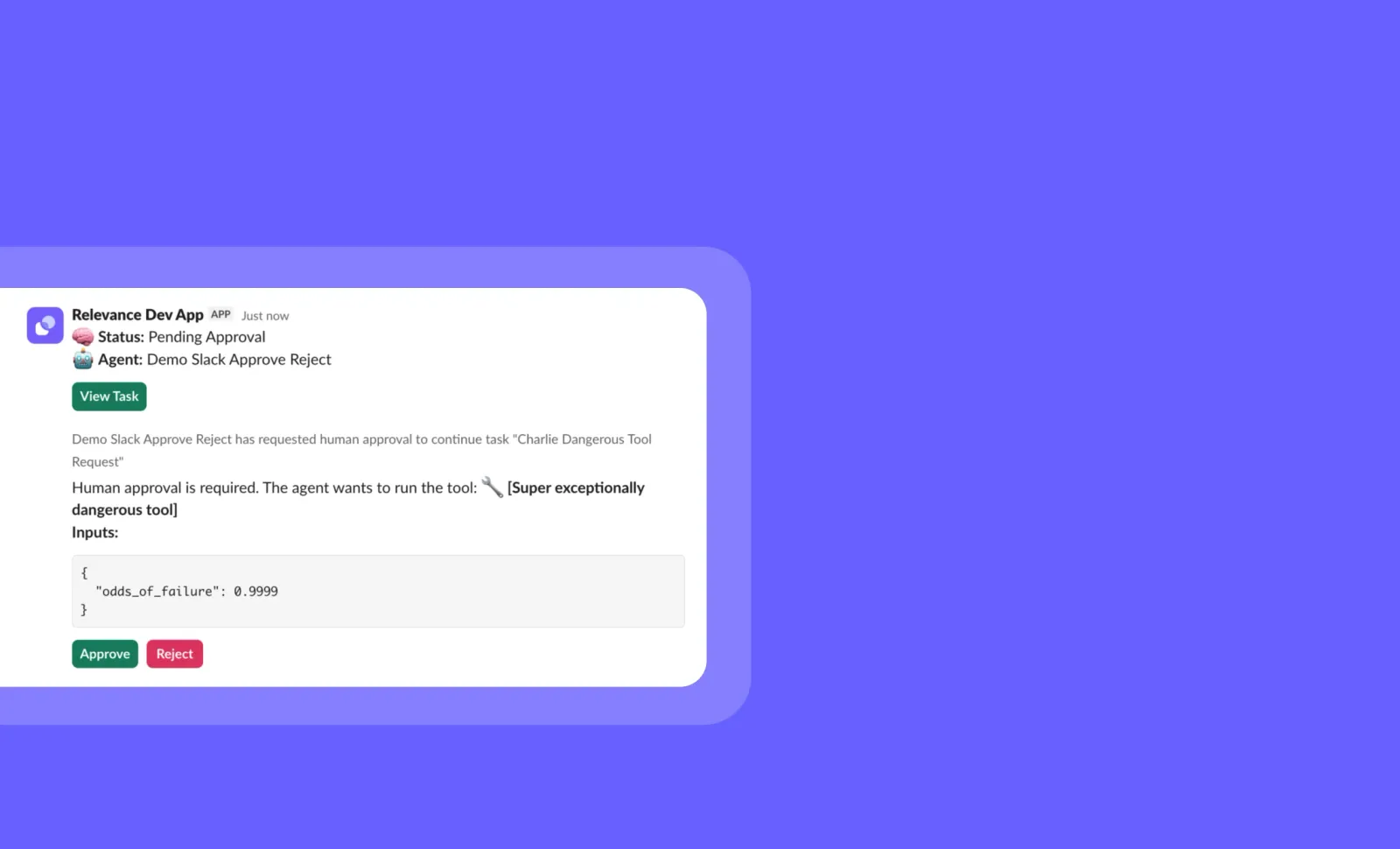
Slack Tool Approval: Manage Agent Requests Directly in Slack
You can now approve or reject agent tool requests without leaving Slack, streamlining your workflow and keeping your agents running smoothly!
This new feature brings tool approval management directly to your Slack workspace, allowing you to review, approve, or reject pending tool requests from your agents without switching contexts. Simply enable the setting on your Slack trigger to receive interactive approval notifications.
➡️ Review tool details – See exactly what tool the agent wants to run and with what parameters
➡️ Make informed decisions – View all request information directly in Slack before approving
➡️ Respond instantly – Approve or reject with a single click without leaving your conversation
➡️ Maintain security – Keep control over sensitive operations while improving response time
➡️ Streamline workflows – Eliminate context switching between platforms for approvals
With Slack Tool Approval, you can maintain security oversight while dramatically reducing response times, keeping your agents productive and your team efficient.
To enable this feature, go to “Triggers” > click the 3 dots on your Slack trigger > “Edit trigger” > “Advanced settings” > select “Tool approval from Slack” > select “yes”.
Start managing your agent approvals directly from Slack today!
Other improvements
General fixes and UI improvements
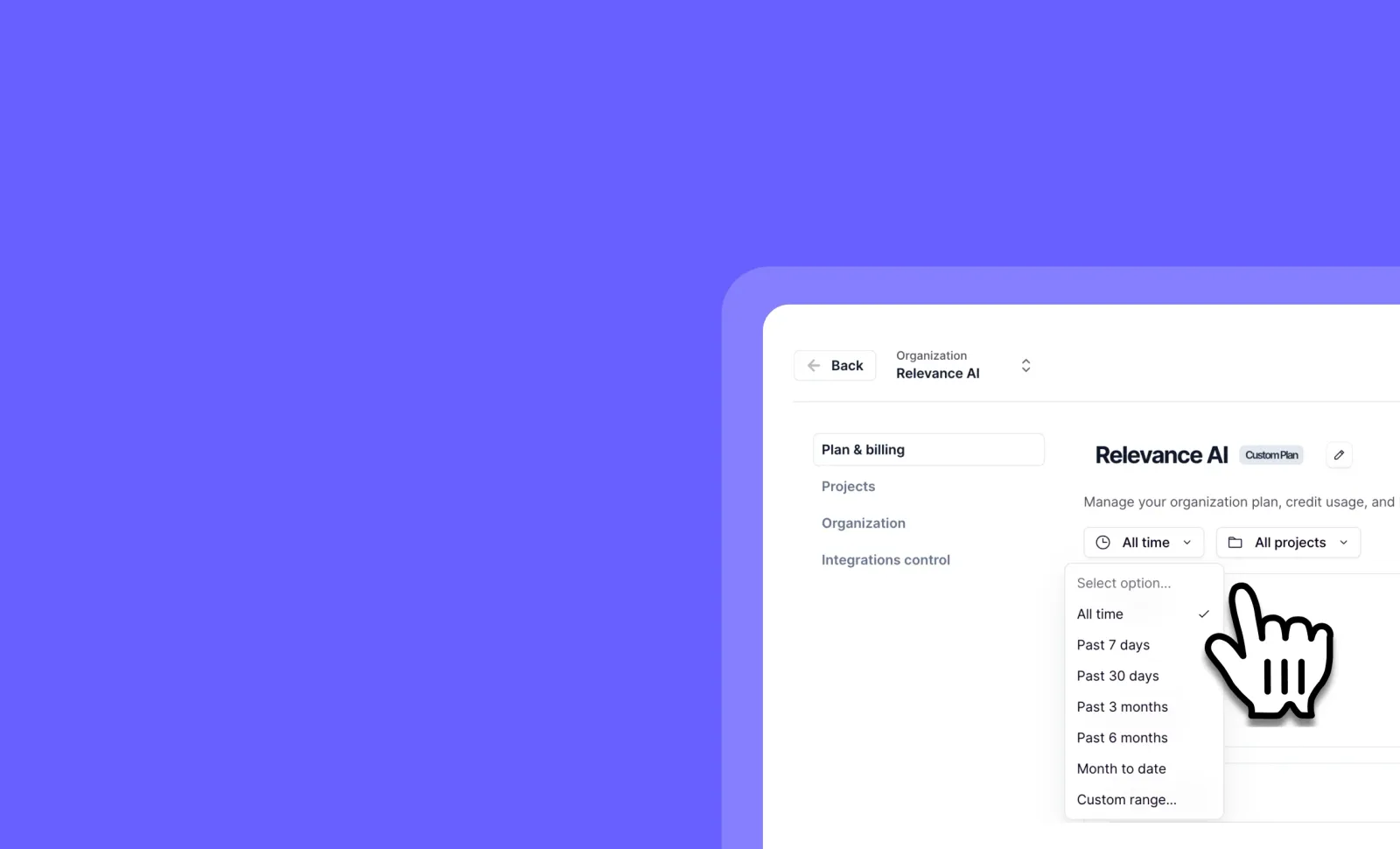
Improved Filters on Plan & Billing Page: Get Granular Control Over Your Organization’s Spend
You can now analyze your organization’s spending patterns with precision using new date and project filters on the Plan & Billing page!
The enhanced Plan & Billing page gives organization administrators a comprehensive view of credit usage across the entire organization. With new filtering capabilities, you can easily track spending trends, identify high-usage projects, and make informed decisions about resource allocation.
➡️ Filter by specific date ranges – Analyze spending patterns over custom time periods
➡️ Filter by individual projects – Identify which specific projects are consuming the most credits
➡️ Compare project usage side-by-side – Easily see which projects are driving your organization’s costs
➡️ Export filtered data – Share spending reports with stakeholders and team members
➡️ Make data-driven decisions – Optimize credit allocation based on actual usage patterns
With these improved filters, you can quickly identify spending trends, optimize resource allocation, and ensure your organization is getting maximum value from its Relevance AI investment.
To access these new filters, go to your profile, select “Manage organization” and then “Plan and billing”.
Other improvements
General fixes and UI improvements
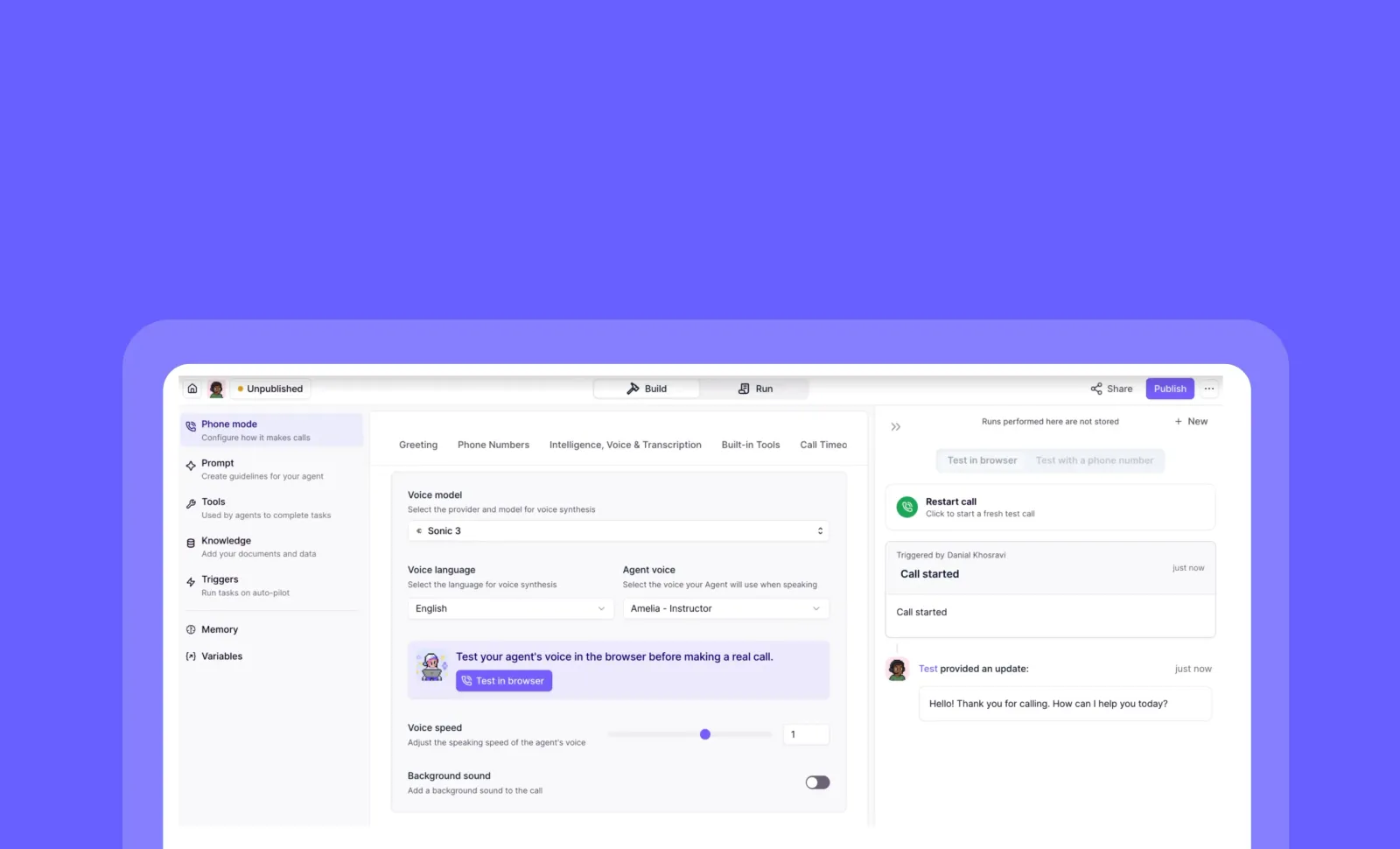
Test in Browser for Phone Agents: Test Your Voice Agents Without Making Calls
You can now test your phone agents directly in your browser without making actual phone calls!
Test in Browser gives you a quick and efficient way to validate your phone agent’s behavior, system prompts, and voice options right from your dashboard. This streamlined testing process helps you perfect your voice interactions before deploying them to real callers.
➡️ Test phone agents instantly – No need to make actual phone calls
➡️ Validate system prompts – Ensure your agent responds correctly to different inputs
➡️ Try different voices – Experiment with various voice options to find the perfect fit
➡️ Debug faster – Quickly identify and fix issues in your phone agent’s conversation flow
➡️ Save time and resources – Eliminate the need for physical phone testing during development
With Test in Browser, you can rapidly iterate on your phone agents, ensuring they deliver the intended experience before going live with real customers.
To access this feature, go to your phone agent’s build page and look for the “Test in Browser” button under “Call Agent”. It will ask for your browser’s permission to use the microphone. Also, when you’re in the phone settings, if you want to try out different voices or other settings, that’s also a quick way to try out different settings.
Start testing your phone agents more efficiently today!
Other improvements
General fixes and UI improvements
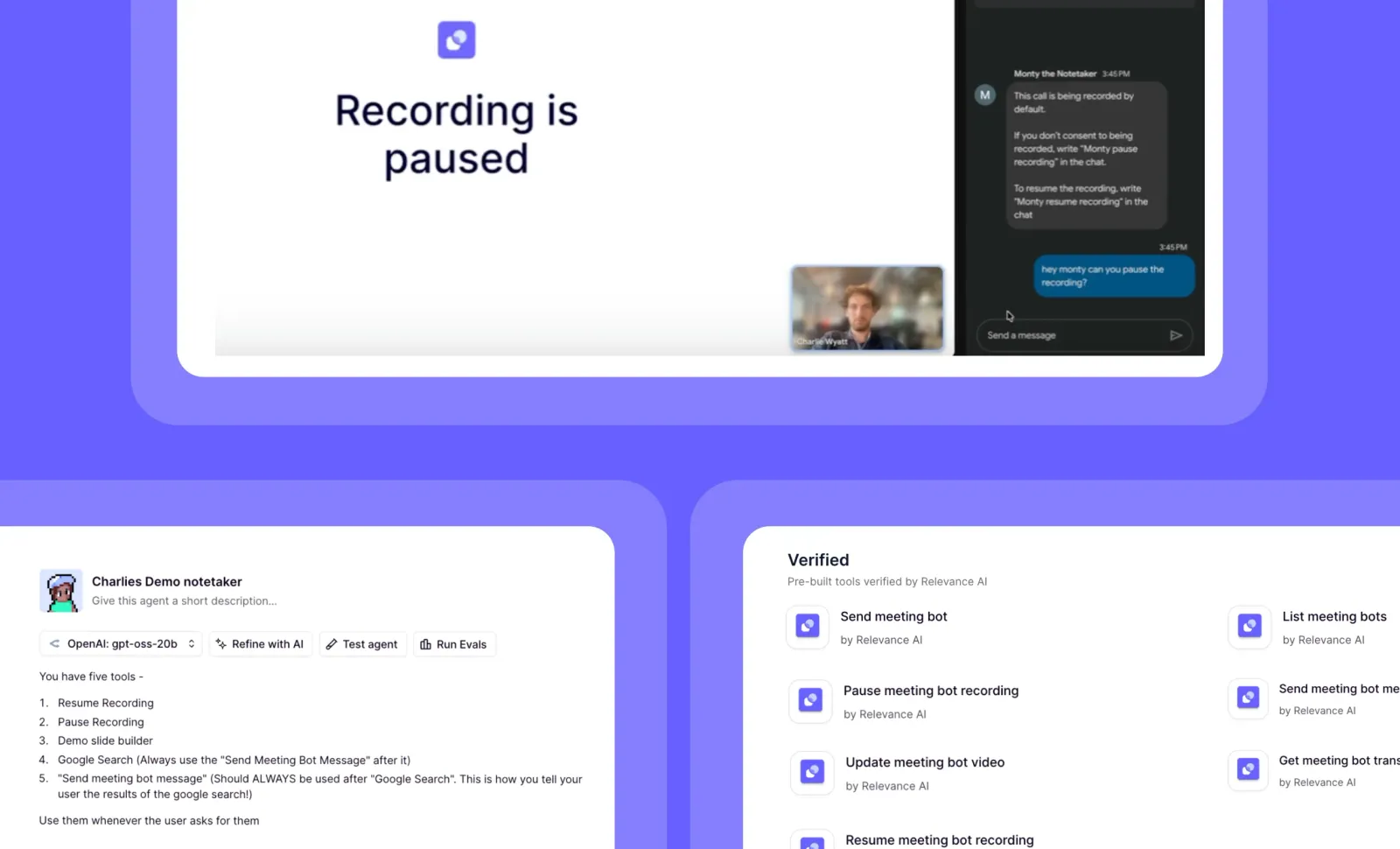
Meeting Agent Realtime Commands: Control Your AI Agent During Live Meetings
You can now trigger your AI meeting agent with custom commands during live meetings without interrupting the flow of conversation!
Meeting Agent Realtime Commands lets you interact with your meeting bot during meetings by simply typing trigger words in the chat. Your agent springs into action when it detects these keywords, performing tasks like searching information, controlling recordings, or creating meeting artifacts—all while your meeting continues uninterrupted.
➡️ Use custom trigger words – Define specific phrases that activate your agent during meetings
➡️ Perform real-time searches – Get information without leaving your meeting
➡️ Control meeting recordings – Pause and resume recordings with simple chat commands
➡️ Create meeting artifacts – Generate slides, notes, or action items as ideas emerge
➡️ Extend with any Relevance AI capability – Connect to Notion, Slack, or other tools for seamless workflows
With Meeting Agent Realtime Commands, you can enhance your meeting productivity by leveraging AI assistance exactly when you need it, without disrupting the conversation flow.
To set up your own meeting agent with custom commands, create a new agent from scratch, add the “Relevance AI Meeting Bot” under Triggers, add and configure your desired meeting bot tools (such as ‘Pause Recording’ and ‘Resume Recording’) and more general tools (such as ‘Google Search’ and ‘Slide Builder’) and trigger words.
Start making your meetings more productive with an AI meeting agent that responds to your commands!
Other improvements
General fixes and UI improvements
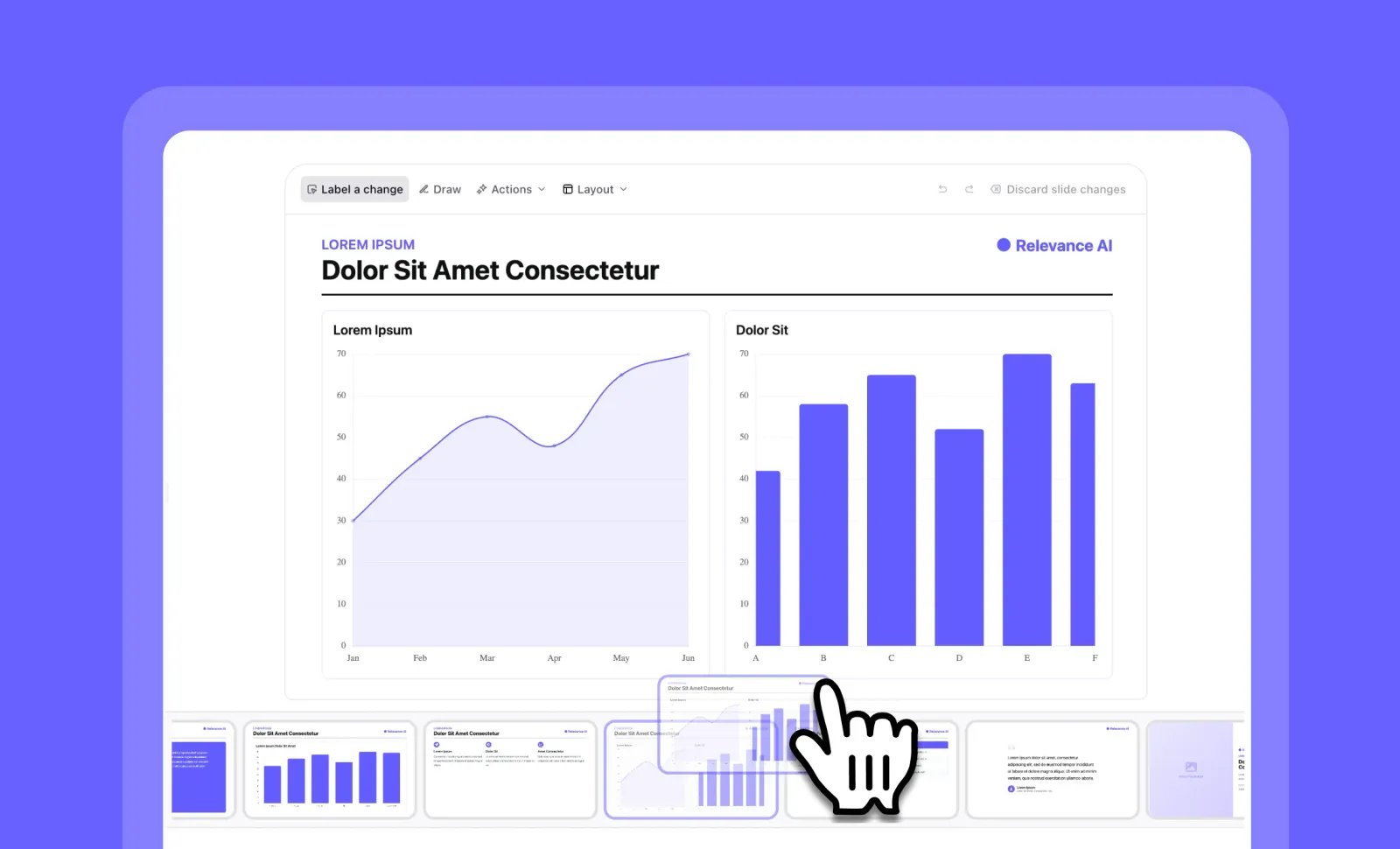
Slide Re-ordering: Easily Organize Your Presentations with Drag-and-Drop
You can now quickly reorganize your slides with simple drag-and-drop functionality in Slide Builder in Chat!
Slide Builder gets a powerful upgrade with intuitive slide re-ordering capabilities. This feature gives you complete control over your presentation structure, allowing you to effortlessly rearrange slides to create the perfect flow for your content without starting over.
➡️ Drag-and-drop simplicity – Move slides exactly where you want them with no technical skills required
➡️ Instant visual feedback – See your presentation structure change in real-time as you reorder
➡️ No more rebuilding slides – Save time by repositioning existing content instead of recreating it
➡️ Perfect your narrative flow – Easily experiment with different content sequences for maximum impact
With drag-and-drop slide re-ordering, you can create more polished, professional presentations while dramatically reducing the time spent organizing your content.
To use this feature, simply open any presentation in Chat, hover over a slide thumbnail, then click and drag it to your desired position.
Other improvements
General fixes and UI improvements